




AI Video Tools
Pollo AI
What is Pollo AI?
Pollo AI is a one-stop AI image and video creation platform. It integrates various advanced AI models, such as Pollo 2.5 and Veo 3 , supporting functions like text-to-video generation, image-to-video conversion, and video style transfer. Users can quickly generate high-quality video and image content through simple text prompts or uploaded images, and can enhance their creations with AI video editors and special effects tools. Pollo AI offers a rich set of creation models and tools suitable for creators, businesses, and individuals, helping users easily realize their creative expression.
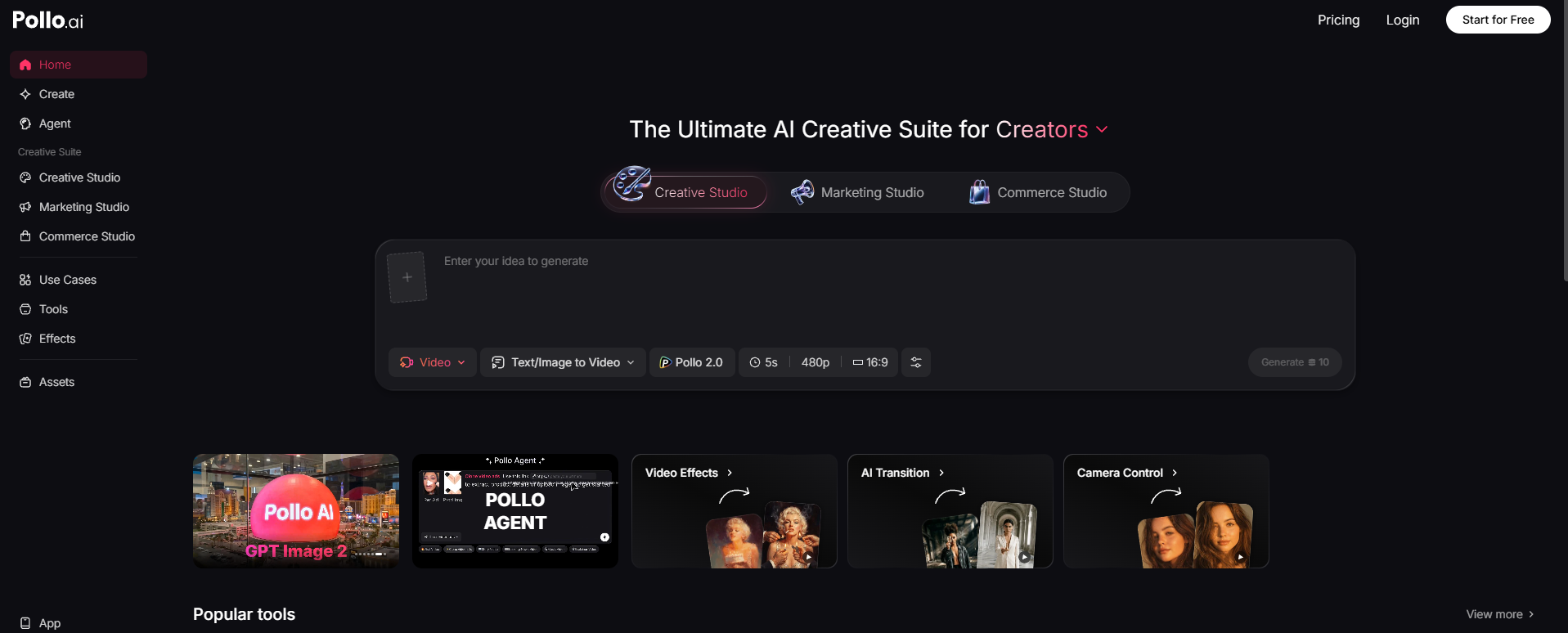
Pollo AI’s main functions
-
AI video generation
-
Text-to-video : Transforming text descriptions into vivid video content.
-
Image to video : Animate static images to generate dynamic videos.
-
Video to Video : Convert existing videos into different animation styles, such as Japanese anime, Disney style, etc.
-
AI Video Editing : Quickly edit videos with text prompts, adjust scenes, add effects, and more.
-
-
AI Image Generation
-
Text to Image : Generate high-quality images based on text descriptions.
-
Image to Image : Style conversion or re-creation of existing images.
-
-
AI animation generation
-
AI animation generator : Generate anime and cartoon videos in various styles.
-
AI video avatar generation : Transform a single photo into a dynamic video avatar lasting up to two minutes.
-
-
Special effects and tools
-
It offers over 150 video and image effects, such as AI kissing and AI muscle generation.
-
Video tools : including video enhancement, video to animation conversion, AI video filters, etc.
-
Image tools : Supports functions such as background removal , object removal, and image enhancement.
-
-
Multi-platform support : Offers web and mobile app versions, allowing users to create content anytime, anywhere.
How to use Pollo AI
-
Register an account : Visit the Pollo AI website https://pollo.ai/ or download the Pollo AI app and complete the registration using your email or social media account.
-
Select the functional module : Choose functions such as AI video generation, image generation, video editing, or animation generation according to your needs.
-
Upload materials : Follow the prompts to upload images, videos, and other materials, ensuring that the format meets the requirements.
-
Parameter settings : Select parameters such as generation style, duration, and resolution to adjust the generation effect.
-
Generate content : Click “Generate” and wait for the system to process it. The generation time depends on the complexity of the content.
-
Download or share : Once generated, the content can be downloaded or shared directly to social media.
-
Explore more features : Try out effects tools and video enhancements to further optimize your creations.
Application Scenarios of Pollo AI
-
Content creation : Creators can quickly generate video and image content for use on social media, blogs, video channels, etc., saving time and effort.
-
Advertising and Marketing : Businesses can use AI to generate engaging advertising videos and images for product promotion and brand building.
-
Education and Training : The platform can generate educational videos and animations to help students better understand and remember knowledge, and enhance their learning experience.
-
Entertainment and Film : Users can create animated shorts, music videos, or special effects videos, providing creative inspiration and initial materials for film and television production.
-
Personal entertainment : Users can generate fun videos and images for themselves or their friends, such as AI-generated celebrity photos and special effects videos.
相关导航




ai-navhub:The official website of the AI Toolset includes hundreds of AI tools from both domestic and international sources, as well as commonly used websites, frameworks, and models for AI learning and development, helping you join the wave of artificial intelligence and complete tasks efficiently and automatically!