




What is Digen AI?
Digen AI is a one-stop AI video creation platform that integrates mainstream video models such as ByteDance Seedance and Google Veo 3.1 . It offers tools for text-to-video, image-to-video, AI video super-resolution, watermark removal , FPS acceleration, lip-syncing , and text-to-speech . Users can quickly generate short videos through a browser without requiring professional editing skills, making it suitable for social media creators, marketers, and educators to rapidly produce visual content.
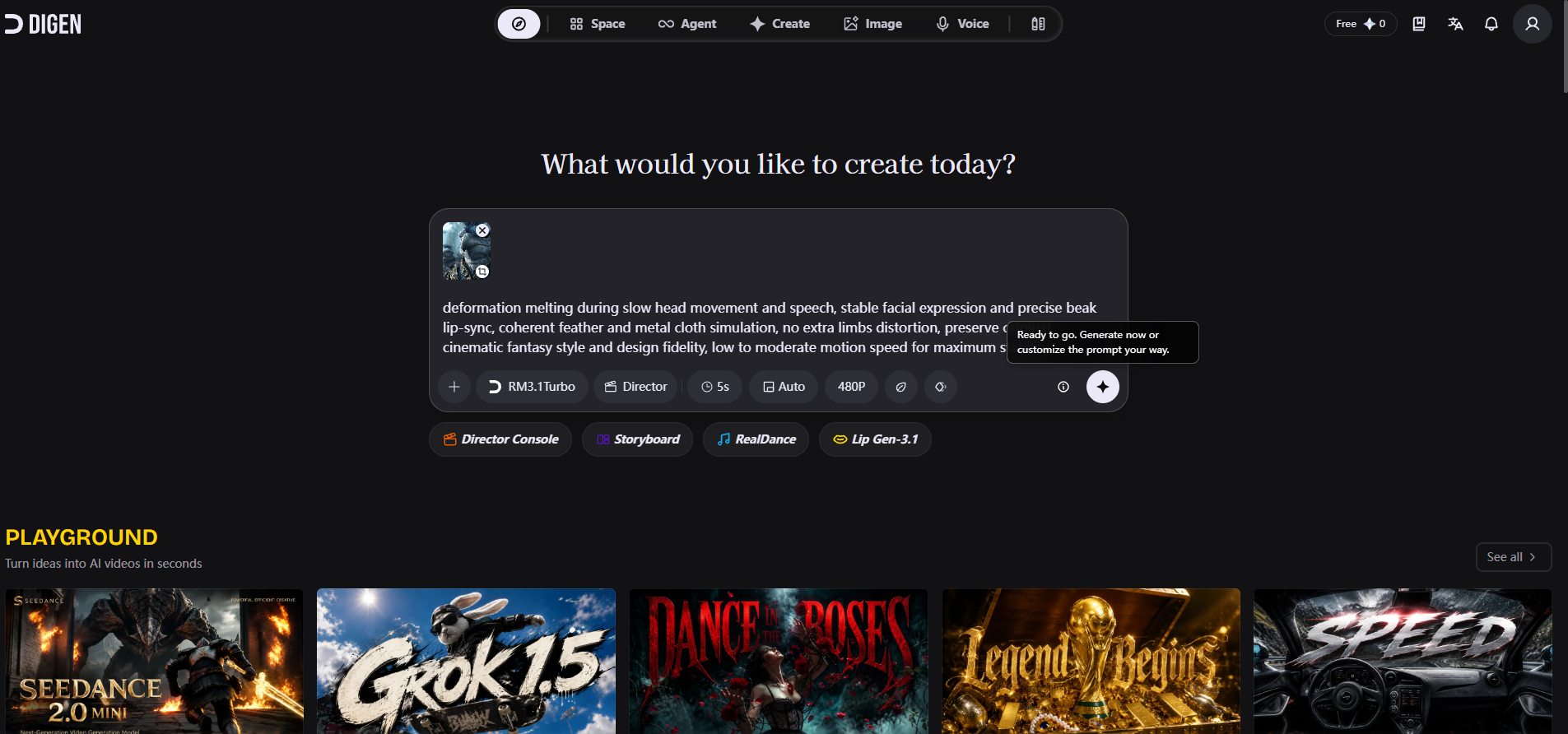
Digen AI’s main functions
- Multi-model text/image video generation : Integrates Veo 3.1, Seedance 2, Kling 3.0, Runway, Grok Video, etc., supporting the generation of short videos from text or images.
- AI Video Enhancement : Provides video super-resolution, watermark removal, and FPS accelerator to improve image quality and smoothness.
- AI Image Enhancement : Supports image super-resolution, improving the clarity of static materials.
- Digital human lip-syncing : Upload a portrait image and add audio or text to generate a speaking video with precise lip-syncing.
- AI sound effects and voice : Built-in text-to-speech and AI sound effect generation, automatically matching the mood and rhythm of the video.
- Creation Square and Templates : Provides a community of works and industry templates, and supports one-click optimization of prompts.
How to use Digen AI
- Register an account : Visit the Digen AI official website https://digen.ai/ and complete the registration and login process.
- Choose a creation mode : On the homepage, select “Text-based Video”, “Image-based Video”, or “Digital Human” as the entry point.
- Enter your creative idea : Enter text prompts or upload images, and use the built-in AI Prompt Enhancer to automatically optimize the description.
- Choose a model and parameters : Select from models such as Sora 2, Veo 3.1, Seedance 2, etc., and set the aspect ratio and duration.
- Generate and Export : Click Generate, preview and download or directly share to social media platforms.
Digen AI’s core advantages
- Multi-model aggregation : One-stop access to top-tier models such as Sora, Veo, Seedance, and Kling, without the need to switch between multiple platforms.
- Zero learning curve : The browser is ready to use immediately upon opening, requiring no professional software installation. AI automatically optimizes prompts to reduce the difficulty of operation.
- Free credit is generous : Register now and receive 300 points, which, combined with daily rewards, allow you to experience basic functions at zero cost for an extended period.
- Full-chain tools : In addition to generation, it integrates post-production tools such as super-resolution, watermark removal, FPS acceleration, and speech synthesis, covering the entire workflow.
Digen AI’s Competitive Comparison
| Comparison Dimensions | Digen AI | Runway |
|---|---|---|
| Core positioning | Multi-model aggregation platform, integrating mainstream third-party video large models | Self-developed Gen-4 series of creative video and image toolkits |
| Model source | Third-party models such as Sora 2, Veo 3.1, Seedance 2, and Kling 3.0 | Primarily based on self-developed Runway Gen-4/Gen-4.5 |
| Video length | Generate 5-10 second short videos in a single session. | Supports narratives up to 10–16 seconds (Gen-4 Turbo) and longer. |
| Free quota | 300 points + daily rewards, basic model is free. | The free version has limited availability, and some features require payment. |
| Special features | AI-powered video super-resolution, watermark removal, FPS acceleration, and digital human lip-syncing. | Motion brushes, video-to-video style conversion, advanced camera control |
Application Scenarios of Digen AI
- Social media operations : Quickly generate 9:16 vertical short videos for TikTok, Instagram Reels, and YouTube Shorts, and maintain frequent updates.
- E-commerce marketing : Create dynamic product displays, voice-over advertisements, and promotional materials to reduce shooting costs.
- Education and Training : Transform text and image courseware into dynamic explanatory videos, and enhance the learning experience by combining them with digital humans.
- Content creation : Generate B-rolls, intros, or animated illustrations for self-media and podcasts to enrich visual expression.
- Internal corporate communication : Creating announcements, training materials, and brand promotional videos to maintain a unified visual style.
相关导航




ai-navhub:The official website of the AI Toolset includes hundreds of AI tools from both domestic and international sources, as well as commonly used websites, frameworks, and models for AI learning and development, helping you join the wave of artificial intelligence and complete tasks efficiently and automatically!