




OhYesAI
What is OhYesAI?
OhYesAI is an AI-powered music video creation platform that integrates audio and video, allowing every sound to find its perfect visual expression. Users simply upload audio or input natural language to generate original songs. OhYesAI, leveraging its self-developed algorithms and mainstream video models such as Vidu, Keling, and Seedance, automatically completes the entire process of storyboard planning, audio-visual synchronization, video rendering, and lyrics subtitles, generating a cinematic music video of up to 5 minutes in length with a single click. Independent musicians, self-media creators, or ordinary users, without any editing or music theory background, can precisely control visual style, character design, and storyboard details through conversational interaction, achieving barrier-free creation from scratch.
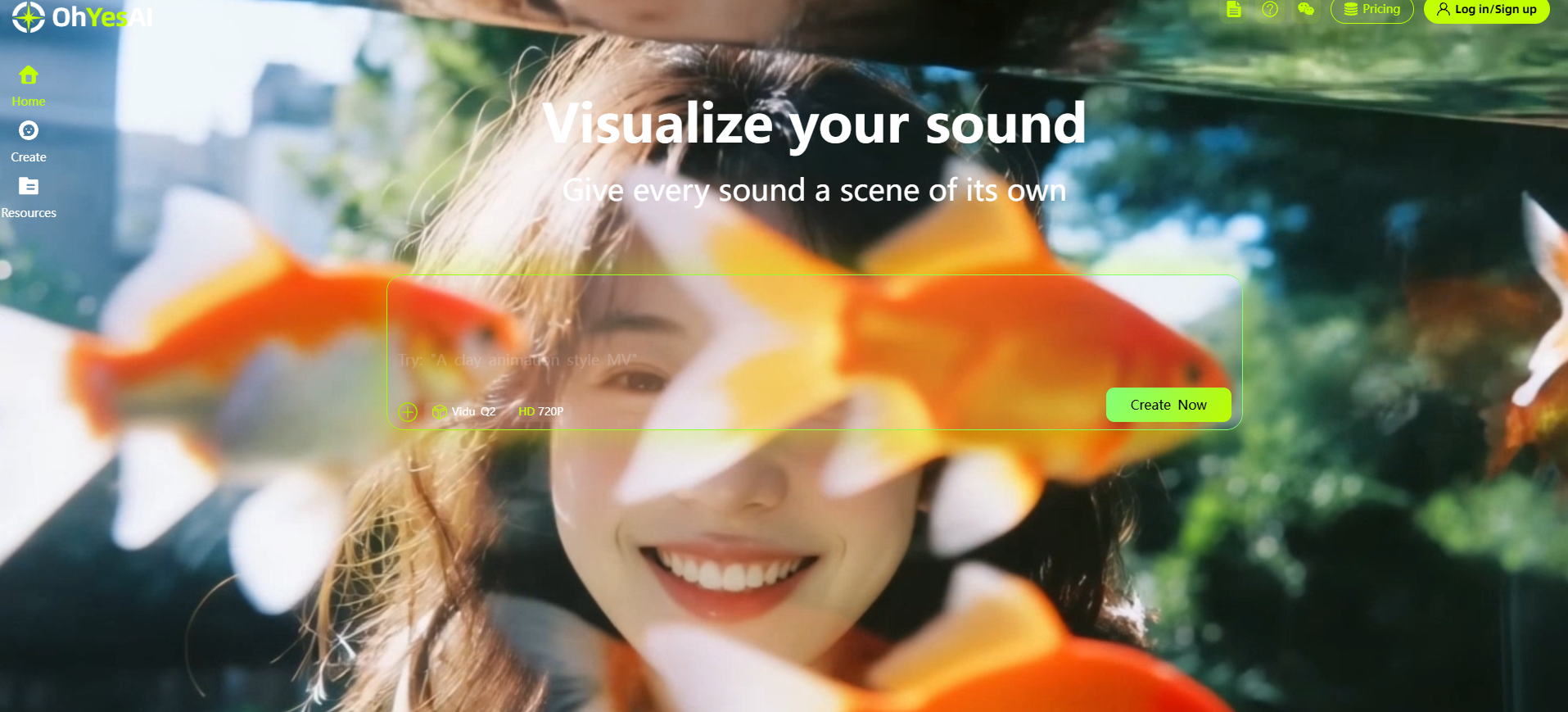
OhYesAI’s main functions
-
AI Original Music Generation : Input a theme, mood, and style description, and AI will automatically generate a complete song and lyrics. It supports multiple genres such as pop, rock, electronic, and R&B, and can be integrated into the MV creation process with one click.
-
Audio-driven MV generation : Supports uploading audio in MP3/WAV/M4A and other formats. AI automatically analyzes the rhythm, emotion and lyrics to generate high-definition visuals that are highly consistent with the music beat.
-
Free switching between multiple models : It integrates mainstream video generation models such as Vidu Q2, Kling V3 Omni Pro, and Seedance 2.0, allowing users to switch at any time according to their needs for image quality and speed.
-
Intelligent storyboard planning and editing : The system automatically breaks down the music rhythm to generate storyboard scripts with timestamps, supports single shot replacement, redrawing, duration adjustment and prompt word refinement, and achieves fully controllable and refined creation.
-
Fixed reference images : Supports uploading 1-6 reference images of characters, costumes, scenes or props to ensure that the main character’s image and visual style remain consistent across multiple shots in the music video.
-
Millisecond-level audio-visual synchronization : Exclusive algorithms accurately analyze BPM and audio waveforms, automatically aligning scene transitions, camera movements, and drum beats with errors controlled within milliseconds.
-
Lyrics subtitles and intelligent lip-sync : Automatically generate and embed lyrics subtitles, and support free timeline calibration; when there is a frontal shot of a person, intelligent lip-sync can be enabled to accurately match the person’s lip movements with the lyrics.
-
Dialogue-based collaborative creation : The entire process involves natural language interaction, which can generate music and visuals through text, and also directly issue editing commands such as “move the 8th shot to the 9th position”.
How to use OhYesAI
- Access the platform : Visit the OhYesAI official website https://ohyesai.com/ and register or log in to an account.
-
Select video model and canvas : Switch the generated model (Vidu Q2, Kling V3 Omni Pro, Seedance 2.0, etc.) in the lower left corner of the chat interface, and send a command in the dialog box to set the screen ratio (16:9 landscape or 9:16 portrait).
-
Prepare music materials : Select “Local Upload” to import MP3/WAV/M4A audio (maximum 6 minutes), or enter your requirements in the dialog box to let AI generate an original song, and then select one version to enter into MV production.
-
Upload reference images (optional): Upload 1-6 images of fixed characters, clothing, scenes or props, ensuring that each image shows only one person and that their face is clear; if no images are available, you can generate them directly through text descriptions.
-
Establish visual style : Send style prompts in the dialog box, such as “anime style”, “realistic style” or “beautiful and dreamy”, to let the AI define the tone of the image.
-
Confirm the main theme and scene design : The system renders a visual reference image based on the music, reference images, and prompts. You can zoom in to view and edit any unsatisfactory parts. Once you are satisfied, send “Confirm and Continue”.
-
Review and modify the storyboard script : The system automatically generates a storyboard description with a timestamp based on the music rhythm and lyrics (this step does not consume points). You can directly submit modification requests in the dialog box or click the storyboard box to edit. After confirmation, send “Confirm and Generate”.
-
Shot-by-shot review and refinement : After the storyboard video is generated, you can quickly issue instructions to adjust it in the dialog box, or click the “Edit Storyboard” pop-up window to rewrite the prompts, change the reference image, or even switch to a more powerful model to redraw a single shot.
-
Add subtitles and synchronize lip movements : Before exporting, enable “Lyrics Subtitles” to automatically embed lyrics. If the timeline is not aligned, AI can recalibrate it for free. When there are shots of people singing from the front, you can enable “Smart Lip Movement Synchronization”.
-
One-click rendering and download : After rendering is complete, click “Download” in the upper right corner to save the video. All works can be viewed and shared with friends in the “Resources” section of the sidebar.
OhYesAI’s core advantages
-
One-click end-to-end generation : After uploading audio or AI-generated songs, the system automatically completes the entire process from storyboard planning, audio-visual synchronization to high-definition rendering, allowing for direct output without manual editing.
-
Conversational natural language interaction : The entire process is controlled through text dialogue. It can generate music and visuals, and can also accurately execute specific editing commands such as “move the 8th shot to the 9th position”. It is easy to use with zero learning curve.
-
Millisecond-level audio-visual synchronization : Relying on a proprietary audio-visual synchronization algorithm, it accurately analyzes the audio BPM and rhythm waveform to ensure that scene transitions, camera movements and drum beats are highly consistent, achieving professional-grade beat-matching effects.
-
Multiple models can be switched freely : The platform integrates top video models in the industry such as Vidu Q2, Kling V3 Omni Pro, and Seedance 2.0. Users can switch between them at any time according to their needs for image quality, speed, and cost, and even change the model independently for a single shot.
-
5-minute complete narrative capability : Breaking through the limitations of short videos, it supports the generation of high-definition music videos up to 5 minutes long, which can tell the complete visual story of a song.
-
Refined and controllable storyboard editing : The system automatically generates storyboard scripts with timestamps (without consuming points), supports single shot replacement, redrawing, fine-tuning of prompts and duration adjustment, avoids the generation of unusable footage, and makes creation completely controllable.
-
Intelligent subtitle and lip-sync : Automatically generates and embeds lyrics subtitles, supports free timeline calibration; intelligent lip-sync can be enabled when there is a frontal shot of a person, so that the person’s lip movements are accurately matched with the lyrics, enhancing the realism.
-
Character consistency guarantee : Supports uploading 1-6 reference images to fix characters, costumes and scenes, and with the help of AI intelligent planning, ensures that the main character’s image remains highly consistent across multiple shots.
相关导航



