




What is Stitch?
Stitch, an AI-native design tool from Google Labs , is positioned as an “atmosphere design partner.” Through an AI agent, voice interaction, and an infinite canvas, Stitch transforms images, documents, and code into high-fidelity interactive prototypes. Users can describe their needs in natural language, and the AI automatically completes the UI design, supporting real-time collaboration, cross-platform adaptation, and instant prototype generation. Stitch introduces the DESIGN.md design system document, allowing the AI to adhere to unified visual standards, achieving a “talk-and-play” intelligent design experience and completely eliminating the gap between design and development.
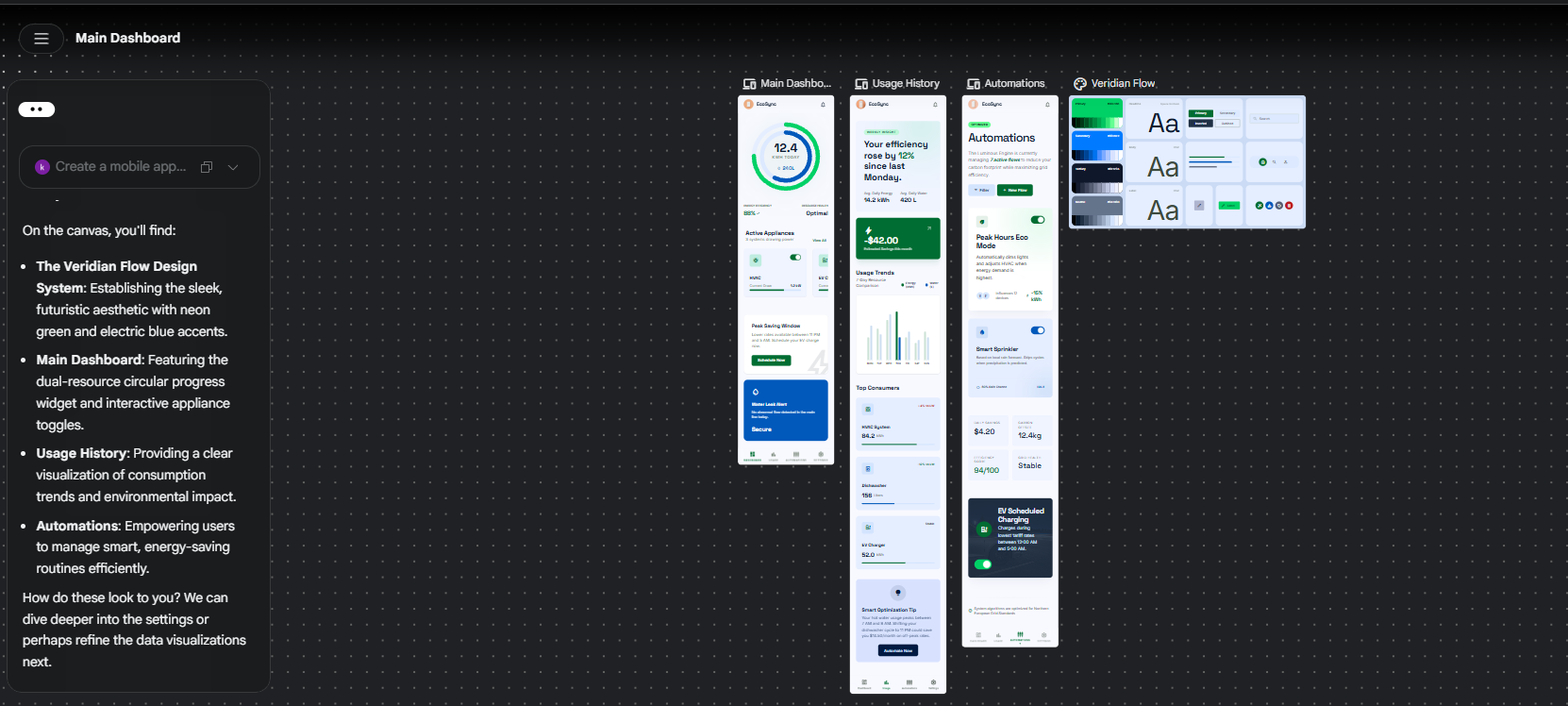
Stitch’s main functions
- AI Native Canvas : The node-based infinite canvas can process images, code, and PRD documents simultaneously, allowing users to use multiple materials as “creative seeds” for spatial creation.
- Intelligent Agent Manager : The manager allows users to advance multiple creative projects in parallel, helping to maintain order amidst a jumble of ideas.
- Context-aware design : The AI design agent has full canvas awareness, can understand the entire project context, and execute precise instructions such as replacing the logo and generating product briefs.
- Design Interviews : AI can converse with users like a product manager, helping to clarify the design ideas for new pages through interviews.
- Cross-platform hybrid design : Supports the mixing and processing of mobile and desktop solutions on the same canvas, and generates corresponding cross-platform versions with one click.
- Voice interaction : Supports multimodal perception, allowing users to point at the screen and speak to give commands, as well as conduct real-time design reviews and full voice navigation.
- Instant Prototyping : Using AI to understand interaction logic, quickly transform designs on a canvas into interactive, dynamic prototypes.
- DESIGN.md : A design system document for AI agents to read, ensuring that every page generated follows consistent visual rules and maintains a consistent UI style.
Key information and usage requirements for Stitch
- Product positioning : An AI-native collaborative design platform, positioned as an “Atmosphere Design Partner,” aiming to eliminate the gap between design and development through natural language interaction.
- Core capabilities : Based on AI Agent, voice interaction and infinite canvas, it transforms images, documents and code into high-fidelity interactive prototypes, enabling a “hands-free” design experience.
- Latest version : A major update was released in March 2026, introducing a brand new infinite canvas, fully perceptive design agents, voice mode, instant prototyping, and the DESIGN.md design system.
- Supported materials : You can upload PDFs, images, and text files, with a single file size limit of 50MB.
Stitch’s core advantages
- AI-driven throughout the entire process : From understanding requirements to design generation and prototype output, the entire process is completed by AI agents, without the need to manually draw interfaces or write code.
- Multimodal input understanding : Simultaneously processing text, images, code, and PRD documents, AI can “understand” all the materials provided by the user and integrate them into the design.
- Contextual awareness : Unlike traditional tools that only process a single layer, Stitch understands the entire project context and can execute complex commands across pages and devices.
- Natural language interaction : Users can generate designs by describing their needs through dialogue or voice, which greatly reduces the learning threshold of professional design tools.
- Design consistency is guaranteed : The DESIGN.md mechanism ensures that AI strictly adheres to brand guidelines, avoiding repeated manual adjustments to details such as color values and fonts.
- Instant validation and iteration : Design drafts can be converted into interactive prototypes with one click, shortening the cycle from concept to demonstration and accelerating decision-making efficiency.
How to use Stitch
- Access and Application : Visit the Stitch website https://stitch.withgoogle.com/ and log in to your account to access the workbench.
- Create a project : In the input box on the homepage, describe the application you want to design in natural language, such as “Design an AI knowledge base mobile interface”, select the App or Web type, and click Generate.
- Create using the canvas : Drag images, PDFs, code, or PRD documents into the infinite canvas as “creative seeds,” and AI will automatically analyze these materials and generate the corresponding interface.
- Collaborate with AI agents : Converse with AI via the bottom input box or voice commands to request changes to color schemes, logo replacements, new page generation, or design interviews to organize ideas.
- Management Design System: Write the DESIGN.md document in the right panel to define colors, fonts, and component specifications to ensure that all pages generated by AI maintain visual consistency.
- Preview and Export : Use the instant prototyping feature to convert your design drafts into an interactive demo, and then export the final design resources after confirmation.
相关导航




ai-navhub:The official website of the AI Toolset includes hundreds of AI tools from both domestic and international sources, as well as commonly used websites, frameworks, and models for AI learning and development, helping you join the wave of artificial intelligence and complete tasks efficiently and automatically!