




AI Writing Tools
Grammarly
 What is Grammarly?
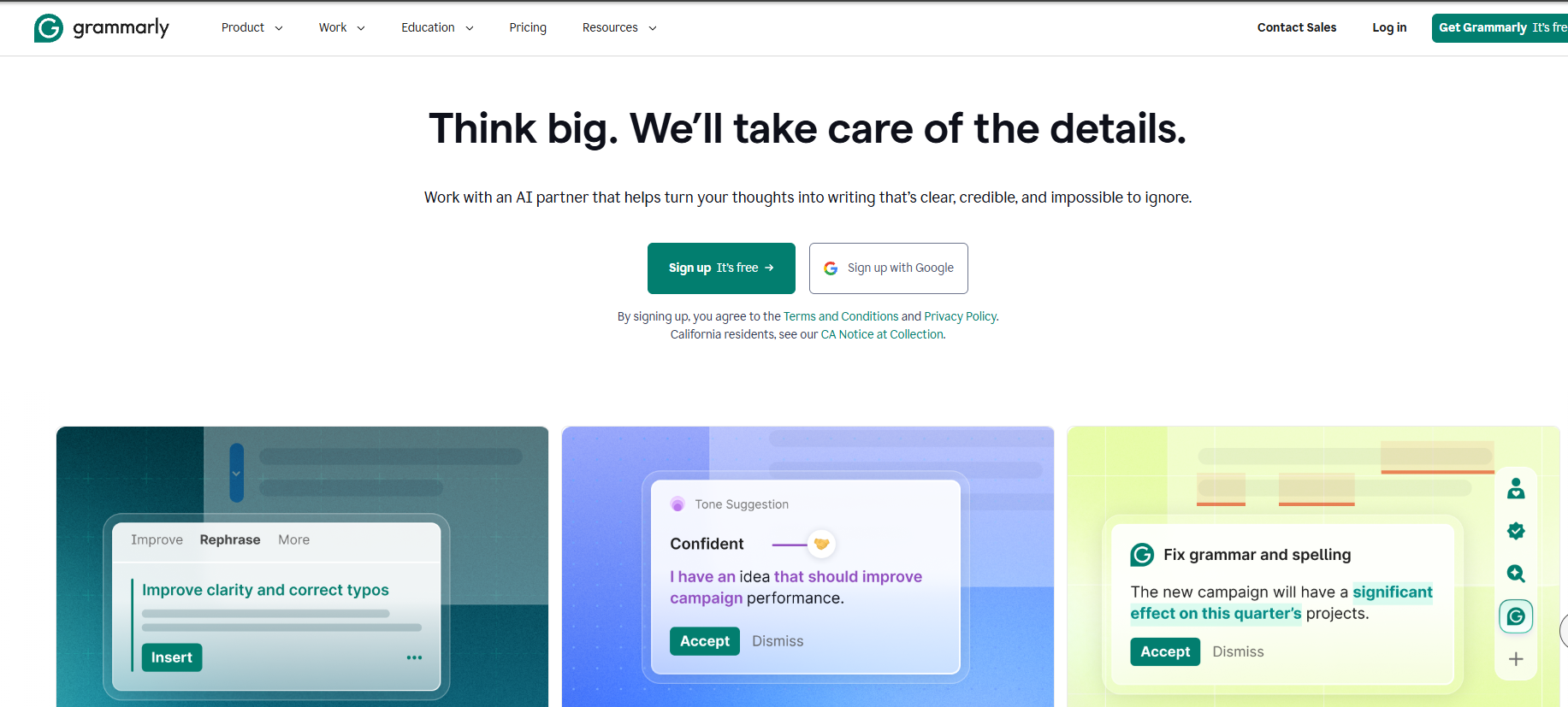
Grammarly is an AI-powered writing aid that uses advanced artificial intelligence to help users detect and correct grammar, spelling, punctuation, and style issues in their English writing. It’s suitable for students, professionals, writers, and other users. Grammarly is available on multiple platforms, including browsers, desktop clients, and mobile apps, and supports over 500,000 applications and websites, such as Google Docs, Gmail, and LinkedIn. Features include basic writing checks, advanced writing suggestions, writing style and clarity improvement, plagiarism detection, and personalized customization.
Grammarly’s main functions
-
Grammar checker : It can identify and correct various grammatical errors, such as subject-verb agreement, improper tense usage, and incorrect article usage, to ensure that the sentence structure is correct.
-
Spell check : Detects and corrects spelling errors, including misspelling of common words and misuse of easily confused words.
-
Punctuation check : Helps users use punctuation marks correctly, such as commas, periods, quotation marks, etc., to avoid sentence ambiguity or reading difficulties caused by punctuation errors.
-
Tone detection : Analyze the tone of the text to ensure it conforms to the writing purpose and the needs of the audience, such as the appropriate use of formal, informal, polite, and commanding tones.
-
Sentence rewriting suggestions : We provide clear and concise sentence rewriting solutions for different contexts, making the expression more fluent and natural.
-
Vocabulary Improvement : We recommend more accurate and vivid word replacements to enrich the expressiveness of the text and improve language proficiency.
-
Style adjustment : Adjust the writing style according to the writing type and audience, such as academic, business, creative writing, etc., to ensure that the text style is consistent with the writing purpose.
-
Passive voice detection : Identify sentences that overuse the passive voice and encourage the use of the active voice to make the text more vivid and powerful.
-
Tone adjustment : Adjust the tone of the text according to the writing context to better meet the expected effect. For example, change the command tone to the suggestion tone, which sounds more polite and tactful.
-
Personalized writing suggestions : Based on users’ writing habits and preferences, we provide personalized writing suggestions to help users develop a unique writing style.
-
Writing Style Guide : Provides the team with a customized style guide to ensure that team members follow consistent writing standards and improve overall writing quality.
-
Originality Detection : By comparing texts with massive databases and internet resources, the originality of the text is detected, helping users avoid plagiarism and copying issues.
-
Personal dictionary : Users can add frequently used new words, brand names, abbreviations, etc. to their personal dictionary to avoid them being mistakenly marked as errors during the writing process.
-
Writing Goal Setting : Grammarly supports users in setting goals based on their writing purpose, such as writing type, audience, style, etc., and provides more precise suggestions.
How to use Grammarly
-
Visit the official website : Visit Grammarly’s official website.
-
Register an account : Click the “Sign Up” button. You can choose to register with an email address, or quickly register with a Google account or Facebook account.
-
Log in to your account : After registration, log in to Grammarly using your registered email address or a third-party account.
- Select usage method
-
Web version :
-
After logging in, click the “New” button on the Grammarly homepage to create a new document. Paste or enter the text you want to check into the document, and Grammarly will automatically check the text and display the detection results and suggestions in the right sidebar.
-
You can click the “Upload” button to upload existing documents (such as Word documents, PDF documents, etc.), and Grammarly will read the document content and perform checks.
-
-
Browser extensions :
-
Search for “Grammarly” in your browser’s extension store, find the Grammarly extension, and install it.
-
After installation, a Grammarly icon will appear in your browser’s toolbar. On websites where you need to use Grammarly (such as Gmail, Google Docs, etc.), click the icon, follow the prompts to log in to your account, and then you can directly check your writing on the webpage.
-
-
Desktop client :
-
Download and install the desktop client for Windows or Mac from the Grammarly website.
-
After installation, open the client and log in to your account. You can then create documents or open existing documents for writing checks directly within the client.
-
-
Mobile App :
-
Search for “Grammarly” in your phone’s app store, download and install the Grammarly App.
-
Open the app and log in to your account to use Grammarly on your phone for writing checks.
-
-
-
Check for errors : In Grammarly’s editor, various writing suggestions are displayed below or to the right of the text, including errors in grammar, spelling, punctuation, and suggestions for improvement in style, tone, etc.
-
Adopt suggestions : Click on a specific suggestion, and Grammarly will automatically replace the errors with the correct content. If you have any questions about a suggestion, you can click on it to see a detailed explanation and example.
-
Ignore suggestions : If you think a suggestion is not applicable to the current writing content, you can choose to ignore it, and Grammarly will no longer provide suggestions for that section.
-
Personal Dictionary : In Grammarly’s settings, you can add a personal dictionary to include frequently used new words, brand names, abbreviations, etc., to avoid them being mistakenly marked as errors during the writing process.
-
Writing Goals : Set writing goals based on writing type, audience, style, etc. Grammarly will provide more precise suggestions based on the set goals. For example, if the writing goal is an academic paper, Grammarly will focus on checking academic norms and citation formats.
-
Save the document : After completing the writing check in the Grammarly editor, click the “Save” button to save the document to your Grammarly account for easy viewing and editing later.
-
Export document : Click the “Download” button to export the document as Word, PDF, or other formats for use in other applications.
Grammarly application scenarios
- Academic writing : When writing papers, lab reports, and application documents, check the grammar and citation format (APA/MLA/Chicago) to avoid plagiarism.
- Workplace communication : Correct grammatical errors in business emails, project proposals, and quarterly reports, and adjust tone (e.g., change from imperative to polite request).
- Content creation and marketing : Optimize the readability of SEO articles (e.g., break down long sentences, replace repetitive words) to increase user dwell time. Check if the tone of advertising copy matches the brand’s image (e.g., luxury goods should be “high-end and elegant,” while technology products should be “simple and powerful”).
-
Social Media : Check your LinkedIn feed and Twitter tweets for spelling errors to avoid damaging your professional image with small mistakes.
Grammarly product prices
Grammarly offers a freemium pricing model, including three different pricing plans: Free, Premium, and Business.
- The Free version – $0/month – offers basic text generation, basic writing suggestions, and intonation detection, and allows 100 generative AI writing sessions per month using GrammarlyGO.
- Premium – $12/month, includes all the features of the free version, plus full sentence rewriting, vocabulary ideas, tone suggestions, and 1000 generative AI writing sessions per month using GrammarlyGO.
- Business Team Edition – $15/month, includes all premium features plus team features such as unified payment management and custom writing style guidelines. Each team member can use GrammarlyGO for 1,000 generative AI writing sessions per month.
相关导航






ai-navhub:The official website of the AI Toolset includes hundreds of AI tools from both domestic and international sources, as well as commonly used websites, frameworks, and models for AI learning and development, helping you join the wave of artificial intelligence and complete tasks efficiently and automatically!