




AI Image ToolsAI Image ToolsCommon AI Image
Krea AI
Real-time AI image and video generation and editing platform
标签:AI Image Tools Common AI ImageAI image illustration generation Common AI Image Tools Common AI toolsKrea AI (Krea.ai) is an innovative AI-powered creative platform offering features such as text-to-image/video generation, image upscaling, and model training. It helps users generate a variety of high-quality styles, concepts, works, and visual effects. Krea AI aims to be the PoE of video and image creation, currently integrating four of the best video generation models: Conch, Luma, Runway, and Krea. Krea is a revolutionary AI creative tool that perfectly blends artistic creation with cutting-edge technology, providing designers, artists, and creative professionals with a platform of limitless possibilities.
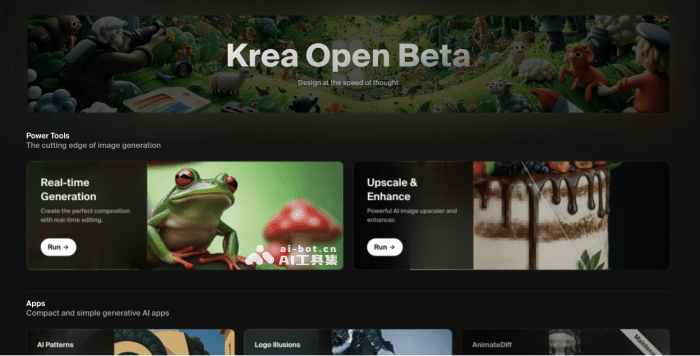
Krea AI’s main functions
- Real-time image generation : Simply input prompts and make simple strokes to generate images in real time based on the changes.
- Image magnification and enhancement : Supports image magnification and quality enhancement, up to 4K resolution.
- AI Pattern Generation : AI automatically embeds patterns or text into images, creating unique visual elements.
- Logo rendering : Transform your logo into an image or creative graphic, allowing your brand identity to be applied in any context.
- AI Model Training : Supports users in training and customizing AI image models according to their own needs.
- AI Video Generation : Integrates four of the best video generation models: Conch , Luma , Runway , and Keling.
Krea AI product prices
- Free version: Generates 50 images and 10 videos daily for free, plus 3 AI training sessions after login, no commercial license required.
- Pro version: $30 per month (20% off annual subscription), allows real-time image generation, unlimited image and video generation, 5 AI model training sessions per month, commercial license, faster generation speed, and privacy mode.
How to use Krea AI
- Visit Krea AI’s official website (www.krea.ai), click “Sign in” in the upper right corner, and log in with your email address.
- Then, select the AI tool you want to use on the homepage and click the Run button to run it.
相关导航







ai-navhub:The official website of the AI Toolset includes hundreds of AI tools from both domestic and international sources, as well as commonly used websites, frameworks, and models for AI learning and development, helping you join the wave of artificial intelligence and complete tasks efficiently and automatically!