




AI Image ToolsAI Image ToolsBackground Removal
AI cutout of toast
Toast AI's intelligent background removal tool
标签:AI Image Tools Background RemovalAI image background removalWhat is AI cutout for toast?
TusiArt AI Background Removal is an intelligent background removal tool developed by TusiArt. Based on ComfyUI Workflow, it helps users quickly remove the background from images while maintaining the integrity of the subject. Users simply upload an image, and TusiArt AI Background Removal automatically identifies and separates the subject from the background, generating a clear, background-free image. If the result is not satisfactory, users can try multiple times to optimize the effect. It is suitable for designers, e-commerce professionals, and users who need to process images quickly.
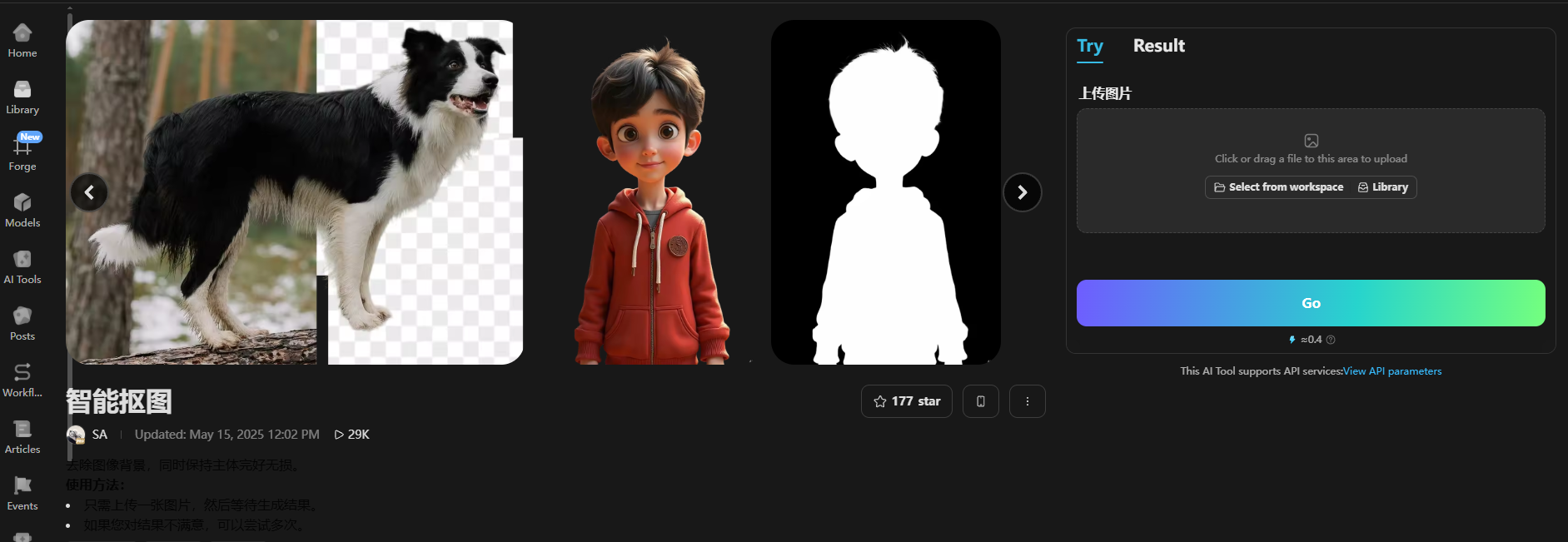
The main functions of AI-powered toast image cutout
-
Automatic recognition and precise background removal : Based on AI technology, it automatically identifies the main subject in the image, generates a transparent background with one click, and accurately processes the edges of the subject, suitable for images with complex backgrounds or rich details.
-
Batch processing capability : Supports batch uploading and processing of images, and can process multiple images simultaneously, greatly improving work efficiency.
-
Background replacement and editing : You can remove the background, replace the background as needed, and select or customize the background from the material library.
-
Intelligent Elimination and Repair : Provides intelligent elimination function, allowing users to remove blemishes, extraneous objects or text in images by smearing, and AI automatically completes the background.
-
Multi-scenario applicability : Suitable for various scenarios, including e-commerce product image processing, ID photo cutout, social media image matching, etc., meeting the needs of different users.
-
No professional skills required : Users do not need to master professional image processing software such as Photoshop; they can complete high-quality cutouts through simple operations.
-
High-definition export and watermark-free : Supports high-definition, lossless export of cut-out images, without watermarks, ensuring image quality.
How to use AI to cut out images from toast
-
Register/Login : Visit TusiArt – Smart Background Removal, register/login.
-
Select the Smart Background Removal Tool : Locate the “Smart Background Removal” function in the workspace and click to enter.
-
Upload Image : Click the “Upload Image” button and select the image you want to cut out. You can drag and drop files or click to upload.
-
Waiting for processing results : The platform will automatically identify the subject of the image and remove the background. If you are not satisfied with the result, you can try re-uploading or adjusting the image.
-
Adjustments and optimizations (optional)
-
If needed, you can manually adjust the cutout area, for example, by using the smudge tool to mark the parts that need to be kept or deleted.
-
You can also choose to replace the background by selecting a background from the platform’s material library or uploading a custom background.
-
-
Download or share the results : After processing, click the “Download” button to save the cut-out image, or share it to the Tensor.Art community.
-
Batch processing (optional) : If you need to cut out images in batches, you can upload multiple images for batch processing to improve efficiency.
Product pricing using AI-generated cutout of toast images
You can get a certain number of free credits every day to generate or process images.
Application scenarios of AI cutout for toast
-
Artistic Creation : Designers can use intelligent background removal tools to quickly extract the main subject of an image and create unique works of art, such as illustrations, oil paintings, and watercolor paintings.
-
Advertising and Content Creation : Marketers and content creators can use tools to remove or replace backgrounds in ad images, generating more engaging visual content and improving ad performance.
-
E-commerce and product design : E-commerce professionals can quickly remove the background of product images to generate transparent background images suitable for display on e-commerce platforms, while designers can use the background removal function to generate product design prototypes.
-
Social media content creation : Social media bloggers and content creators can use smart cutout to generate unique images and visual content.
-
Game Development : Game developers can use intelligent background removal tools to quickly extract character or scene elements for in-game asset generation and concept design.
相关导航




ai-navhub:The official website of the AI Toolset includes hundreds of AI tools from both domestic and international sources, as well as commonly used websites, frameworks, and models for AI learning and development, helping you join the wave of artificial intelligence and complete tasks efficiently and automatically!