




AI Image ToolsAI Image ToolsBackground Removal
Fresh Art AI Background Removal
Free AI background removal tool, supports offline installation and use.
标签:AI Image Tools Background RemovalAI image background removalWhat is FreshArt AI Background Removal?
FreshArt AI Background Removal is a powerful, free AI background removal tool that can quickly remove backgrounds from images, supporting both local and online image processing. FreshArt AI Background Removal boasts millisecond-level processing speed, offline operation to ensure privacy and security, batch processing support, multi-format compatibility, and Photoshop-like editing capabilities. Its user interface is clean and intuitive, supports skin and language switching, and is compatible with Windows and macOS systems, making it highly praised by creative professionals.
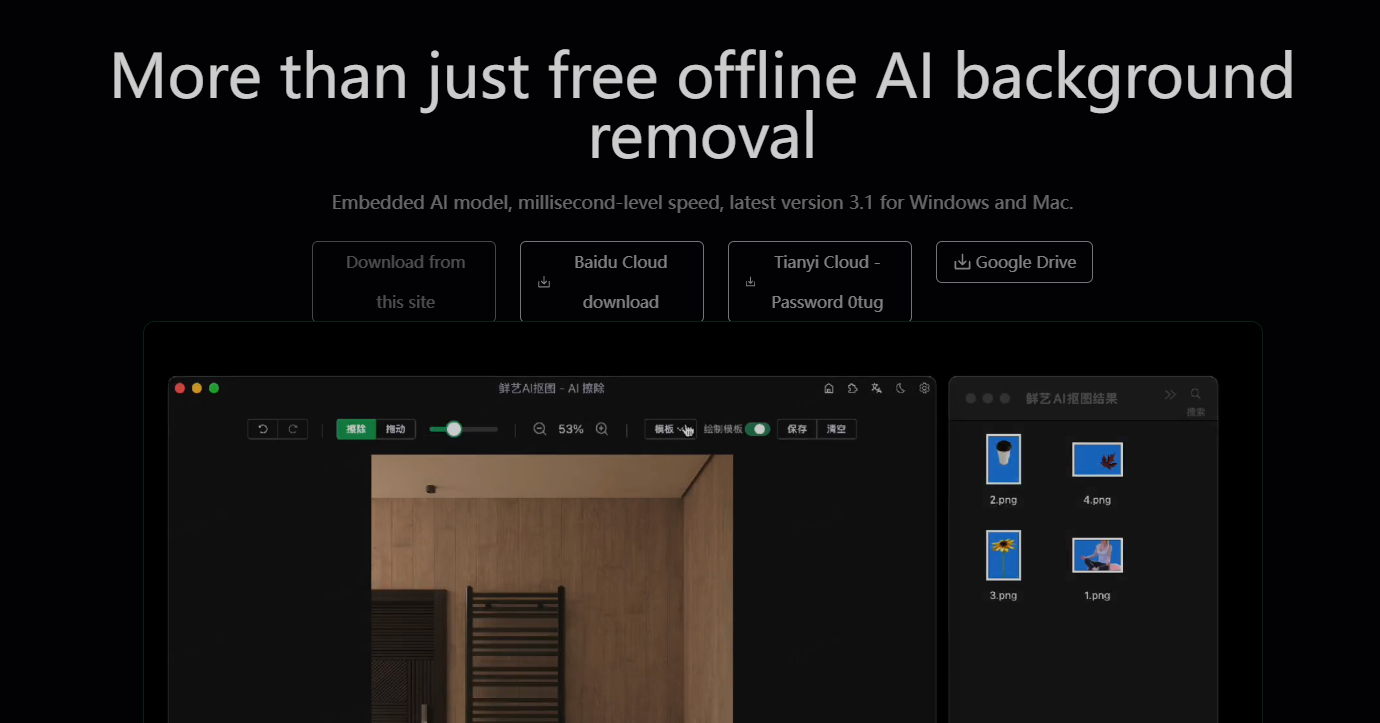
The main functions of FreshArt AI image cutout
- Ultra-fast AI Background Removal : Based on the latest AI technology, FreshArt AI Background Removal can accurately identify the foreground and background in an image, achieving rapid background removal with processing time measured in milliseconds, greatly improving work efficiency.
- Completely Free : FreshArt AI Background Removal promises to be permanently free. Users can enjoy all advanced features without paying any fees or subscription fees.
- Batch processing capability : Users can import multiple images at once for batch background removal. The software will automatically process each image, saving time spent on repetitive operations.
- Wide Format Support : FreshArt AI Background Removal supports a variety of popular image formats, including but not limited to JPG, PNG, GIF, WEBP and BMP, to meet the needs of different users.
- Intelligent cropping and copying : The software automatically detects and crops transparent areas, and automatically copies the cutout results to the clipboard, which users can then directly paste into other applications.
- Secondary editing function : Provides intuitive editing tools, allowing users to fine-tune the cutout results, including erasing unwanted parts or modifying the background color, to meet more refined design needs.
- Photoshop Integration : The software supports exporting PSD files, allowing users to further edit and refine the cutout results in Adobe Photoshop.
- URL Scheme Launch : Through a specific URL Scheme, users can directly invoke FreshAI’s image cutout function in other applications to automate their workflow.
- API and Plugin Support : Provides rich API interfaces and plugins, making it easy for developers and users to integrate the image cutout function into other software or workflows.
- Privacy Protection : The software is designed to work offline, eliminating the need to upload images to the cloud. All processing is completed on the user’s local device, ensuring the privacy and security of personal and business data.
How to use FreshArt AI for image cutout
- Open the tool : Open the official website of FreshArt AI Background Removal .
- Select image source : If it’s a local image , locate its storage location on your computer. If it’s an online image , copy the complete URL link.
- Enter the image path or URL : For local images , enter the path using the following format
- For online images , enter the URL using the following format
- Perform the background removal operation : After entering the correct path or URL, follow the instructions of the FreshArt AI background removal tool to perform the background removal operation.
- Check the results : After the image is cut out, check if the results meet expectations.
Application scenarios of FreshArt AI image cutout
- E-commerce : Online stores need to display product images. Background removal technology can be used to remove the background and make the product stand out more.
- Advertising production : Advertising designers can use background removal technology to quickly replace the background of products or models in advertisements.
- Social media : When users share images on social media, they may use background removal techniques to create interesting effects or remove unwanted backgrounds.
- Personal projects : When creating artwork or producing resumes, business cards, etc., individuals can use image cutout technology to integrate different visual elements.
- Post-processing : During post-editing, photographers may use techniques such as cutout to change the background of a photo or to composite different photo elements.
相关导航




ai-navhub:The official website of the AI Toolset includes hundreds of AI tools from both domestic and international sources, as well as commonly used websites, frameworks, and models for AI learning and development, helping you join the wave of artificial intelligence and complete tasks efficiently and automatically!