




AI Video Tools
Makefun
What is Makefun?
Makefun is a free, unlimited, and privacy-first one-stop AI video generation platform , providing a full-chain AI video creation tool including image-to-video , digital human, face swapping, lip-syncing , and voice cloning. Makefun integrates cutting-edge models such as Wan 2.6, Veo 3.1, and Nano Banana Pro , supports output up to 4K resolution, and provides a complete API interface, making it widely applicable to e-commerce marketing, social media content creation, e-learning, and other scenarios.
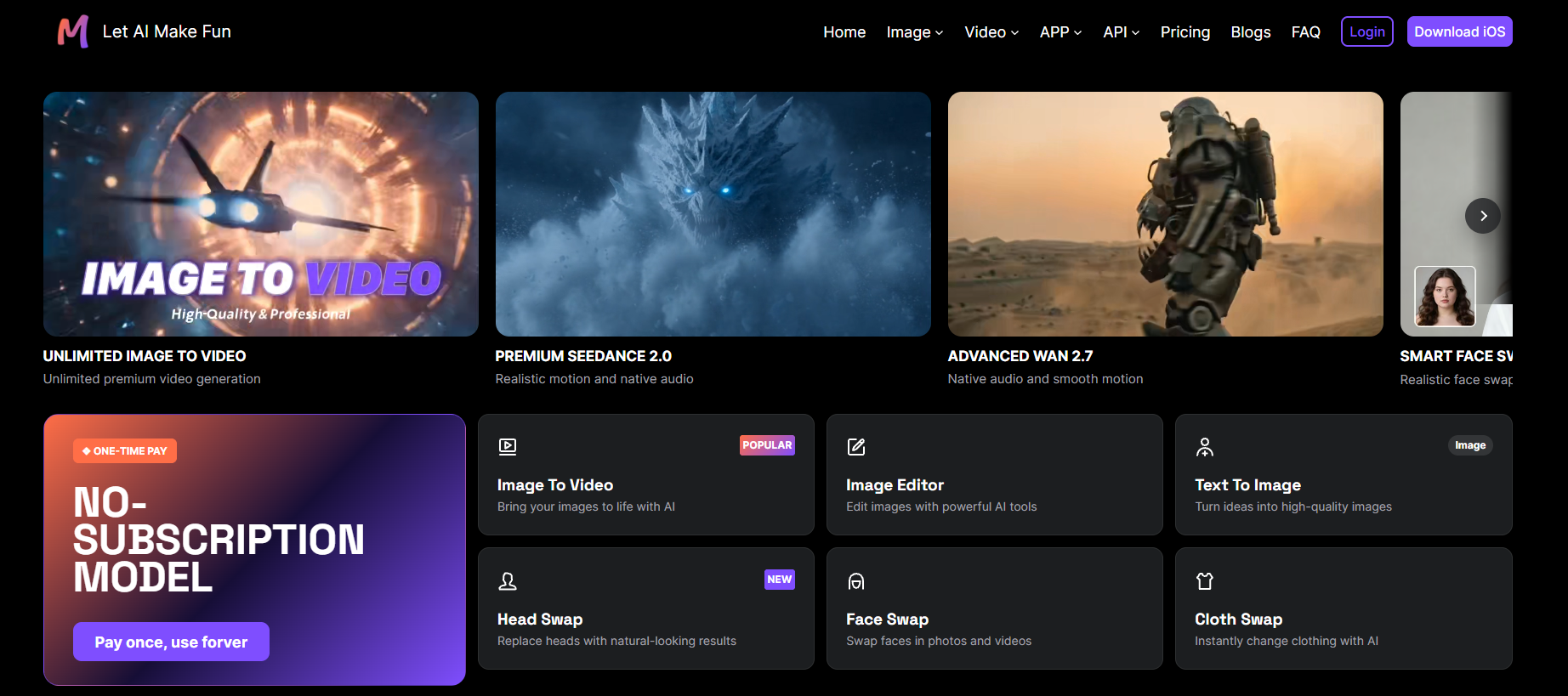
Makefun’s main functions
-
Image to Video : Converts static images into dynamic short videos, supports facial movements and expressions, and supports resolutions up to 4K.
-
Talking Photo / Talking Video : High-precision lip-syncing and natural body movements allow static subjects to speak.
-
Face Swap / Head Swap : Advanced face swapping models that support full head replacement with natural and realistic results.
-
Voice Clone : Clone any human voice, supporting 50+ languages and cross-language translation.
-
Text to Image : Based on models such as Flux Kontext, it generates high-quality images from text descriptions.
-
Virtual try-on and product avatar : Generate virtual try-on effects and product display images with one click.
-
Video to Audio Generation : Automatically generates matching background music for silent videos.
-
Actor Animation (V2V) : Converting still images into dance or specific action videos.
-
AI Avatar : A real-time interactive digital human with ultra-low latency response.
-
API access : Provides complete API documentation and supports batch integration and automated workflows.
How to use Makefun
-
Visit the official website : Visit the Makefun official website https://makefun.ai/, click “Register Account” in the upper right corner. New users will automatically receive 100 points, and can receive an additional 30 points daily.
-
Select Module : Select the desired module from the homepage navigation bar or function panel, such as Image to Video, Talking Photo, Face Swap, Voice Clone, etc.
-
Upload materials : Upload the corresponding materials according to the function requirements. It supports uploading images, videos, or audio files. Some functions support batch uploading.
-
Adjust settings : In the parameter settings area, adjust the output specifications, including resolution (480p / 720p / 1080p / 4K), aspect ratio (16:9, 9:16, 1:1), duration, and frame rate (24fps).
-
Generation Results : Click the “Generate” button to submit the task. Generating a regular video takes approximately 10-30 seconds. Lip-sync videos are processed at a 1:10 length ratio. API batch tasks take approximately 5 minutes.
-
Preview or Download : Preview the effect in “My Works” or the generation queue. Online playback and effect comparison are supported. Once you are satisfied, click download to save it to your local device. Before commercial use, please review the platform’s terms of use to confirm the scope of authorization.
Makefun’s core advantages
-
Ample free credits : New users receive 100 points upon registration and can claim 30 points daily, providing truly unlimited free AI video generation.
-
Privacy First : Uploaded content is handled securely, with no risk of viruses or data leaks, and user data is strictly protected.
-
Multi-model integration : Simultaneously supports cutting-edge generative models such as Wan 2.6 (Alibaba), Veo 3.1 (Google), and Nano Banana Pro.
-
Commercially friendly : Videos generated based on proprietary content can often be used in commercial projects, lowering the barrier to creation.
-
Multiple resolutions and aspect ratios : Supports 480p / 720p / 1080p @ 24fps, covering multiple aspect ratios such as 16:9, 9:16, and 1:1.
-
Fast generation speed : Ordinary videos are generated in about 10–30 seconds, and API batch processing is efficient and stable.
相关导航




ai-navhub:The official website of the AI Toolset includes hundreds of AI tools from both domestic and international sources, as well as commonly used websites, frameworks, and models for AI learning and development, helping you join the wave of artificial intelligence and complete tasks efficiently and automatically!