




AI-Native-PI
Generate PPT with one click and copy beautiful templates.
标签:AI Office Tools AI PPTAI slides and presentationsWhat is the Pi Smart Demo Documentation?
Pi (Presentation Intelligence) is an AI-native content creation and interactive sharing platform that simplifies the process of creating and sharing presentation documents . Users can quickly generate professional and aesthetically pleasing presentation documents through simple commands, uploaded documents, or URLs. Pi intelligent presentation documents offer features such as intelligent layout, AI editing, and automatic image matching, and support multi-platform adaptive dynamic layout. Pi intelligent presentation documents have data analysis capabilities, recording reading data after document sharing, and provide a rich library of themes and fonts, suitable for various scenarios such as business presentations and educational training.
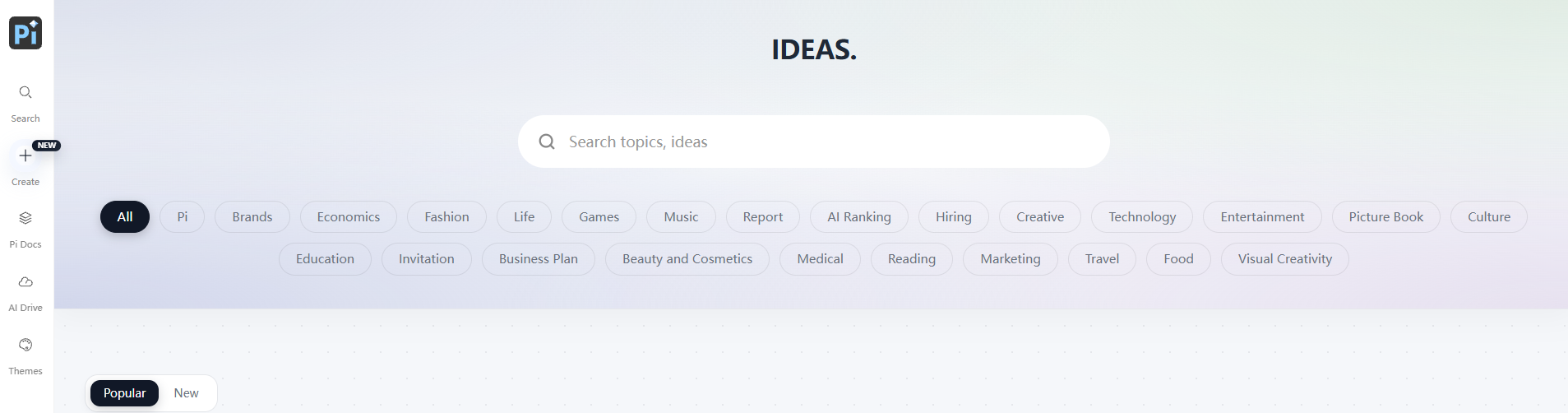
Pi Smart Presentation Documentation Main Functions
-
Intelligent presentation document generation : Users can input text, upload documents, or URLs, and Pi can automatically generate professional and aesthetically pleasing presentation documents.
-
Intelligent layout : Automatically adapts the layout to the best fit based on the content, enhancing the visual appeal of the document.
-
AI Editor : Offers intelligent editing functions such as text polishing, layout design, and automatic image matching.
-
Data analysis : Records the number of times a document is read and the duration of reading, helping users understand the document’s popularity.
- AI Images : Input prompts and AI will automatically generate images to enhance the visual appeal of documents and presentations.
-
Abundant themes and font resources : Offers a variety of themes and fonts, supporting user-defined designs.
-
Multi-device adaptive : Documents can adapt to different devices and screen sizes to ensure a good reading experience.
-
Plaza Content Resources : Users can view and copy high-quality document content within the platform and perform personalized editing.
-
Interactive Questionnaires : Supports the creation and management of questionnaires, facilitating the collection of feedback and data within documents.
-
Custom fonts : Users can upload their own fonts for use in personalized theme designs.
How to use the Pi Smart demo document
- To access the workspace : Visit the Pi website https://pi.deepvinci.tech/ , register and log in to your account, and enter Pi Square.
-
Create/generate documents :
-
Paste text : Suitable for existing outlines or partial text content; Pi will create based on the material.
-
Prompt generation : Enter a sentence, and AI will generate a presentation document, suitable for use when you need inspiration.
-
Import files or URLs : Upload PDF, PPT, DOC, or URLs, and Pi will understand the content and create a presentation document.
-
-
Editing/Modification : Use basic editing functions and AI editing functions, including document-level, card-level, text-level, and high-quality image AI editing.
-
Preview/Share :
-
Speaker Mode : Windowed broadcasting with AI generating key points of the speech and prompts.
-
Share/Export : Set sharing permissions and document passwords to protect document security.
-
-
Theme settings : Adjust design rules, including colors, fonts, layout, etc., to achieve better design results.
- Data analysis : For publicly available documents, the platform provides reading statistics to help analyze the document’s popularity.
Application scenarios of Pi intelligent presentation documents
-
Business Presentations : Creating professional presentations for business meetings, product launches, investor presentations, and other occasions.
-
Education and Training : Create educational courses, training materials, e-textbooks, and interactive learning modules.
-
Storybooks : Designing children’s storybooks, picture books, and comics to provide a rich visual and interactive experience.
-
Work Summary : Write annual reports, project summaries, and personal work reviews, clearly showcasing achievements and challenges.
-
Marketing : Creating marketing brochures, promotional materials, advertising posters, and social media promotional content.
相关导航



