






AI Office ToolsAI Office ToolsAI table Data
Shortcut
AI Excel Super Agent, capable of handling complex Excel tasks.
标签:AI Office Tools AI table DataAI spreadsheet data processingWhat is a Shortcut?
Shortcut is an AI-powered Excel super-intelligent tool that can quickly handle complex Excel tasks, such as data analysis , chart generation, and financial model building. Shortcut performed exceptionally well in complex cases at the Excel World Championship, achieving over 80% accuracy and being 10 times faster than humans. Users simply input prompts, and Shortcut quickly executes the task, even supporting pixel art. Shortcut’s efficiency and intelligent features make it ideal for handling Excel tasks, especially for users who need to quickly organize and analyze data.
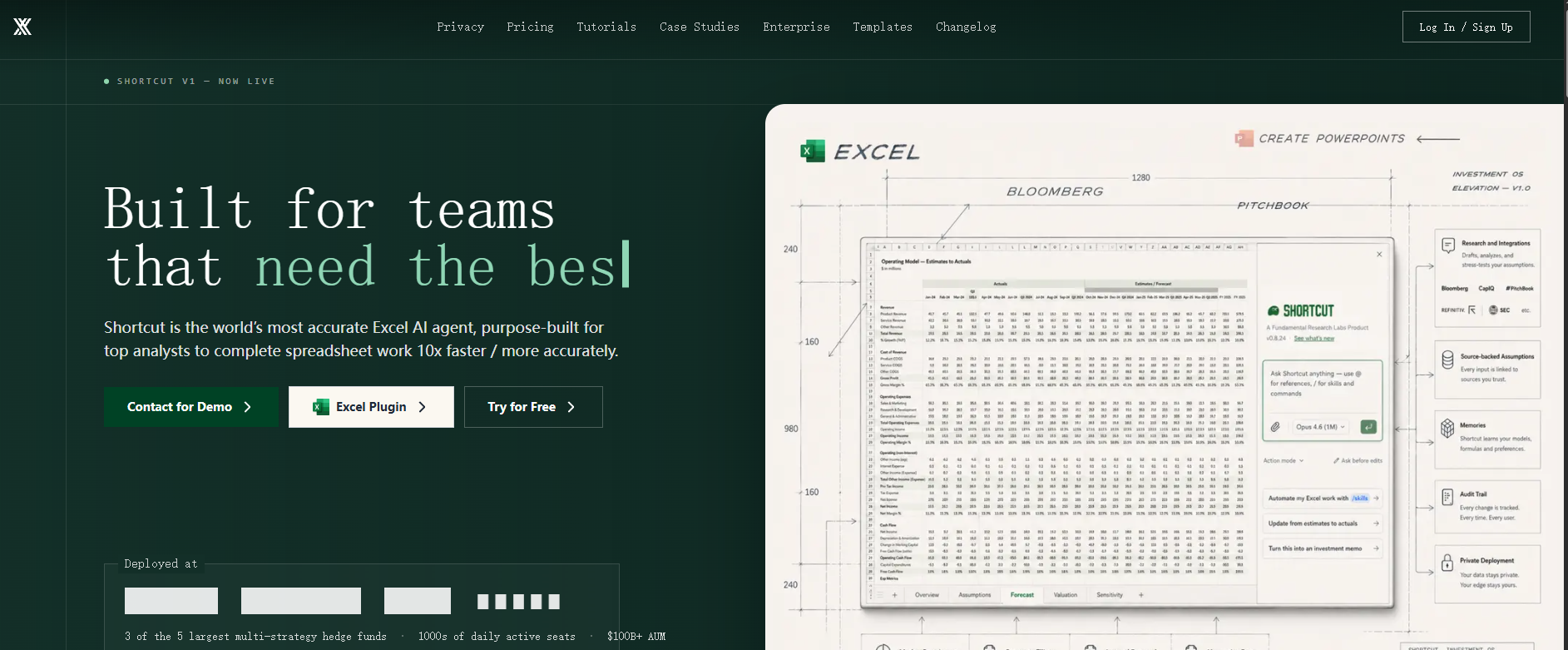
The main functions of Shortcut
- Excel file operations : It can directly edit, import, and export Excel files, and supports basic Excel operations.
- Complex task handling : It can handle complex financial modeling tasks, such as building a multi-label prediction cap table (Pro Forma Cap Table).
- Data analysis and visualization : Supports the analysis of large amounts of data (such as 5,000 rows of CSV data), generating charts and dashboards to provide in-depth insights.
- Custom AI rules : Users can set personalized preferences and needs for Shortcuts. These rules will be saved and automatically applied to all future conversations and tasks, enabling efficient and consistent Excel file processing.
- Creative drawing : Supports pixel art creation, such as drawing images of Yoda or Mario.
- Interactive task execution : Users input prompts, and the tool can perform tasks step by step and provide feedback on the results.
- Compatibility : Highly compatible with Excel functions and can seamlessly integrate with existing workflows.
How to use Shortcut
- Registration and login : Visit the Shortcut official website https://www.tryshortcut.ai/.
- Register an account : Register an account and log in using a Gmail or other supported email address.
- Upload or create a file :
- Upload file : Click the “Open Xlsx File” button in the upper left corner of the interface and select the Excel file you want to process.
- Create a new file : or create a new Excel file directly on the interface to start a new task.
- Input prompt : Enter a clear task description in the chat area on the right.
- Interaction and Task Execution : Shortcut will request more details, such as the data storage location and chart type. After confirming the information, Shortcut will begin executing the task and provide feedback on the results step by step.
- View Results : Once the task is complete, the results will be displayed directly in the Excel spreadsheet on the left. Save the modified file or export it as a new Excel file.
Shortcut product pricing
-
Pro : $40/month, unlimited messages and actions, 2 Max model accesses per day, and access to the base model.
-
Max : $200/month, includes all features of Pro, unlimited access to Max models, unlimited actions and messages.
-
Teams : $500/month/seat, includes all Max features, enterprise-grade security, direct access to Shortcut Founders.
Application scenarios of Shortcut
- Data Analysis and Visualization : Quickly organize data and generate charts to help users intuitively understand complex data trends.
- Financial modeling : Building accurate financial statements and models to ensure the accuracy and efficiency of financial analysis.
- Routine office work : Automatically generates attendance sheets, task lists, etc., improving work efficiency.
- Education and Learning : Assists students and teachers in quickly generating learning materials and analysis reports to optimize the teaching process.
- Personal financial management : Manage your personal income and expenses, generate detailed budgets and financial analysis reports to assist in financial planning.
相关导航



ai-navhub:The official website of the AI Toolset includes hundreds of AI tools from both domestic and international sources, as well as commonly used websites, frameworks, and models for AI learning and development, helping you join the wave of artificial intelligence and complete tasks efficiently and automatically!