




Coda
Coda, an online collaboration platform, has launched an AI-powered writing and document assistant similar to Notion AI.
标签:AI Document Tools AI Office ToolsAI document toolsWhat is Coda?
Coda is an intelligent writing and document assistant that leverages AI technology to improve team collaboration and document creation efficiency. It can quickly generate content and drafts, such as blog posts, emails, and press releases, and can create sample tables, such as product names and competitor tables. Coda can modify existing content, performing operations such as translation, summarization, shortening, and rewriting. It supports AI chat, providing intelligent suggestions and content generation. Through automation, it improves productivity and efficiency, enhances content creation and collaboration, provides data insights and analysis, and simplifies workflows. Similar to Notion AI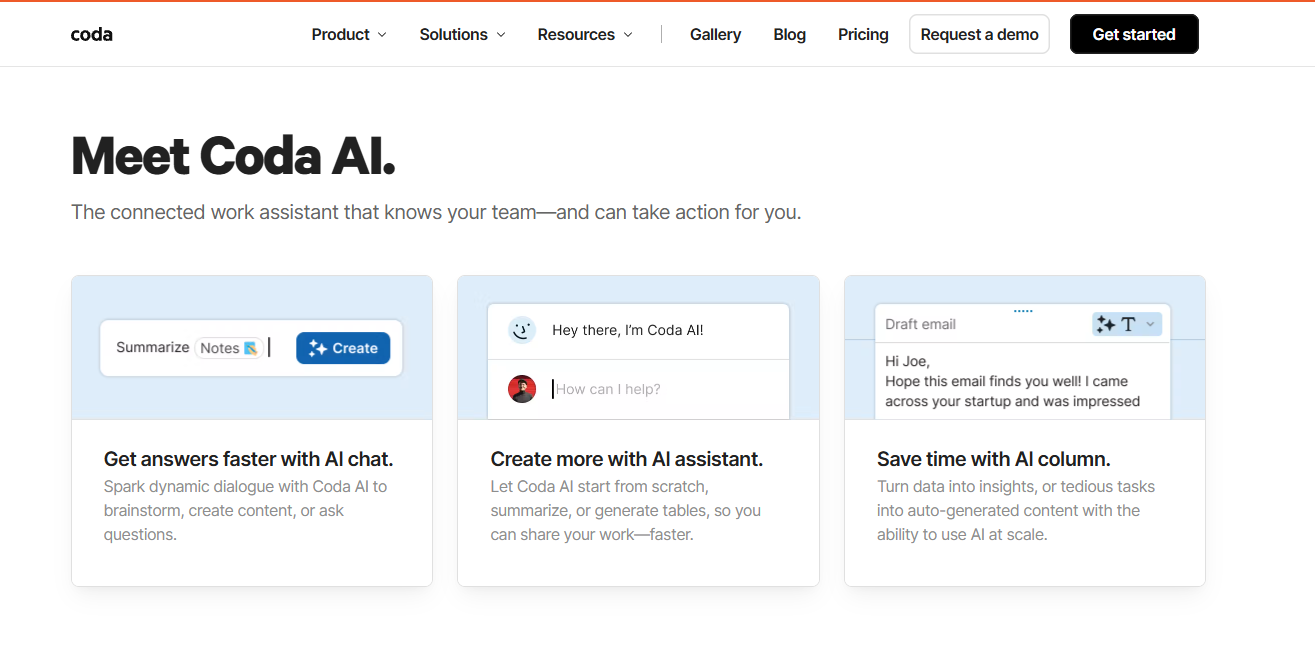 , this AI assistant can draft article content, generate tables, find information, analyze data, summarize meeting minutes, and more, helping users automate workflows and improve office efficiency.
Coda’s main functions
-
Content generation : Quickly create text content such as articles, emails, and reports, and generate tabular data such as product information and analysis tables.
-
Content editing : Translate, summarize, shorten, rewrite, etc., existing content to help optimize and adjust the document.
-
AI Chat : Engage in real-time conversations with an AI assistant to obtain answers, suggestions, and content generation, supporting multiple interaction methods.
-
Intelligent assistance : Provides intelligent suggestions in the document, such as autofill and content recommendations, to improve creation efficiency.
-
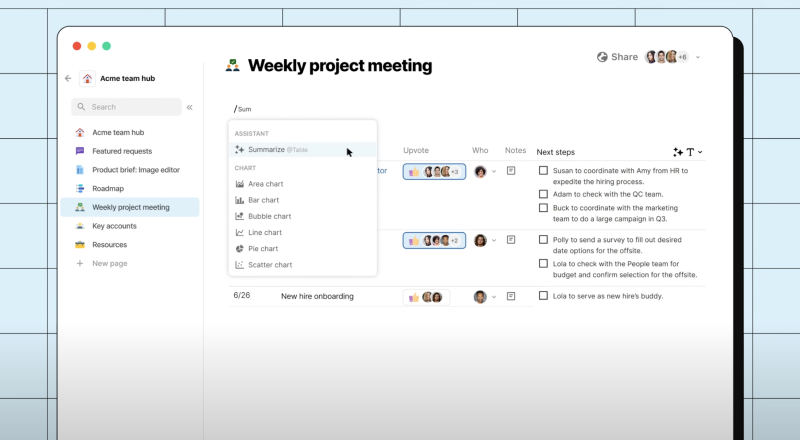
Data Insights : Generate insightful analytics from data, such as summaries and action items, to help users better understand and utilize the data.
How to use Coda
- Access Platform : Visit the Coda website: https://coda.io/, click “Get Access,” and log in/register for Coda using your email/Google/Microsoft account.
-
Creating a document : Create a new document on the Coda platform, select a suitable template or a blank document to start creating.
-
Activate AI functionality : Locate the entry point for the AI assistant in the document, usually a dedicated button or menu option, and click to activate.
-
Input prompts : Provide the AI assistant with clear instructions or prompts that describe the type of content you want to generate or modify, such as “write a blog post about artificial intelligence”.
-
Content generation : The AI assistant quickly generates text or data content based on prompts, which you can use directly or edit further.
-
Modify and optimize : Select the generated content and use the modification functions provided by the AI assistant, such as rewriting, summarizing, and translating, to meet specific needs.
-
Real-time interaction : Engage in real-time conversations with the AI assistant via the AI chat function to get more suggestions or further refine the content.
-
Save and share : After completing document editing, save the document and share it with team members or partners as needed to support collaboration and feedback.
Coda application scenarios
-
Meeting Management : Quickly organize meeting minutes, extract key action items, and plan for the next steps.
-
Knowledge management : Building and maintaining a knowledge base to facilitate team members in finding and sharing information.
-
Product Management : Create product roadmaps, track feature development progress, and manage the product release process.
-
Sales Operations : Build a customized customer relationship management system, manage the sales pipeline, and develop sales strategies.
-
Project management : Track project progress, manage task allocation, and improve team collaboration efficiency.
-
Marketing Campaigns : Plan and execute marketing campaigns, manage content calendars, and analyze marketing effectiveness.
相关导航



