




AI Office ToolsAI Office ToolsEfficiency Improvement
ChatTOC
A browser plugin that converts AI dialogue content into a navigation directory.
标签:AI Office Tools Efficiency ImprovementAI efficiency improvementWhat is ChatTOC?
ChatTOC is a browser plugin that converts AI-generated conversations into a navigation directory, supporting major platforms such as ChatGPT , Claude , Gemini , and DeepSeek . ChatTOC automatically generates a message directory on the right side of the conversation page, enabling one-click access to highlighted original text, real-time search, message filtering, and bookmarking, allowing users to quickly locate key information like flipping through a book. ChatTOC significantly improves information retrieval and knowledge accumulation efficiency, making it a practical tool for efficiently managing chat history.
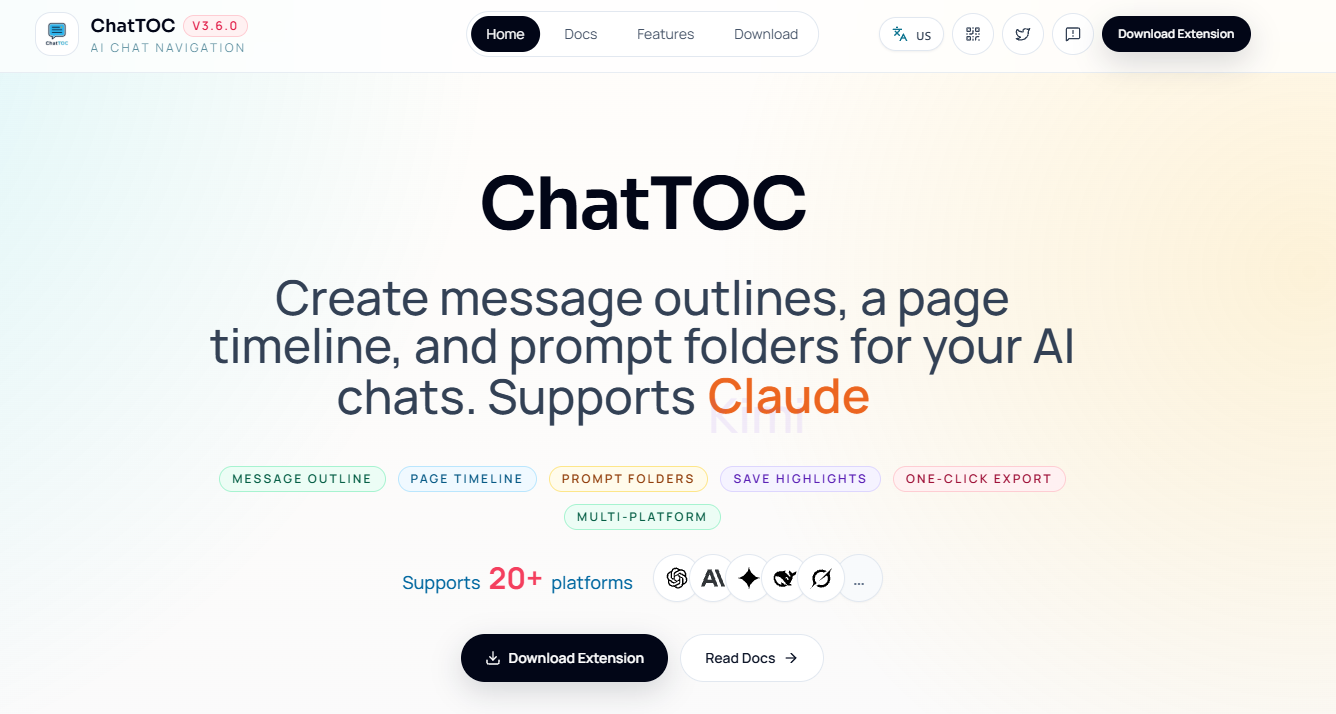
Main functions of ChatTOC
- Table of Contents Navigation : Automatically generates a structured table of contents for AI dialogues. Clicking on any entry will take you directly to the highlighted original text, eliminating the need for manual scrolling.
- Search Location : Supports real-time search of conversation content. After entering keywords, the system automatically filters and highlights matching messages. Clicking on the search result will take you to the corresponding location.
- Message filtering : Provides a quick filtering function, allowing you to choose to view only user questions, only AI answers, or only the key messages you have saved.
- Favorites : Allows users to add key messages to their favorites and easily locate the original text with a single click through the favorites list for convenient review and citation later.
- Reading progress : Automatically records the user’s last reading position, allowing them to return to the point of interruption with one click the next time they open the conversation, without having to start reading from the beginning.
- Export Recap : Supports exporting conversation content as JSON or Markdown format, making it easy to organize notes, write articles, or accumulate knowledge.
- Cross-site adaptation : Natively supports mainstream AI platforms such as ChatGPT, Claude, Gemini, DeepSeek, and Kimi, while also allowing users to add custom rules for other sites.
How to use ChatTOC
- Install the extension : Visit the ChatTOC official website https://chattoc.aichris.cc/ to download and install the extension. After installation, the plugin icon will be pinned to the browser toolbar.
- Open a conversation : Enter the conversation page of supported AI platforms such as ChatGPT, Claude, Gemini, and DeepSeek. The ChatTOC sidebar will automatically appear on the right side of the page.
- Browse the directory : View the automatically generated dialogue directory structure. Click on any message entry, and the page will automatically scroll to the original text and highlight the message.
- Search terms : Enter keywords in the search box at the top of the sidebar. The system will filter and highlight all matching messages in real time. Click on the search result to jump to the corresponding location.
- Filter messages : Use the filter button to switch between viewing all messages, only user questions, only AI answers, or only showing saved key messages.
- Key points to save : Click the save button next to the message to add key content to your favorites. You can then easily access the original text at any time through the favorites list.
- Progress tracking : ChatTOC automatically records your last reading position, allowing you to return to where you left off and continue browsing the next time you open the same conversation.
- Export Review : Click the export button and choose to save the conversation as Markdown or JSON format for later note-taking or knowledge accumulation.
- Custom settings : If you need to support AI platforms that are not built in, you can add custom site rules in the settings page. After configuration, you can use the ChatTOC function normally.
Application scenarios of ChatTOC
-
Long conversation management : When engaging in technical consultations, academic research, or discussions of complex issues, ChatTOC can help you quickly locate key information and avoid manually flipping through pages to find it.
-
Knowledge organization and review : After accumulating a lot of information in conversations with AI, use ChatTOC’s export function to organize the conversation records into notes or articles for easy review and summarization later.
-
Unified management across multiple platforms : For users who use multiple AI platforms (such as ChatGPT, Claude, Gemini, etc.), ChatTOC provides a consistent directory management experience, making it easy to manage conversation records across platforms.
-
Teaching and Learning : In educational settings, teachers and students can use ChatTOC to quickly review course content, find key knowledge points, and improve learning efficiency.
-
Writing and Creation : Writers can use ChatTOC to collect inspiration, organize their thoughts, and quickly locate AI answers related to their writing topics to assist in the creative process.
相关导航




ai-navhub:The official website of the AI Toolset includes hundreds of AI tools from both domestic and international sources, as well as commonly used websites, frameworks, and models for AI learning and development, helping you join the wave of artificial intelligence and complete tasks efficiently and automatically!