




AI AgentAI AgentAI Intelligent Agent
Panofy
What is Panofy?
Panofy, developed by the LLaMA-Factory team, is the world’s first trainable AI agent platform. It helps businesses and individuals build truly business-savvy, dedicated AI agent teams through “training” rather than “hints.” Unlike traditional general-purpose AI agents, Panofy allows users to train AI assistants with persistent memory, parallel execution, and scheduled task capabilities using their own knowledge base (PDF, Word, etc.) and workflows, all with a single sentence. This enables the formation of AI agent teams with diverse skills to work collaboratively, significantly reducing token consumption and illusion problems.
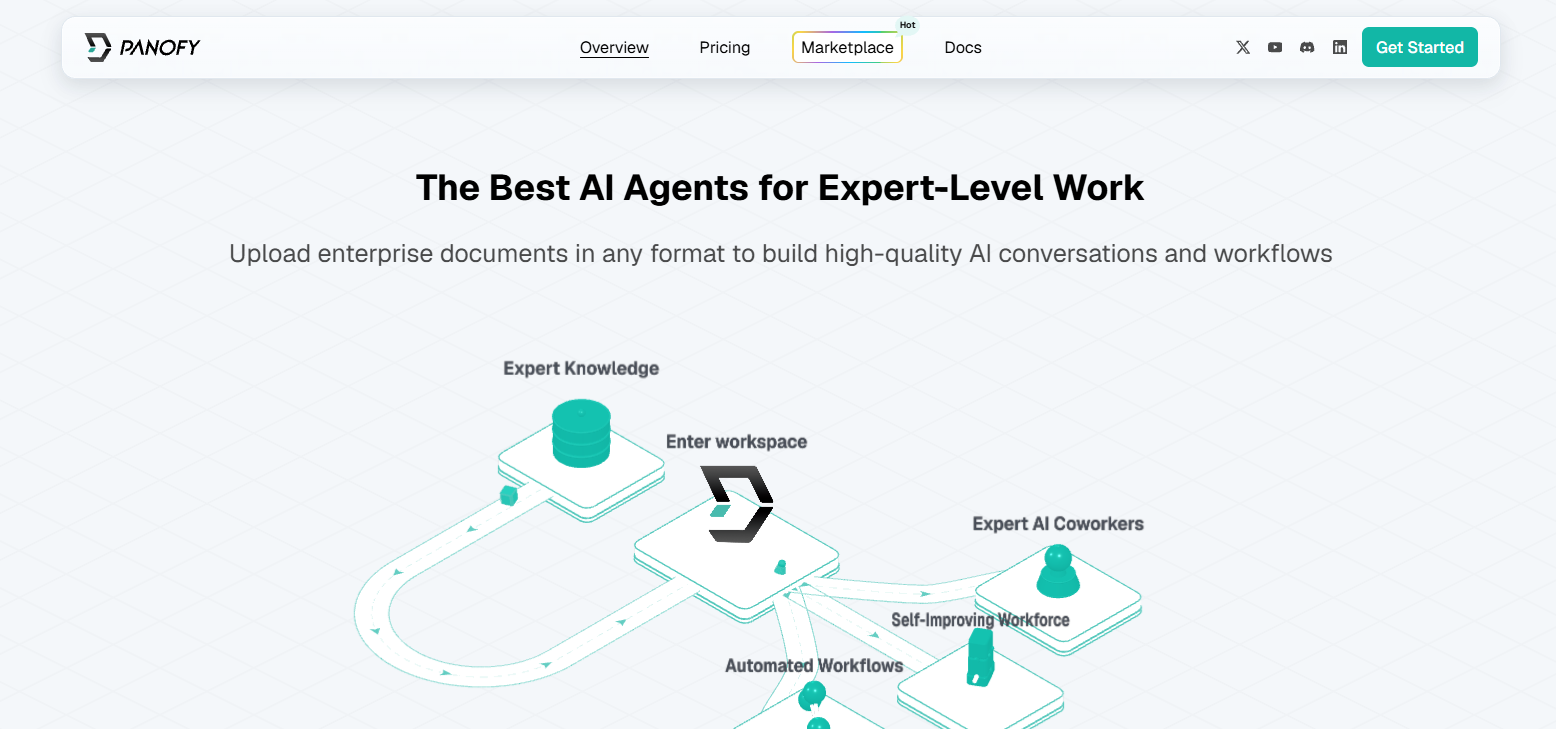
Panofy’s main functions
-
AI Agent Training : Based on a knowledge base and workflow, a custom AI agent can be trained with just one sentence, continuously optimizing and reducing token consumption.
-
Parallel task execution : Supports multiple tasks running simultaneously without queuing, greatly improving efficiency.
-
Scheduled task scheduling : Tasks are automatically triggered at set times to automate business processes without requiring manual intervention.
-
Persistent memory system : Automatically accumulates experience into long-term memory, the more you use it, the better you understand the business, and avoids repetitive input.
-
Intelligent agent team : Multiple intelligent agents with different styles and skills can be trained to work together, reducing the hallucination problem.
-
Knowledge base management : Supports uploading multiple file formats such as PDF, Word, TXT, and Markdown to build your own knowledge base.
-
Team collaboration : The trained agent can be shared with team members via a link, and invited members can use it directly.
-
Multi-scenario tasks : Supports a variety of professional tasks such as PPT creation, code writing, poster design, research report creation, website building, and video editing.
How to use Panofy
-
Visit the official website : Open the Panofy website https://panofy.ai/, which supports one-click login with Google or GitHub accounts.
-
Invitation code activation : Currently in the closed beta phase, you need to obtain an invitation code via email after registration to complete the activation.
-
Create an agent : Describe the purpose of the agent you want to train in natural language (e.g., “Help me generate a market analysis report”).
-
Upload knowledge base : Supports uploading files in PDF, Word, TXT, Markdown and other formats as training materials.
-
Define workflow : Configure the business processes and operating procedures of the intelligent agent.
-
Start training : The system will automatically train the agent based on your knowledge base.
-
Continuous optimization : Through repeated task execution, the agent will automatically accumulate experience and form long-term memory.
-
Performance evaluation : Test the quality of the agent’s output, and supplement the knowledge base or adjust the training parameters if necessary.
-
Instant Task : Simply input your requirements, and the agent will immediately execute and return the results.
-
Parallel tasks : Initiate multiple independent tasks simultaneously to improve efficiency by leveraging parallel execution capabilities (supports 1-10 concurrent tasks depending on the package).
-
Scheduled tasks : Set specific times to automatically trigger tasks, enabling unattended automated workflows.
-
Create multiple roles : Train independent intelligent agents with professional skills for different scenarios such as PPT creation, code writing, and poster design.
-
Team collaboration : Enables different intelligent agents to work together to handle complex tasks, reducing the illusion problem of relying on a single intelligent agent.
-
Generate sharing links : The trained agent can generate its own links.
-
Invite members : Send the link to team members, and invitees can use it directly without retraining.
-
Cost Management : Points consumed during task execution after sharing are credited to the user’s account, facilitating team cost control.
- Knowledge base maintenance : Upload new documents or replace old files at any time to keep the knowledge base up-to-date.
-
Storage Management : Monitor cloud storage usage (FREE: 10GB / PLUS: 50GB / PRO: 1TB) and promptly clean up files that are no longer needed.
Panofy’s core advantages
-
Trainability advantages : Training a dedicated intelligent agent based on a knowledge base and workflow significantly reduces the uncertainty of model output, and the effect of a single training session continues.
-
Long-lasting memory capability : It automatically accumulates task experience into long-term memory, eliminating the need to repeatedly input background information, and the more you use it, the better you understand the business.
-
Highly efficient parallel execution : Supports multiple tasks to run simultaneously without queuing, significantly improving task processing efficiency.
-
Intelligent agent team collaboration : Multiple intelligent agents with different skills can be trained to form an expert-level team, working together to reduce illusions.
-
Extremely easy to use : You can create an intelligent agent with just one sentence, without complicated prompts or code configuration, making it easy to get started with zero barriers.
-
Significant cost optimization : Efficient context compression is achieved through training, which greatly reduces token consumption compared to general intelligent agents.
-
Enterprise-level security : Provides a secure cloud environment, supports centralized knowledge base management, and avoids data compliance risks.
-
Flexible team collaboration : Supports agent linking and sharing, which team members can use directly, and training results can be standardized and reused.
Key information and usage requirements for Panofy
-
Development Team : Built by the core team of the well-known open-source project LLaMA-Factory, with strong technical background.
-
Product Positioning : The world’s first trainable agent training platform, focusing on industry-specific tasks rather than generalization.
-
Storage limits : Free users 10GB, Plus users 50GB, PRO users 1TB. Running tasks may be interrupted if these limits are exceeded.
-
Access requirements : Currently in closed beta testing phase. You need to register through the official website and wait for an invitation code to activate your account via email.
-
Account requirements : Only Google or GitHub accounts are supported for one-click login. Direct registration via email is not currently supported.
-
Knowledge base format : Supports uploading mainstream document formats such as PDF, Word, TXT, and Markdown to build training knowledge bases.
-
Concurrency Limit : The number of concurrent tasks is limited based on the package level (1-10). If the limit is exceeded, the current task must be completed.
相关导航




ai-navhub:The official website of the AI Toolset includes hundreds of AI tools from both domestic and international sources, as well as commonly used websites, frameworks, and models for AI learning and development, helping you join the wave of artificial intelligence and complete tasks efficiently and automatically!