




What is Opera Neon?
Opera Neon is Opera’s new AI Agent browser, designed specifically for users who heavily utilize AI. Opera Neon supports creating independent workspaces and analyzing and manipulating multiple information sources, such as travel planning and research. It can proactively perform tasks, such as shopping and booking, without sharing passwords to the cloud, ensuring privacy. Opera Neon empowers users to create content, such as websites, games, and reports, supporting offline creation and generating unique links for sharing. Users can create or select predefined cards to more efficiently obtain the desired results. Developed based on the Opera browser, Opera Neon integrates core functions such as ad blockers and VPNs, while incorporating AI Agent technology, allowing users to complete tasks more efficiently and securely during online operations.
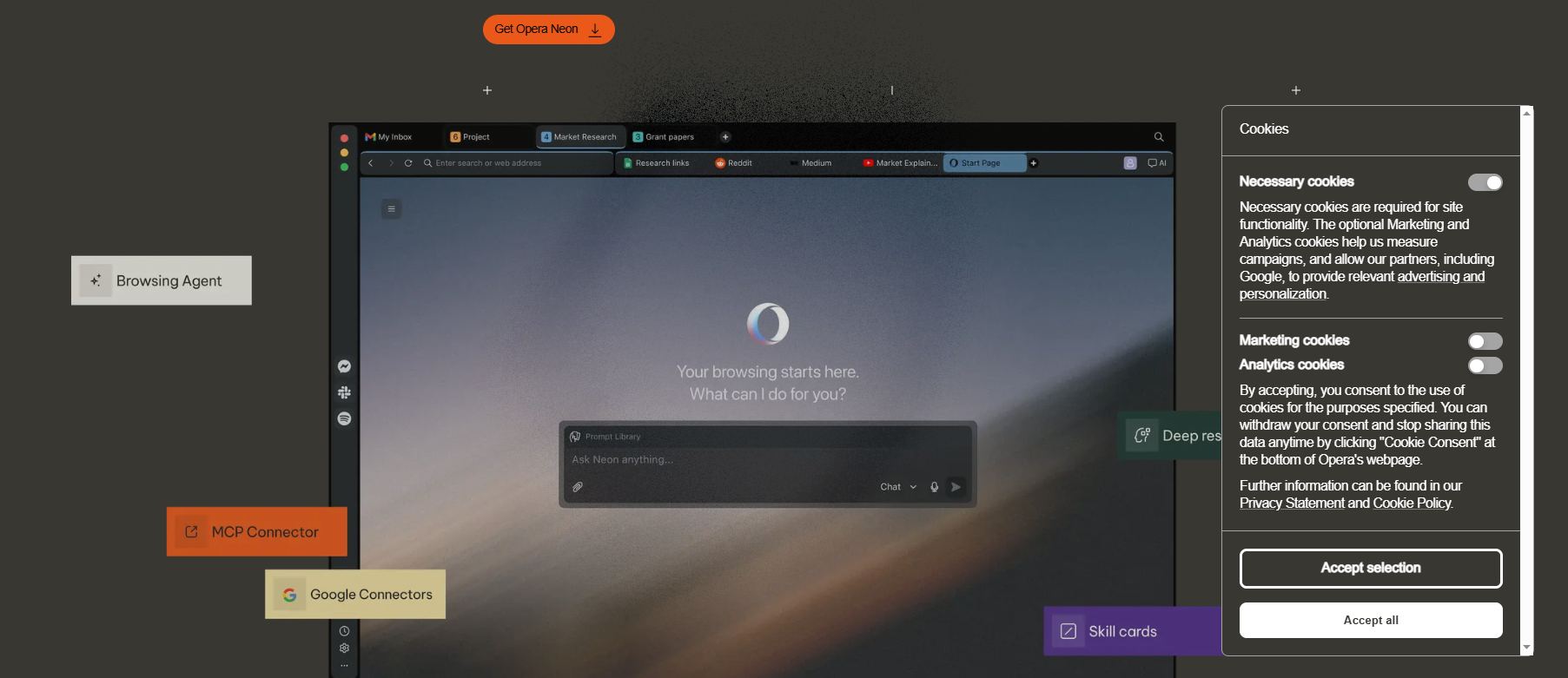
Main functions of Opera Neon
-
Task Functions : Create independent workspaces, support multi-source information analysis and operation, suitable for scenarios such as travel planning and research and learning.
-
Neon Do : Proactively perform tasks such as shopping and booking without sharing passwords to the cloud, ensuring privacy and security.
-
Neon Make : Empowers users to create content such as websites, games, and reports, supporting offline creation and generating unique links for sharing.
-
Card function : Users can create or select predefined cards to obtain the desired results more efficiently and improve the ease of operation.
-
Basic browser functions : Inherits core functions of Opera browser such as ad blocker, VPN, and bookmarks to meet daily browsing needs.
How to use Opera Neon
-
Join the waitlist : Visit the Opera Neon website https://www.operaneon.com/, click the “Join the waitlist” button to join the waitlist, and wait for an official invitation.
-
Install and launch : After receiving the invitation, install and launch the Opera Neon browser, and register and log in to an account.
-
Use the Chat feature : Enter questions or requests through the chat interface to get instant answers and information.
-
Use the Do function : Enter the task you want to perform, such as filling out a form or booking a trip, and the browser will complete the task automatically.
-
Using the Make feature : Enter your project requirements, such as creating a website or game, and your browser will create it in the cloud and return the final result.
-
Interaction methods : Interact with the browser via voice or text, and select the language and functions as needed.
Application scenarios of Opera Neon
-
Travel planning : Users only need to tell Opera Neon their travel destination and preferences, and Opera Neon can generate a detailed, interactive itinerary booklet that includes maps, attraction descriptions, local phrases, and cultural tips.
-
Financial Analysis : It can generate comprehensive stock analysis reports, combining information such as financial fundamentals, market sentiment, and technical signals to provide decision support for investors.
-
Game Development : Create simple web games, such as retro Snake games, with support for animations and high score recording features.
-
Insurance Consultation : Providing users with interactive insurance advisory services, comparing different insurance policies, calculating loan impacts, and helping users choose the most suitable insurance plan.
-
Code writing : Generate code snippets based on user needs, and even develop simple web applications, supporting multiple programming languages and frameworks.
-
Office automation : Automates routine office tasks such as filling out forms and booking trips, improving work efficiency.
相关导航



