




Manus
Butterfly Effect launches its first autonomous general-purpose AI agent
标签:AI Agent AI Intelligent AgentAI intelligent agentWhat is Manus?
Manus, developed by Butterfly Effect, is the world’s first autonomous, general-purpose AI agent , enabling users to complete tasks and deliver results autonomously. Manus operates in a sandboxed environment with internet access, a persistent file system, and software installation capabilities, allowing it to work independently and remember the context of long-term tasks. Manus offers a variety of functionalities, including design views, extensive research, data analysis and visualization, and media processing. The latest version, Manus 1.6, introduces the more powerful Max Agent, optimizes spreadsheet processing and web development capabilities, and adds mobile development features. Manus can seamlessly collaborate with external tools through a cloud browser and integration features, helping users efficiently complete complex tasks.
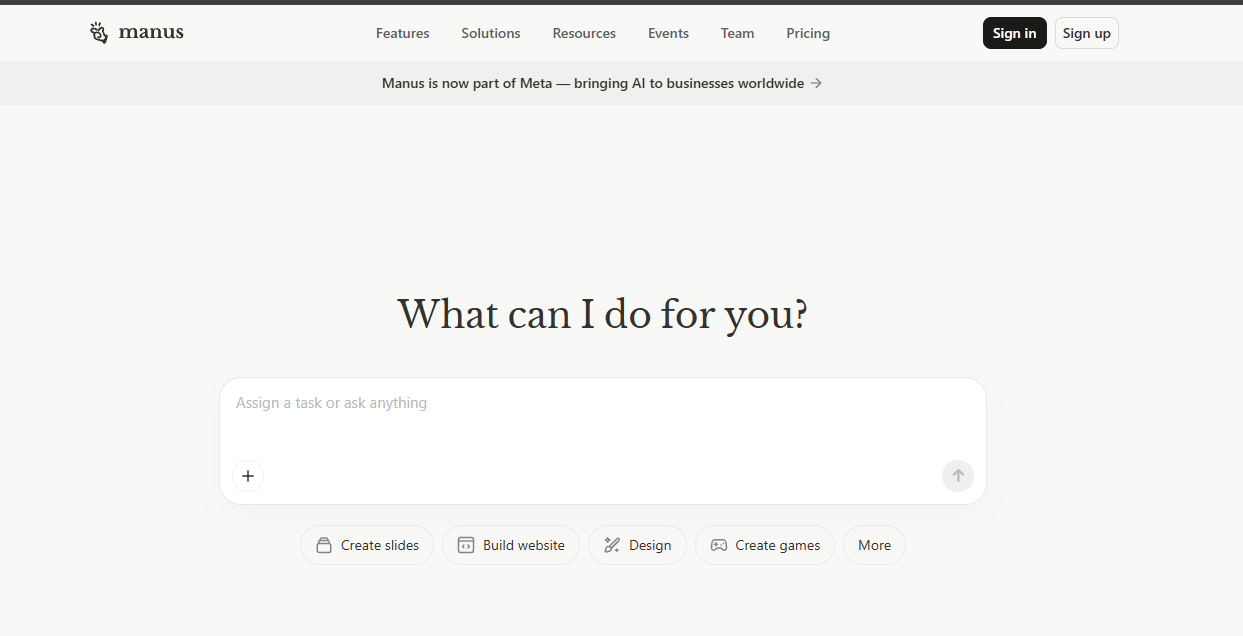
Main functions of Manus
- Design View : Supports complex visual workflows, allowing users to precisely edit images using annotation tools. It is suitable for designing posters, mood boards, and optimizing product photos.
- Wide Research : By using parallel multi-agent systems to handle large-scale tasks, it overcomes the contextual limitations of traditional AI and is applicable to market research, academic research, and competitive intelligence.
- Data Analysis and Visualization : Transform raw data into visual insights, supporting the generation of slides, reports, and dashboards to help users quickly extract data patterns.
- Media processing : Supports image generation, video analysis, voice output, and speech-to-text conversion, seamlessly integrating multiple media types to meet different work needs.
- Manus, a cloud browser , allows users to operate the browser like a real person, log in to accounts, retrieve data, and automate multi-step tasks.
- Integration and Automation : Connect commonly used tools to automate tasks across platforms through MCP connectors, custom servers, and Zapier integration.
- Manus Slides : Quickly generate complete presentations based on descriptions, including content development, visual design, and speaker notes.
- Scheduled tasks : Supports the automation of repetitive tasks. Users can set tasks to run on a schedule without manual intervention.
- Mail Manus : Trigger tasks via email, and users don’t need to switch to the Manus app; results are returned directly via email.
- Manus Collab : Supports real-time team collaboration in handling tasks, avoids version chaos, provides a single source of truth, and facilitates collaborative editing and interaction among team members.
-
Mobile Development : For the first time, Manus supports building mobile applications. Users only need to describe their requirements, and Manus supports handling the end-to-end development process.
-
Manus 1.6 Max : The latest flagship agent, significantly improving task success rates, user satisfaction, and spreadsheet processing capabilities through a more advanced planning and problem-solving architecture.
- My Computer : A new feature added to the Manus desktop client allows the AI Agent to directly manipulate local files, run terminal commands, and launch applications, enabling a transition from the cloud to the local machine.
How to use Manus
- Registration and login : Visit the Manus website https://manus.im/ to complete registration and login.
- Select functional modules : Select functional modules according to your needs, such as design views, extensive research, data analysis, etc.
- Enter task description : Enter a task description in the selected functional module.
- Execute the task : After clicking the “Execute” button, Manus will begin the task according to the description. For complex tasks, Manus will prompt for further confirmation or provide more information.
- View Results : After the task is completed, Manus will display the results on the interface. Users can download, save, or further edit the results as needed.
- Optimization and Iteration : If you need to adjust the results, simply modify the task description or parameters in the interface, and Manus will re-execute the task to update the results.
- Use integration features (optional) : If you need to integrate Manus with other tools (such as Gmail, Notion, Slack, etc.), you can connect the relevant accounts in the settings and operate these tools directly through Manus.
- Team Collaboration (Optional) : If you are using the team version, you can invite team members to participate in tasks through the Manus Collab feature, enabling real-time collaboration and editing.
相关导航



