




AI AgentAI AgentPlugins And Skills
UI/UX Pro Max
Open source AI design skill, designed specifically for AI coding assistants.
标签:AI Agent Plugins And SkillsPlugins and SkillsWhat is UI/UX Pro Max?
UI UX Pro Max is an open-source AI skill that provides professional-grade design intelligence support for AI coding assistants such as Claude Code, Cursor, Windsurf, and GitHub Copilot. It features a built-in searchable design database covering UI styles, color schemes, font pairings, UX guidelines, and other resources. It can automatically generate complete design systems based on natural language descriptions and output corresponding technology stack code.
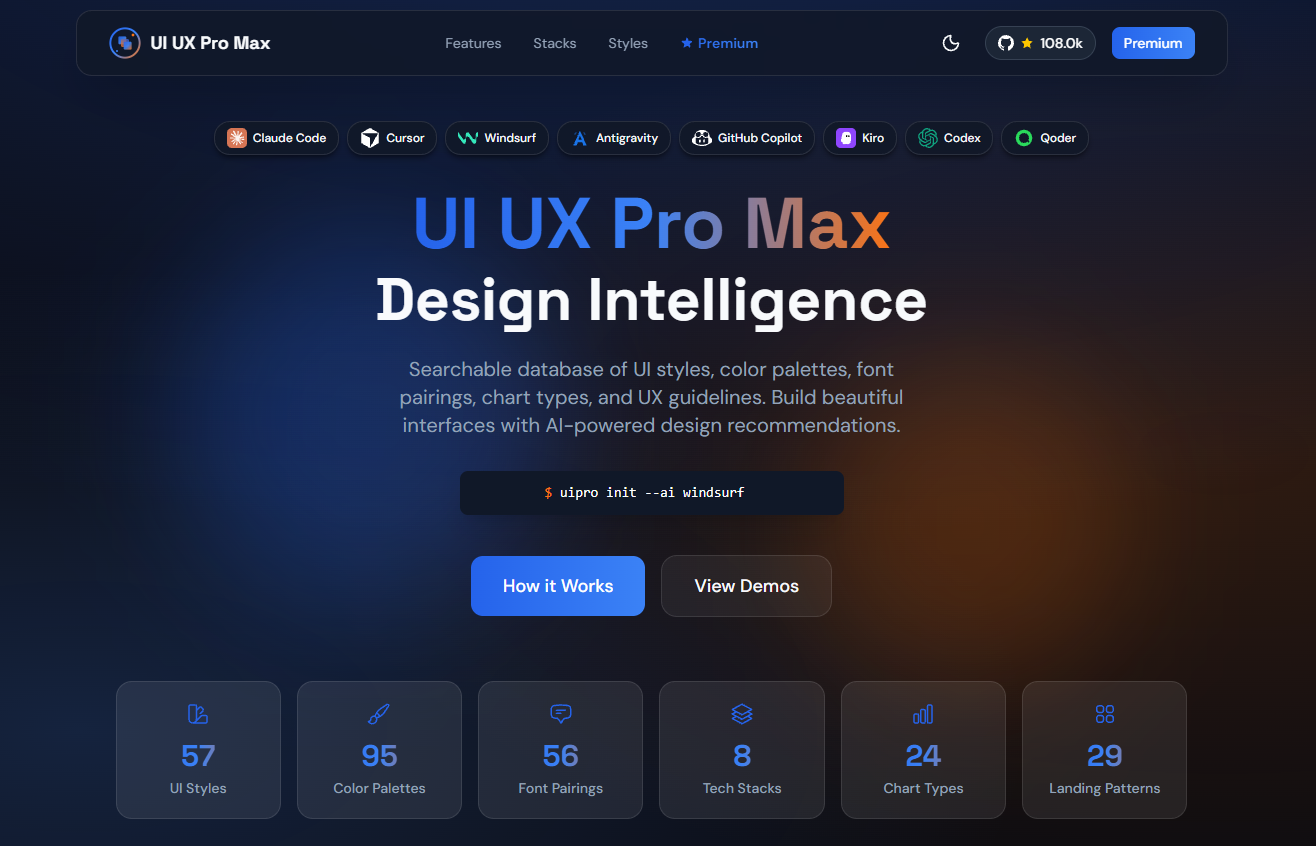
Main functions of UI/UX Pro Max
-
Intelligent Design System Generation : v2.0 flagship feature. The AI inference engine generates a complete and customized design system in seconds through 5 parallel searches (product type, style, color scheme, landing page mode, font combination).
-
A massive design database includes 57+ UI styles (glass mimicry, clay mimicry, minimalism, brutalism, neo-skeuomorphism, etc.), 95+ industry color schemes, 56+ font combinations, 24+ chart types, and 98+ UX guidelines.
-
Industry reasoning rules : Covering 100 product categories, providing customized design suggestions for industries such as SaaS, e-commerce, healthcare, and fintech.
-
Multi-technology stack support : natively supports HTML/Tailwind CSS, and is compatible with React, Next.js, Vue, Svelte, SwiftUI, React Native, Flutter, etc.
-
CLI Tool Integration : Provides
uipro-clicommand-line tools to install and initialize skills for specified AI assistants with a single click.
How to use UI/UX Pro Max
-
Quick installation via CLI tool : Run
npm install -g uipro-clithe global installation command line tool, then executeuipro init --ai <助手名称>to deploy skills for specified AI assistants (such as claude, cursor, windsurf, copilot, kiro, etc.) with one click, or directly use touipro init --ai allbatch configure all supported assistants. -
Manually install to the configuration directory : Copy the skill folder to the configuration directory of the corresponding AI assistant (such as Claude Code’s
.claude/skills/or Cursor’s.cursor/skills/) to complete the skill mounting. -
Ensure the prerequisites are in place : Install the Python 3.x environment to support the proper functioning of the built-in search scripts.
-
Natural Language Direct Activation (Skill Mode) : In assistants that support automatic activation, such as Claude Code, Cursor, Windsurf, and Gemini CLI, you can trigger skills simply by describing your UI/UX requirements, such as “Build a dark-style dashboard for my SaaS product”.
-
Forward-slash command invocation (Workflow mode) : In assistants such as GitHub Copilot, Kiro, and Roo Code, enter
/ui-ux-pro-maxthe command followed by the specific requirement, for example/ui-ux-pro-max 为我的 SaaS 产品构建一个着陆页. -
Generate a complete design system : Execute the process
python3 skills/ui-ux-pro-max/scripts/search.py "query" --design-system -p "Project Name"and automatically generate a complete design system including style, color scheme, font, and layout through 5 parallel searches. -
Domain-specific refined search : Use
--domainparameters to specify the search domain (style/ux interaction/typography/color/chart), and combine with--stackparameters to limit the technology stack (such as react, vue, tailwind) to obtain more accurate design references. -
Review and iterate existing code : Submit existing UI code snippets to the AI assistant, requesting a review of usability, accessibility, and visual consistency based on UI/UX Pro Max design guidelines, and automatically refactor based on feedback.
-
Export a reusable design system : Enable the AI assistant to output standardized design tokens (color scheme variables, font specifications, spacing standards) based on the generated solutions, which can be used to build a team-level reusable component library.
Key information and usage requirements for UI/UX Pro Max
-
Product positioning : Open source AI Skill (skill plugin), not an independent design tool. It needs to be used in conjunction with AI programming assistants such as Claude Code, Cursor, Windsurf, and GitHub Copilot to provide AI with a design knowledge base and reasoning capabilities.
-
Database size : Includes 57+ UI styles, 95+ industry color schemes, 56+ font combinations, 24+ chart types, and 98+ UX guidelines, covering 100 product categories.
-
Core version : v2.0 Flagship features an AI inference engine that supports 5 parallel searches (product type, style, color scheme, landing page mode, font combination) and generates a complete design system in seconds.
-
Technology stack compatibility : Natively supports HTML/Tailwind CSS, and is also compatible with mainstream front-end frameworks such as React, Next.js, Vue, Svelte, SwiftUI, React Native, and Flutter .
-
Open source license : Based on the MIT License, it is open source, completely free, and supports personal and commercial use .
-
Community popularity : It has over 22,000 stars on GitHub and is continuously being updated and maintained.
-
Environment requirements : A Python 3.x environment must be pre-installed to support the proper functioning of the built-in search scripts and design system generator.
-
Installation method : You can either
npm install -g uipro-cliinstall the CLI tool globally and then performuipro initone-click deployment, or you can manually copy the skill folder to the AI assistant’s configuration directory (e.g..claude/skills/). -
Activation method differences : Claude Code, Windsurf, Gemini CLI, etc. support automatic skill activation; simply describe your needs. GitHub Copilot, Kiro, Roo Code, etc. require
/ui-ux-pro-maxmanual activation using a forward slash command. -
Special adaptation : Trae users need to switch to SOLO mode and use the front-end-specific commands to trigger the skill.
-
User accessibility : No professional design background is required. Developers can obtain UI/UX solutions and runnable code at the level of senior designers simply by describing their needs in natural language.
UI/UX Pro Max’s core advantages
-
A massive professional design database : It includes 57+ UI styles, 95+ industry color schemes, 56+ font combinations, 24+ chart types, and 98+ UX guidelines, covering mainstream design languages from minimalism to Brutalism.
-
Intelligent Inference Engine : v2.0 flagship feature supports 5 parallel searches (product type, style, color scheme, landing page mode, font combination), automatically generating a complete customized design system within seconds, without the need to manually browse documents.
-
Deep industry adaptation : Built-in industry inference rules for 100 product categories, providing precise design suggestions for different fields such as SaaS, e-commerce, healthcare, and fintech.
-
Native support for multiple technology stacks : Supports HTML/Tailwind CSS, and is also compatible with mainstream front-end frameworks such as React, Next.js, Vue, Svelte, SwiftUI, React Native, and Flutter.
-
Coverage of mainstream AI assistants : Supports 10+ AI programming assistants including Claude Code, Cursor, Windsurf, GitHub Copilot, Kiro, and Gemini CLI, providing two integration modes: Skill auto-activation and Workflow slash command.
-
One-click CLI installation
uipro-cli: Skill initialization for a specified AI assistant can be quickly completed via command-line tools, significantly reducing the deployment threshold. -
Completely open source and free : Based on the MIT license, it supports free use by individuals and commercial projects. The community is active and has more than 22,000 stars on GitHub.
-
Zero design threshold : Developers only need to describe their requirements in natural language to obtain UI/UX solutions and runnable code at the level of senior designers, without needing a professional design background.
相关导航




ai-navhub:The official website of the AI Toolset includes hundreds of AI tools from both domestic and international sources, as well as commonly used websites, frameworks, and models for AI learning and development, helping you join the wave of artificial intelligence and complete tasks efficiently and automatically!