




GitHub Copilot is a revolutionary intelligent code completion and generation tool developed by GitHub in collaboration with OpenAI. It aims to help developers write code more efficiently, accurately, and quickly. This AI-powered programming assistant integrates seamlessly with commonly used code editors and is used by millions of people worldwide, making it a powerful coding tool and indispensable assistant for developers globally.
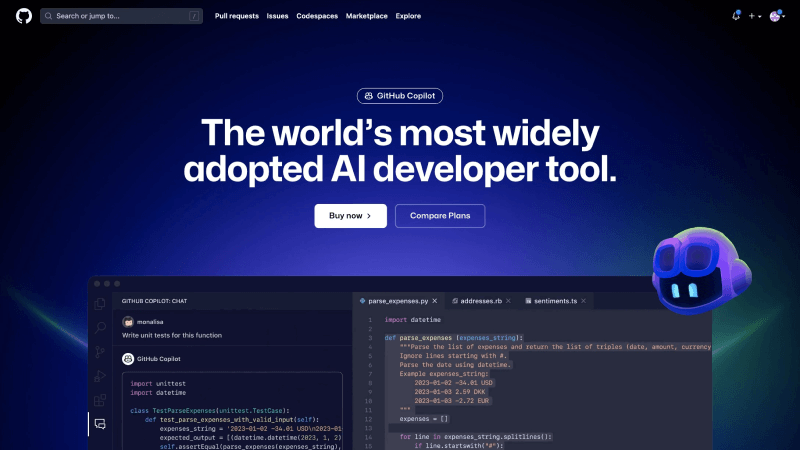
Main features of GitHub Copilot
- Code suggestions and auto-completion. GitHub Copilot provides real-time code suggestions and auto-completion as you type, significantly reducing coding time and errors.
- Natural Language Understanding. It can understand natural language queries and generate code snippets based on a plain English description of what you want to achieve.
- Supports multiple programming languages. GitHub Copilot supports multiple programming languages, from Python and JavaScript to C++ and Ruby, ensuring compatibility with mainstream languages.
- Contextual comments. Generate descriptive comments for your code to help you and your collaborators understand the purpose and function of the code.
- Code refactoring. GitHub Copilot intelligently suggests code improvements, refactoring options, and best practices to help you write clean and optimized code.
- Code examples. You can easily search and insert code examples from various sources, saving you the trouble of reinventing the wheel.
How to use GitHub Copilot
- Install the GitHub Copilot plugin. Before you start using it, you need to install the GitHub Copilot extension in your preferred code editor, such as Visual Studio Code and JetBrain’s IDE suite.
- Log in with your GitHub account. Use your GitHub account to log in and verify your login to access the full functionality of GitHub Copilot and receive regular updates.
- Once installed and verified, GitHub Copilot will be seamlessly integrated into your programming environment, ready to assist you at any time.
- Add comments as prompts to generate code, and while writing code, you can also see suggestions, autocomplete, and even entire code blocks provided by GitHub Copilot in real time.
GitHub Copilot product pricing
- GitHub Copilot offers a free 30-day trial; after the free trial ends, a paid subscription is required.
- For an individual, it costs $10 per month (or $100 per year if paid annually).
- For the business version, it costs $19 per user per month.
Frequently Asked Questions
Is GitHub Copilot free?
GitHub Copilot is free for verified students, teachers, or maintainers of popular open-source projects. For those who are not among these groups, GitHub Copilot offers a free 30-day trial, after which a paid subscription is required.
Which programming languages does GitHub Copilot specifically support?
GitHub Copilot supports programming languages such as C, C++, C#, Go, Java, JavaScript, PHP, Python, Ruby, Scala, and TypeScript.
Which editors or IDEs does GitHub Copilot support?
GitHub Copilot supports and is compatible with Visual Studio, NeoVim, VS Code, Azure Data Studio, and JetBrains’ suite of IDEs and code editors.
What large model is GitHub Copilot based on?
GitHub Copilot is powered by OpenAI’s CodeX large model, which is built from billions of lines of open-source code.
相关导航








ai-navhub:The official website of the AI Toolset includes hundreds of AI tools from both domestic and international sources, as well as commonly used websites, frameworks, and models for AI learning and development, helping you join the wave of artificial intelligence and complete tasks efficiently and automatically!