




OpenRouter
AI model API aggregation platform, one interface can call more than 400 models.
标签:AI Development PlatformAI development platformWhat is OpenRouter?
OpenRouter is a leading AI model API aggregation platform , enabling calls to over 400 AI models through a single interface. OpenRouter optimizes model selection and cost through intelligent routing technology, supports automatic failover and load balancing, and boasts high availability and performance. OpenRouter offers privacy protection features, supports zero-logs mode, and allows users to choose appropriate providers based on their data policies. OpenRouter features advanced functions such as tool invocation, real-time web search, and image and PDF processing. OpenRouter’s statistics track model usage, reflecting market performance and user preferences. OpenRouter simplifies the use and management of AI, facilitating efficient development and deployment.
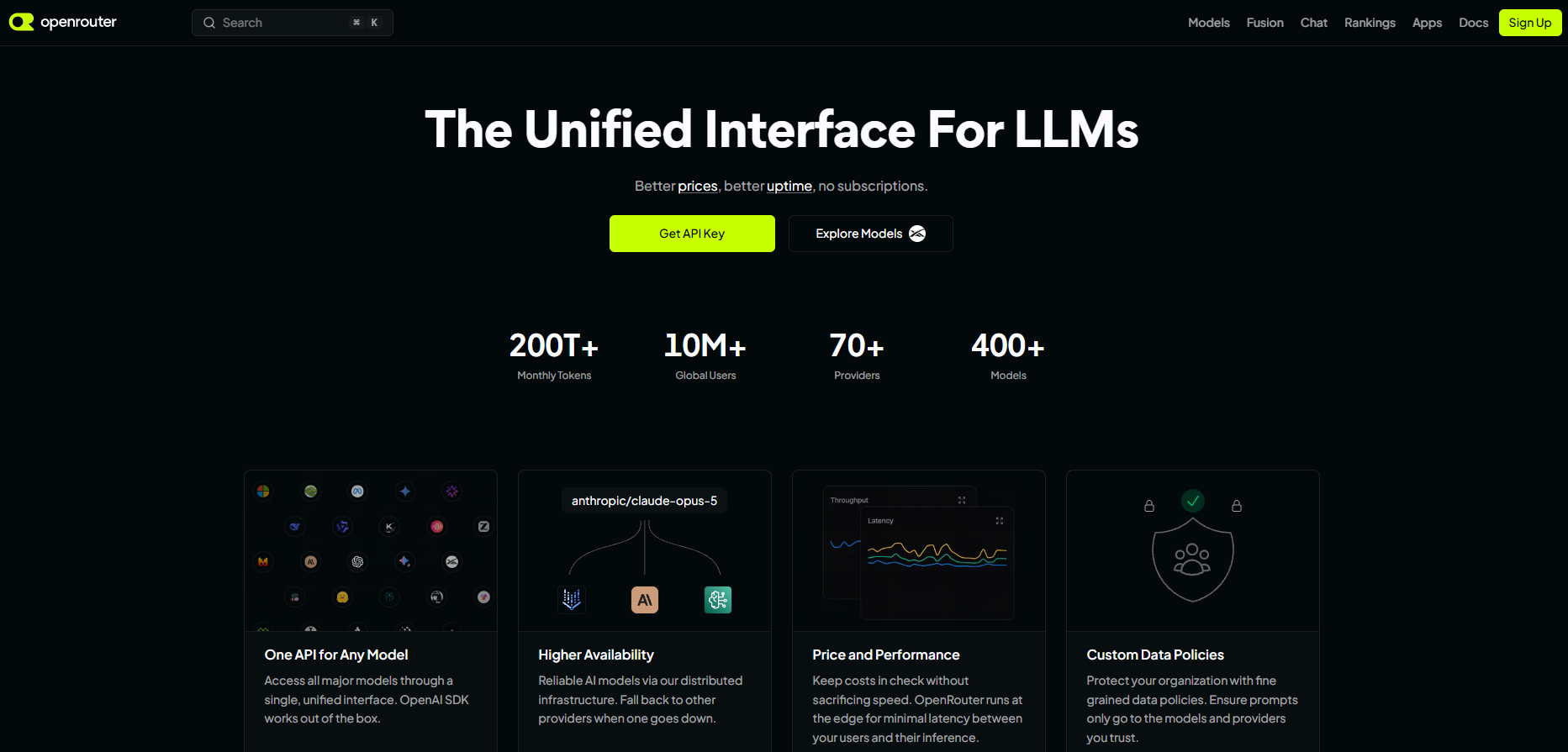
Main functions of OpenRouter
- Unified API Interface : Provides a unified API endpoint to access more than 400 AI models, simplifying the development process.
- Intelligent routing and load balancing : Automatically selects the optimal model and provider, and performs dynamic load balancing based on price, performance, and availability.
- Chat : Provides real-time chat functionality, allowing users to interact with multiple models at once.
- Leaderboards and Statistics : Provides model usage statistics and leaderboards to help users understand market performance and user preferences.
- Automatic failover : Automatically switches to a backup provider when a request fails, ensuring high availability.
- Privacy protection : Supports zero-logs mode, and users can choose providers that comply with privacy policies.
- Tool Calling and Functionality Extension : Supports tool calling, allowing models to call external tools to enhance functionality.
- Real-time web search : Provides real-time web search results for the model based on a web plugin.
- Image and PDF processing : Supports sending and processing image and PDF files via API.
- Preset Management : Presets separate configuration from code, facilitating rapid iteration and management.
- Cost optimization : Provides a prompt caching function to reduce inference costs.
- Enterprise-level support : Provides high throughput, automatic failover, compliance support, and flexible billing options.
- App Attribution and Analytics : The App Attribution feature tracks app model usage and provides detailed analytics.
- Fusion : Achieve the same level of intelligence at less than half the price of Claude Fable 5 by having multiple cost-effective models answer in parallel and then merging and analyzing them using a judge model
How to use OpenRouter
-
Register and log in : Visit the OpenRouter website https://openrouter.ai/, click the “Sign Up” button to register an account, and log in with your email and password.
-
Obtain an API key : After logging in, go to the control panel, find the “API Keys” section, and create a new API key. The key is used for authentication and accessing OpenRouter’s API.
-
Select a model : In the OpenRouter control panel, browse the available AI models and select the appropriate model according to your needs.
-
Configuration Request : Configure request parameters according to the requirements of the selected model, including input text and model parameters (such as temperature, maximum length, etc.).
- Sending requests : Send requests via the API provided by OpenRouter. Use
curlcommands, Python scripts, or other programming languages. For example,curla request using `openRouter.getRequest()` is shown below:
- Here is an example of a request using Python:
-
Processing the response : Parse the model’s output response and apply the results to the application. The response is typically JSON formatted data containing the model’s output.
-
Monitoring and Analysis : View model usage statistics in the OpenRouter control panel, including token usage and response time. Optimize model selection and request parameters based on these statistics to improve performance and reduce costs.
-
Advanced features (optional) : Enhance application capabilities with advanced features such as presets, tool calling, real-time web search, and image/PDF processing.
Application scenarios of OpenRouter
- Software development and code assistance : Developers can use AI models to automatically generate code snippets, optimize code structure, fix errors, and even design complex software architectures, significantly improving programming efficiency.
- Content creation : Content creation generates high-quality text content, such as articles, stories, news reports, and marketing copy, inspiring creativity and improving creation efficiency.
- Natural Language Processing : Enterprises build intelligent chatbots for customer service and virtual assistants, providing real-time language understanding, translation, and sentiment analysis to enhance user experience.
- Data Analysis and Reporting : Businesses and research institutions generate data reports and visualizations to help users better understand complex data and support decision-making.
- Education and Learning : Educational institutions and online learning platforms generate personalized learning materials and exercises, providing customized content based on students’ learning progress and needs to improve learning outcomes.
相关导航



