




AI Design Tools
Eva Design System
What is Eva Design System?
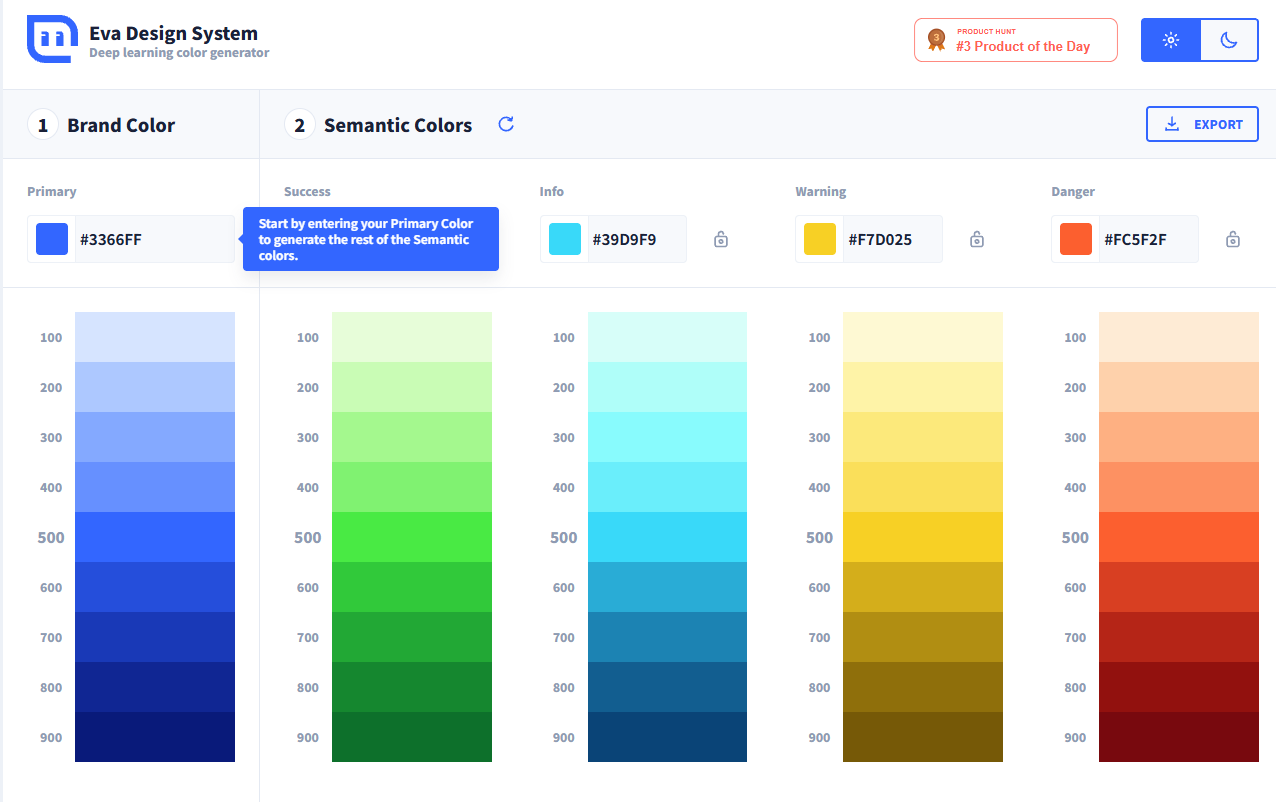
Eva Design System is an intelligent color matching tool designed specifically for brand designers. Using deep learning technology, it automatically generates four derivative colors (success, information, warning, and danger) based on the input of the brand’s primary color, supporting adjustments for color depth. Designers can lock onto specific colors and refresh to get new color combinations. Eva Design System is suitable for web design, mobile applications, and brand visual design, quickly generating professional color schemes, significantly saving time and improving work efficiency—making it a highly efficient color matching assistant for designers.
Main functions of Eva Design System
-
Deep learning color generator : After inputting the brand’s main color, it automatically generates four derivative colors that match the main color well (Success, Info, Warning, Danger).
-
Color adjustment function : Supports adjusting the shade of the main color and derived colors to meet different design needs.
-
Color Lock and Refresh : Supports locking specific colors and regenerating other color combinations after refreshing to ensure that key colors remain unchanged.
-
Multiple export formats : Supports exporting to JPEG, JSON, Nebular, UI Kitten CSS and other formats, making it convenient to use in different design scenarios.
-
Real-time preview and adjustment : View color effects in real time through the color palette, make flexible adjustments, and quickly generate your ideal color scheme.
How to use Eva Design System
-
Open the tool : Visit the official website of Eva Design System: https://colors.eva.design/.
-
Enter the primary color : Enter the brand’s primary color (such as its hexadecimal code) in the “Brand Color” area.
-
Generate derivative colors : The tool automatically generates four derivative colors (Success, Info, Warning, Danger).
-
Adjust colors : Use the color palette to adjust the shades of the primary or derived colors to lock in the desired color.
-
Refresh Color Scheme : Click the refresh button to get new derivative color combinations, while the locked colors remain unchanged.
-
Export options : Click the “EXPORT” button and select the export format (such as JPEG, JSON, CSS, etc.).
-
Apply color schemes : Apply the exported color schemes to websites, apps, or brand designs.
Application scenarios of Eva Design System
-
Web Design : Eva Design System can quickly generate web color schemes that match the brand style, enhancing the overall visual appeal and user experience of the website.
-
Mobile application development : Generate a harmonious color scheme for mobile application interfaces to ensure color consistency across different functional modules of the app and enhance the user’s visual experience.
-
Brand visual design : Helping designers quickly build a brand color system for use in logos, promotional posters, and other designs, ensuring the consistency and professionalism of the brand image.
-
UI/UX design : Optimize the color scheme of interface elements to improve readability and aesthetics, and enhance the user interaction experience.
-
Multi-platform design : Applicable to cross-platform projects, ensuring color consistency across different devices and platforms, and meeting the design needs of multiple scenarios.
相关导航




ai-navhub:The official website of the AI Toolset includes hundreds of AI tools from both domestic and international sources, as well as commonly used websites, frameworks, and models for AI learning and development, helping you join the wave of artificial intelligence and complete tasks efficiently and automatically!