




What is Creatie?
Creatie is an AI-powered UI/UX design tool designed specifically for creative professionals. It aims to enhance the efficiency and creativity of the UI/UX design process through AI technology. Developed by a team led by the former Chief Strategy Officer of the product design collaboration platform Bluelake, Creatie deeply understands the designer’s workflow and uses its AI technology to assist designers throughout the entire design process, from wireframes to mockups, from mood boards to illustrations. Whether it’s improving image quality, generating 3D icons, generating design ideas, setting up design systems, or checking design consistency, Creatie aims to make the design process easier and more enjoyable.
Compared to design tools like Figma and Sketch, Creatie seamlessly integrates native AI design features to help designers enhance their creativity. Creatie is currently in its early stages and is completely free for all users.
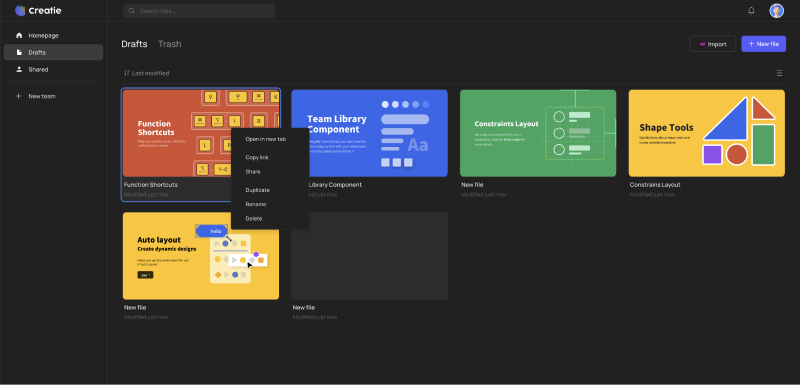
Creatie’s main functions
- AI Image Enhancer : This feature allows users to expand image size, change backgrounds, or convert ordinary images into high-resolution or vector format images, thereby improving image quality.
- Magicon – AI Icon Generator : Magicon is an innovative tool that can automatically generate 3D icons in various styles based on user-input text or wireframes, providing users with rich visual design elements.
- Creatie Design Wizard : This AI-driven wizard helps designers provide creative solutions when they encounter design challenges. Through simple selection and description, the AI can propose suitable design ideas and quickly generate corresponding components/elements.
- Automatic Style Guide : Creatie can analyze elements in existing design files and quickly create a design system that includes fonts, colors, and shadows, thereby helping designers establish and maintain a consistent design style.
- AI Design Auditor : By using AI to inspect new design documents, it ensures they are consistent with the team’s style library, identifies and corrects any non-standard elements, and ensures design consistency.
- Easy team collaboration : Creatie supports cross-platform online collaboration, allowing team members to easily access and edit project files regardless of their location, ensuring project continuity and synchronization among team members.
How to use Creatie
- Visit Creatie’s official website (creatie.ai) and click “Get Started” to log in/register.
- After logging in, you will be automatically redirected to the backend design interface, where you can select any user guide for reference.
- Clicking “Import” allows you to import design drafts from software such as Sketch, Figma, and Adobe XD. You can also click “New file” to create a new file.
- The top is the toolbar, where you can select the tools you want to use for drawing/design. The icons with a blinking ✨ are tools with AI functionality.

- Taking Creatie Wizard as an example, after selecting this tool, simply select an area, enter the UI element you want to design, such as Nav, and a navigation bar will be generated.

相关导航



