






AI Audio Tools
UniScribe
What is UniScribe?
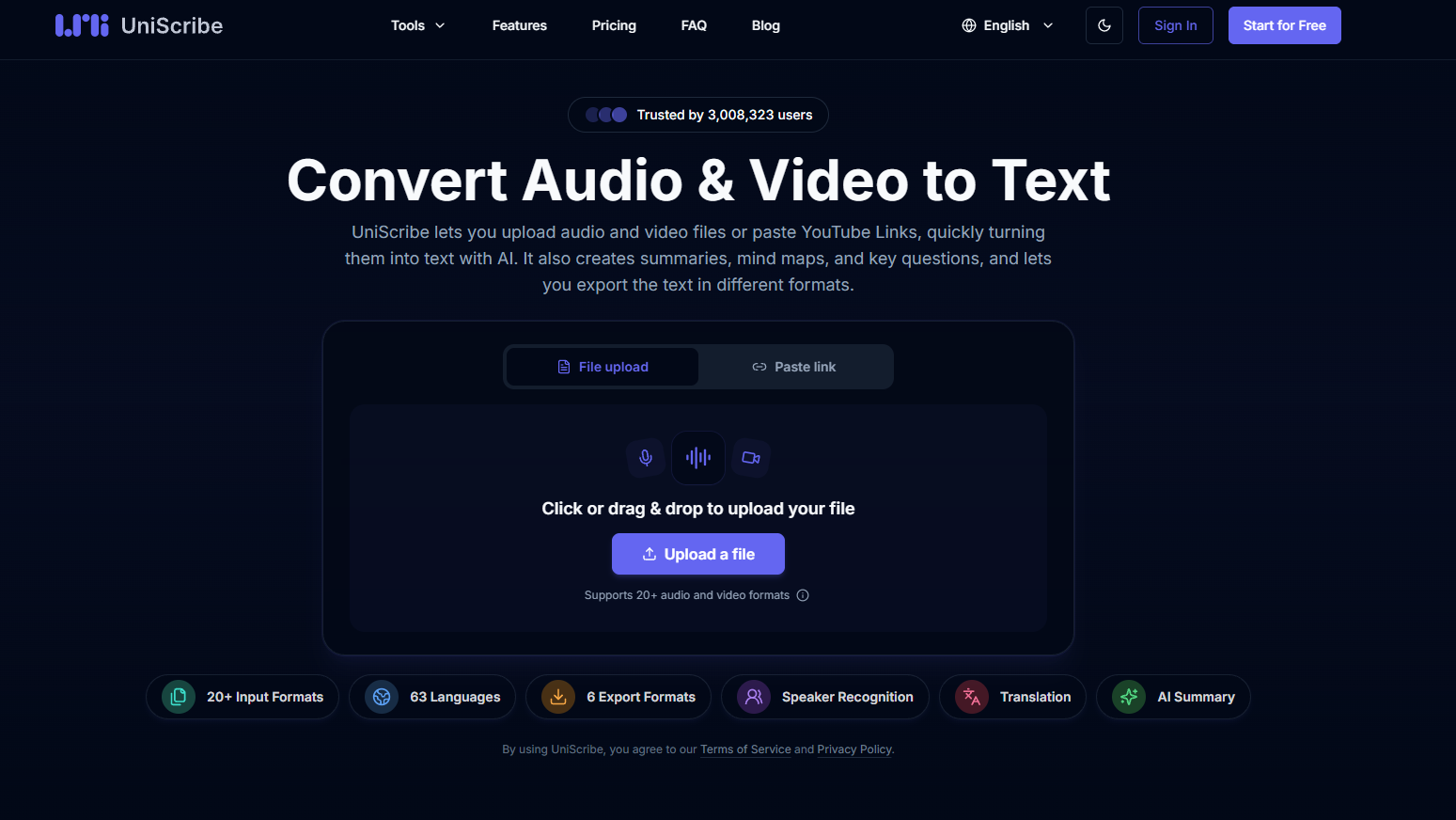
UniScribe is a free AI-powered online audio/video to text platform. It supports uploading local files or pasting YouTube links, quickly transcribing audio/video into text and automatically generating content summaries, mind maps, and key questions and answers. UniScribe supports 98 languages and offers multiple export formats including TXT, DOCX, PDF, SRT, VTT, and CSV. It is suitable for content creators, journalists, researchers, and others who need to efficiently process audio and video information.
Main functions of UniScribe
- AI-powered audio and video transcription : Upload local audio/video files or paste YouTube links, and AI will automatically recognize the speech and convert it into a timestamped transcript.
- Intelligent content extraction : Automatically generates text summaries, visual mind maps, and key Q&As to help users quickly grasp core information without having to read the entire text.
- Multiple format export and sharing : Supports exporting to formats such as TXT, DOCX, PDF, SRT, VTT, and CSV, and can generate sharing links for others to view directly.
- Speaker recognition and batch processing : The paid version supports automatic differentiation of different speakers and can batch upload 50 files for simultaneous processing, with a maximum file size of 10 hours/5GB.
- AI Translation : Transcription results can be translated with one click, supporting mutual conversion between 98 languages, facilitating cross-language content processing.
How to use UniScribe
- Visit the official website : Visit the UniScribe website https://www.uniscribe.co/ and complete account registration and login.
- Upload or paste a link : Drag your local audio/video file into the upload area, or paste a YouTube video link.
- Start transcription : Click the “Transcribe” button and wait for AI processing.
- View and edit : View timestamped transcripts online and browse automatically generated summaries, mind maps, and key questions and answers.
- Export or share : Choose the desired format to download the file, or copy the share link and send it directly to others.
UniScribe’s core advantages
-
Free and easy to access : Register to receive 120 minutes of free transcription per month, supporting 98 languages.
-
High speed : One hour of audio can usually be transcribed in one minute, which is far more efficient than manual transcription.
-
One-stop extraction : automatically generates summaries, mind maps, and Q&As, reducing the need for secondary processing.
-
Comprehensive format support : Covers all export needs across various scenarios, including subtitles (SRT/VTT), documents (DOCX/PDF/TXT), and tables (CSV).
-
Large file friendly : The paid version supports single files up to 10 hours/5GB, meeting the needs of long meetings and podcasts.
Comparison of UniScribe with similar products
| Comparison Dimensions | UniScribe | Otter.ai |
|---|---|---|
| Product Positioning | AI-powered audio and video transcription + content extraction (summary/mind map) | AI-powered real-time transcription + collaborative meeting notes |
| Free quota | 120 minutes/month, 30 minutes per file, 3 files per day. | 300 minutes/month, 30 minutes per session, maximum 3 files |
| Supported languages | 98 languages | English is the primary language, with support for some other languages (approximately 20+). |
| Input method | Local upload + YouTube link pasting | Local upload + real-time recording + automatic meeting registration with calendar synchronization |
| Key Highlights | Automatically generate mind maps, key questions and answers, and AI translation. | Real-time meeting transcription, team collaboration spaces, and automatic sharing of minutes |
| Speaker recognition | Paid version supports | All versions are supported (including the free version). |
| Export format | TXT/DOCX/PDF/SRT/VTT/CSV | TXT/PDF/DOCX/SRT |
Application scenarios of UniScribe
-
Podcasts and Content Creation : Quickly convert recorded podcasts and interviews into transcripts, generating summaries and subtitle files.
-
News Interviews : Reporters upload interview recordings, obtain complete transcripts, and extract key questions and answers.
-
Academic research : Convert lecture and seminar videos into text and generate mind maps to aid in note organization.
-
Meeting minutes : Upload meeting recordings and automatically generate structured minutes by identifying speakers.
-
Multilingual content localization : After transcription, multilingual subtitles or documents are generated through AI translation.
相关导航


ai-navhub:The official website of the AI Toolset includes hundreds of AI tools from both domestic and international sources, as well as commonly used websites, frameworks, and models for AI learning and development, helping you join the wave of artificial intelligence and complete tasks efficiently and automatically!