






AI Audio Tools
MiniMax Audio
What is MiniMax Audio?
MiniMax Audio is an AI-powered voice synthesis tool from MiniMax , capable of creating realistic, multilingual, multi-voice, and multi-emotional voices. It supports text-to-speech (TTS), quickly converting text into natural and fluent speech. Users only need to provide 30 seconds of audio material to clone a specific person’s voice , supporting 12 languages, including Mandarin, Cantonese, and English. It offers six emotional voice synthesis options, such as happy, angry, and sad. MiniMax Audio also features noise reduction to eliminate background noise and improve voice quality.
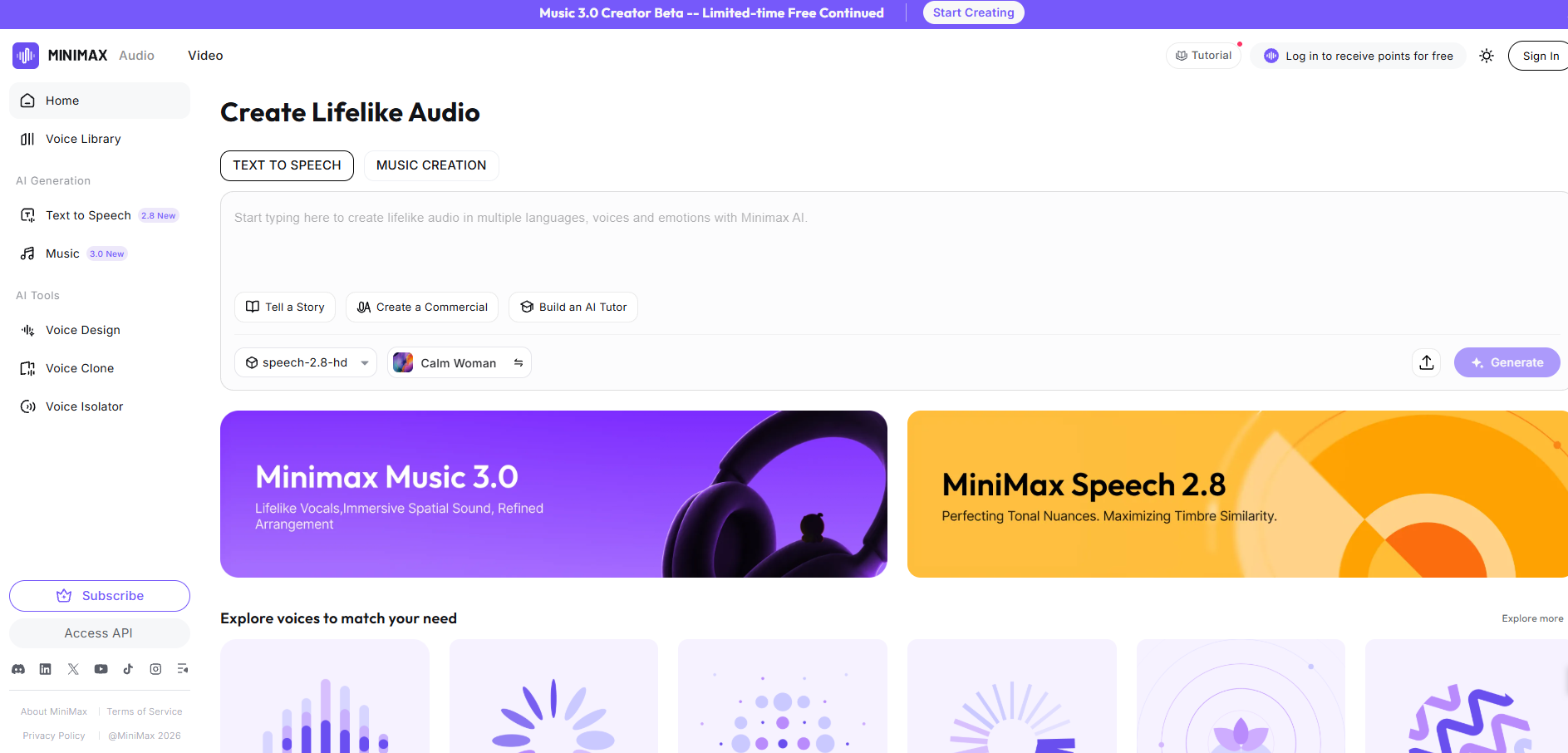
MiniMax Audio’s main functions
-
Text-to-speech (TTS) : Converts text into natural and fluent speech, supporting multiple languages and dialects, including Mandarin, Cantonese, English, Japanese, Korean, etc.
-
Voice cloning : Quickly clone a specific person’s voice with just 30 seconds of audio sample, capturing subtle emotions and intonation.
-
Emotional support : Provides speech synthesis for six emotions, such as happiness, anger, and sadness, making the speech more realistic.
-
Multilingual support : Supports voice cloning in 12 languages to meet the needs of users who speak different languages.
-
Noise reduction option : Helps users eliminate background noise and improve voice quality.
-
Ultra-long text synthesis : Supports single synthesis of up to 10 million characters of input, suitable for ultra-long text scenarios.
-
Customizable timbre : It can replicate thousands of timbre characteristics and generate an infinite variety of sound variations, emotions, and styles.
-
Real-time speech generation : Supports streaming speech output, reducing waiting time and suitable for real-time scenarios such as live streaming and dialogue.
How to use MiniMax Audio
- Visit the official website : Visit the MiniMax Audio official website and register/log in to an account.
- MiniMax Audio International Version: https://www.minimax.io/audio (Supports sound cloning)
- MiniMax Voice Assistant (Chinese version): https://www.minimaxi.com/audio (Does not support voice cloning)
- Interface Overview : The main operation area will be visible on the homepage, including text input boxes and a speech synthesis button.
- Create a sound clone :
- Click the “Create your voice clone” button in the interface.
- Upload or record an audio clip; a 30-second clip is recommended for better cloning results.
- MiniMax Audio supports multiple language options for selecting the language of your audio files.
- You can choose a noise reduction option to improve audio quality.
- Speech Synthesis : In the TTS (Text to Speech) interface, enter the text you want to convert into speech. Select the voice you just cloned or another voice provided by MiniMax Audio. Select the desired mood.
- Adjust settings : Adjust speech rate, tone, and other settings as needed.
- Generate Speech : Click the button, and MiniMax Audio will process the request and generate speech. After a few seconds of processing, you can play or download the generated speech file.
MiniMax Audio Application Scenarios
- Video voiceover : Add narration or voice-over to video content, especially when a specific voice style or language is required.
- Podcast creation : Create podcast content directly from text to speech without actually recording.
- Animation and Games : Provide realistic voices for animated or game characters to enhance the user experience.
- Audiobook production : Convert text books into audiobooks, offering different voice and emotional options.
- Advertising production : Creating compelling advertising slogans and taglines.
- Customer service : We offer an automated voice response system to improve the customer experience.
相关导航



ai-navhub:The official website of the AI Toolset includes hundreds of AI tools from both domestic and international sources, as well as commonly used websites, frameworks, and models for AI learning and development, helping you join the wave of artificial intelligence and complete tasks efficiently and automatically!