




AI Image Tools3D Model GenerationAI Image Tools
Marble
Li Feifei World Labs' 3D World Generation Platform
标签:3D Model Generation AI Image ToolsAI 3D model generationWhat is Marble?
Marble, a 3D world generation platform from World Labs, can generate high-fidelity, persistent 3D worlds from simple text descriptions, images, videos, or 3D structures. Marble supports various input methods, including text prompts, single or multiple images, panoramas, videos, and basic 3D layouts. Marble offers powerful editing features such as panorama editing, click-to-expand, and generating world variants, helping users fine-tune their creations. Marble allows users to export generated worlds to various formats for web sharing, VR experiences, or asset development. Marble is suitable for artists, designers, and anyone interested in creating 3D worlds.
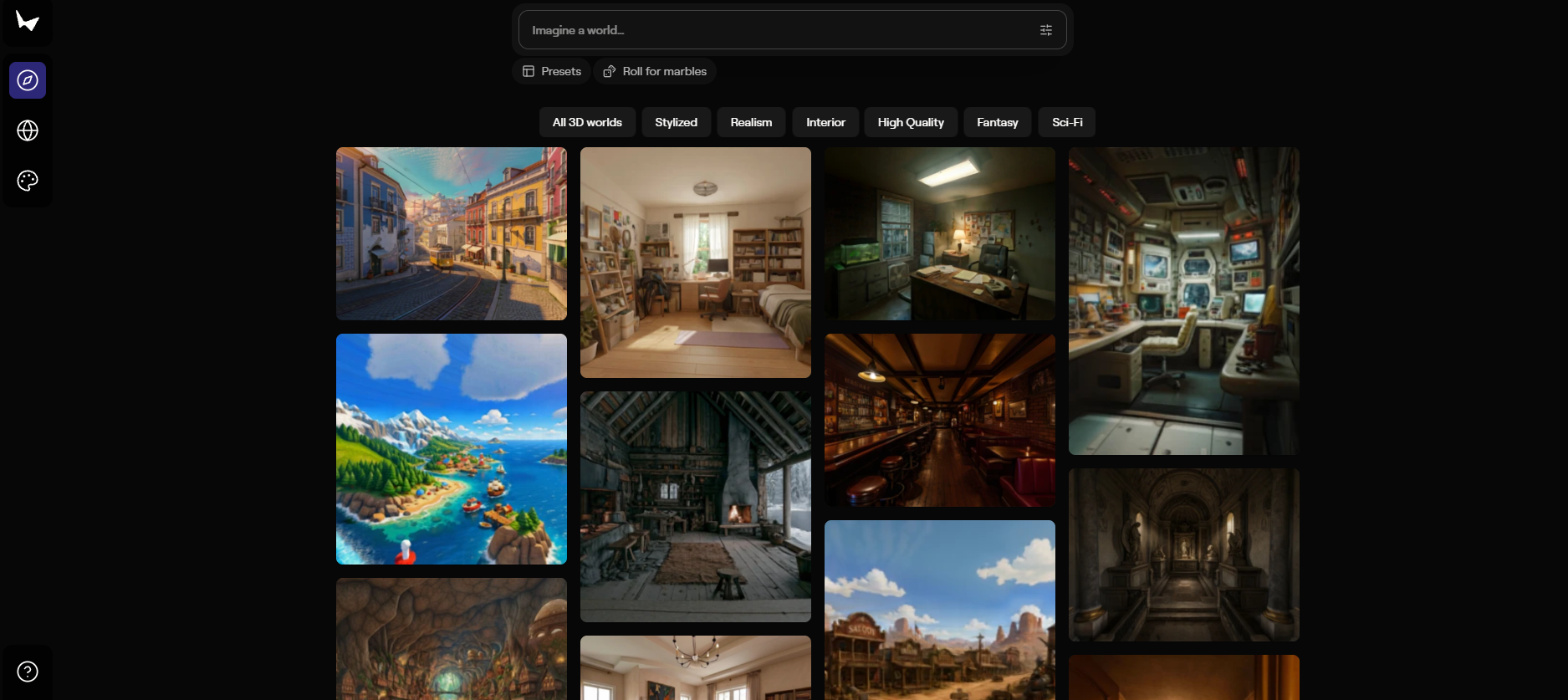
Marble’s main functions
- Multimodal Input : Supports various input methods, including text descriptions, single images, multiple images, videos, panoramas, and basic 3D layouts. Users can choose the most suitable input method according to their needs to quickly generate a 3D world.
- AI Native Editing : Provides powerful AI editing capabilities, allowing users to make local modifications, object replacements, style adjustments, or large-scale structural adjustments to the generated 3D world through natural language descriptions, achieving precise creative expression.
- World Expansion and Combination : Supports one-click expansion of world boundaries, automatically filling in more content and optimizing details in edge areas. Users can seamlessly stitch together multiple worlds using the combination mode to build larger-scale environments.
- Chisel Tool : The Chisel tool allows users to build 3D frameworks using basic geometric shapes (such as cubes and planes), and the AI will automatically fill in the details based on the style description provided by the user. The same framework can generate multiple worlds in different styles, greatly improving the flexibility of creation.
- Full-format export : Supports exporting in multiple formats, including Gaussian Splats, Triangle Meshes, and video. Exported models can be directly used in game engines, VR devices, or other professional tools, meeting the needs of various application scenarios.
- Enhanced Dynamic Effects : Supports automatic addition of dynamic effects (such as smoke, flames, water flow, etc.) when exporting videos, enhancing the realism and visual appeal of the scene.
- Real-time rendering and preview : Marble provides a Gaussian sputtering format, supporting real-time rendering and preview of 3D worlds in the browser, allowing users to quickly view and adjust the generated world.
How to use Marble
-
Register/Login : Visit the Marble website https://marble.worldlabs.ai/, register an account and log in to start creating.
-
Choose your creation method : Generate a 3D world using various input methods such as text, images, videos, panoramas, or 3D structures.
-
Generate World : Based on the input, Marble quickly generates a preliminary 3D environment.
-
Edit the World : Fine-tune and optimize your 3D world using features such as panoramic editing, click-to-expand, or generating variants.
-
Studio tools : Combine multiple worlds or record dynamic videos to create more complex environments and presentation effects.
-
Export the World : Choose from various export formats such as web sharing, VR experience, development assets, or 3D printing to meet different needs.
-
Explore and learn : Browse community works for inspiration and improve your creative skills.
-
Share your world : Share your creations with others or use them to showcase your ideas in professional projects.
Examples of Marble usage
Text prompt
- Text Prompt : A detailed, lived-in hobbit kitchen filled with woven baskets and copper kettles, awash in calm pale-blue daylight and soft ambient shadow.
Marble’s product pricing
-
Free plan : 7,000 credits per month to generate up to 4 worlds, including text input, image input, and 360-degree panoramic input.
-
Standard Plan : $20 per month, provides 20,000 credits, generates up to 12 worlds, includes all features of the free plan, plus multi-image input, video input, advanced authoring workflow editing, and “Chisel” mode 3D layout control.
-
Pro Plan : $1 for the first month (limited-time offer), $35 per month thereafter, 40,000 credits, up to 25 worlds to generate, including all the features of the standard plan, plus expanding worlds to larger spaces, enhanced rendered video output, and exporting high-resolution textured meshes.
-
Premium Plan : $95 per month, provides 120,000 credits, generates up to 75 worlds, includes all features of the Pro Plan, and comes with commercial usage rights.
Applications of Marble
-
Game Development : Quickly generate game backgrounds and scenes, providing game designers with rich 3D environment resources and accelerating the game development process.
-
Film and television production : Used for setting up scene previews and shot planning, helping film and television teams quickly realize their ideas and save time and costs.
-
Architectural Design : By generating the internal and external environments of buildings, it helps architects quickly showcase their design proposals and improve design efficiency.
-
VR and AR experiences : Create immersive virtual environments for direct use in VR devices or AR applications to enhance the user experience.
-
Education and Training : Construct virtual teaching scenarios, such as historical scene recreations or scientific experimental environments, to enhance the interactivity and fun of teaching.
相关导航




ai-navhub:The official website of the AI Toolset includes hundreds of AI tools from both domestic and international sources, as well as commonly used websites, frameworks, and models for AI learning and development, helping you join the wave of artificial intelligence and complete tasks efficiently and automatically!