




Accio Work
Alibaba launches cross-border e-commerce automated AI agent
标签:AI Agent AI Intelligent AgentAI intelligent agentWhat is Accio Work?
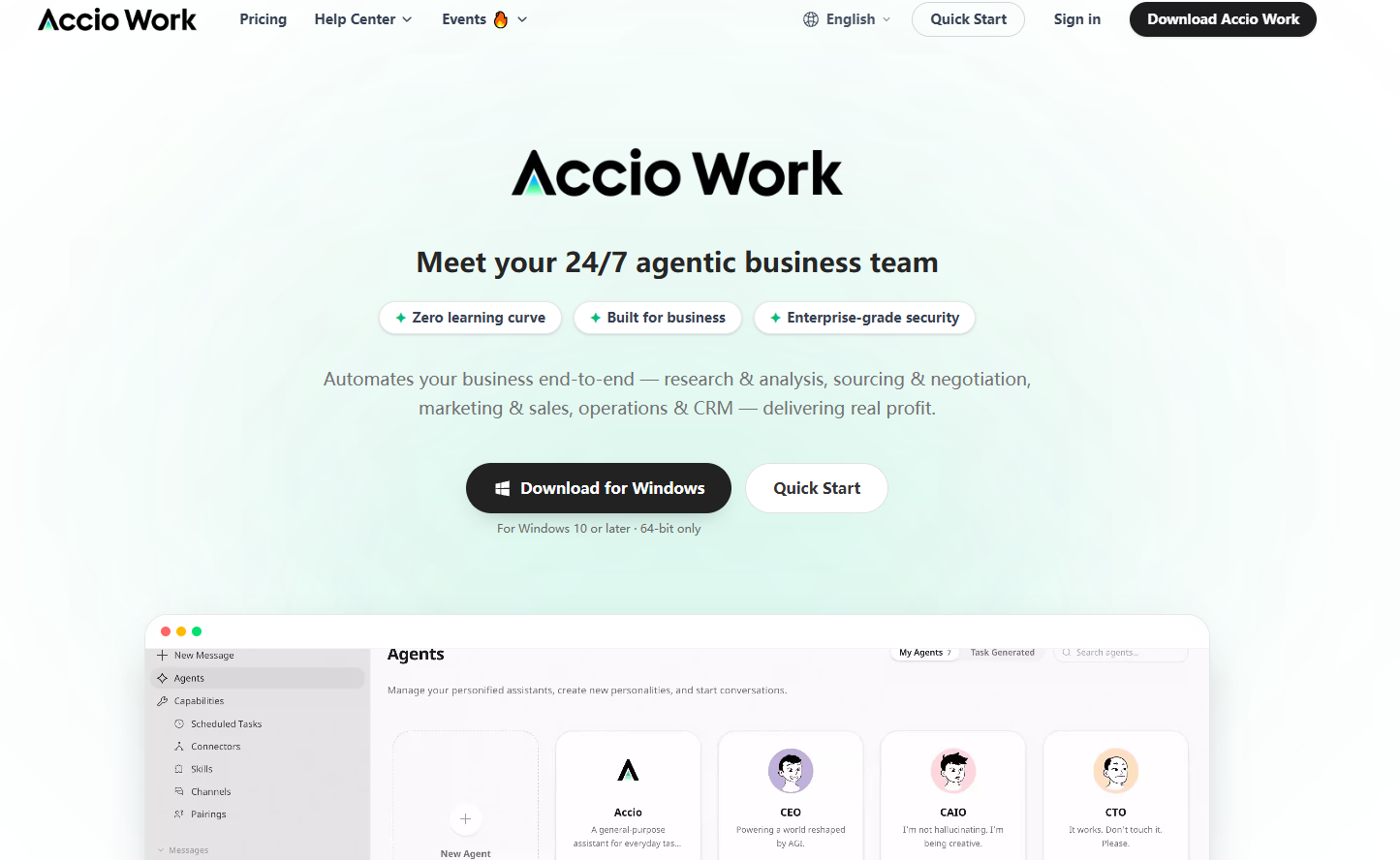
Accio Work is an AI Agent platform launched by Alibaba for global SMEs, focusing on automating the entire cross-border e-commerce process. Users can complete tasks such as market analysis, product selection and pricing, product image generation, Shopify store setup, social media promotion, and supplier negotiation through natural language commands. Accio Work has 39+ built-in professional skills, supports authorization for 48 applications including Gmail and Instagram, and can be remotely controlled via WeChat, DingTalk, and other channels. Leveraging Alibaba.com’s 26 years of accumulated data on over 1 billion products and 50 million+ enterprises, Accio Work aims to realize the vision of “one person + agent team” facilitating successful cross-border business.
Main functions of Accio Work
- E-commerce process automation : Users can create Shopify stores, generate product main images, write product detail pages, and automatically list products using natural language commands.
- Intelligent supply chain management : Supports product selection on 1688, image-based product search, automatic supplier sourcing, and automatic price negotiation via email.
- Marketing content automation : The platform can automatically publish content on social media platforms such as Instagram and X, generating viral marketing copy and product descriptions.
- Scheduled tasks and monitoring : Supports setting up automated tasks such as competitor price monitoring, exchange rate tracking, and market news updates, without the need for manual intervention.
- Multi-platform integration capabilities : The platform has been integrated with 48 applications including Gmail, GitHub, and Instagram, and supports remote control of the Agent through channels such as WeChat and DingTalk.
- Agent Team Collaboration : Supports multiple agents to collaborate on complex projects and has the ability to evolve itself based on business progress.
Key information and usage requirements for Accio Work
- Product Positioning : Alibaba’s AI Agent platform for global SMEs, focusing on full-chain automation in cross-border e-commerce.
- Underlying data : Alibaba.com’s 26 years of accumulated data, including over 1 billion product data, over 50 million enterprise data, and real-time customs and exchange rate data.
- Skills library : 19 skills in e-commerce and supply chain, 20 skills in marketing and content, and other commonly used skills.
- Application licenses : A total of 48 third-party platforms have been integrated, including Gmail, X, LinkedIn, Instagram, GitHub, etc., and TikTok, Meta Ads, Ahrefs, etc. will be launched soon.
- Messaging channels : Supports 5 platforms including WeChat, DingTalk, Lark, Telegram, and Discord.
- Operating mode : Local-First, supports local operation, and data can remain on the device.
- Security mechanisms : Sandbox isolation combined with a four-level permission model, including automatic approval, prompting on every request, remembering choices, and always denying.
- Application authorization : To use third-party features such as Gmail and Shopify, you need to manually connect to and authorize the API.
- Permission configuration : On first use, you need to set access permissions for the Agent, such as file system, terminal, and browser.
Accio Work’s core advantages
- Industry data barriers : Relying on Alibaba.com’s 26 years of accumulated data on 1 billion+ products and 50 million+ enterprises, as well as real-time customs, exchange rate, logistics, and financial fulfillment data, we significantly reduce the AI illusion rate and ensure the accuracy of product selection, pricing, and supplier recommendations.
- Full-chain automation capabilities : The platform covers the entire process of cross-border e-commerce, from market analysis, product selection and pricing, supplier negotiation, store opening and decoration, product listing to social media promotion and traffic acquisition, realizing “opening a store with one sentence and doing business automatically”.
- Supported by a real transaction network : The platform has built-in unique skills such as 1688 product selection, image search, and supplier sourcing, which can directly connect to a real supplier database and transaction network, rather than relying solely on public data.
- Local-first security architecture : Supports local operation mode, data can remain on the device, and with sandbox isolation and four-level access control, it meets the stringent requirements of enterprises for data privacy and security.
- Seamless integration across multiple platforms : It has been integrated with 48 third-party platforms and supports remote control via 5 major messaging channels including WeChat and DingTalk, allowing users to manage their business without having to keep an eye on their computers.
- Agent self-evolution : The platform has the ability to automatically iterate business judgments based on business progress, supports user-defined skills and sharing, and the capability library continues to expand as it is used.
How to use Accio Work
- Download and install : Visit the Accio Work website https://www.accio.com/work to download the desktop client, which supports Windows and Mac systems. After installation, it supports independent windows and the “pin to top” function.
- Register/Login : Open the client, register an account and log in to enter the Accio Work main workspace.
- Create an Agent : Click “Intelligent Agent” in the sidebar, select “Create Agent”. We recommend starting with the “Daily Assistant” template, or select other professional templates according to your business needs.
- Send instructions : Click on Agent to start a conversation, and describe your needs in natural language, such as “Help me list 3 USB-C data cables on Shopify and generate main images and product detail pages”.
- Connecting Applications : Expand the “Capabilities” section in the sidebar, click “Application Authorization,” connect the required third-party platforms such as Gmail, Instagram, Shopify, etc., and follow the prompts to complete the API authorization.
- Install Skills : Go to the “Skills” page and install the required capabilities from the skill library, such as “1688 Product Selection Assistant”, “Supplier Sourcing”, “Social Media Publishing”, etc., to expand the Agent’s professional capabilities.
- Set up messaging channels : Bind WeChat, DingTalk, Lark, Telegram, or Discord in “Message Channels” to remotely send commands to the Agent and check progress through these platforms.
- Configure automation : Set automation rules in “Scheduled Tasks”, such as competitor price monitoring, exchange rate tracking, weekly review, etc., so that the Agent can execute automatically according to the plan.
相关导航



