




What is Flowith?
Flowith is an innovative canvas-based AI agent tool that allows users to interact with AI using a pioneering node-based interaction method, enabling multi-threaded and divergent thinking. Powered by top-tier large models, Flowith supports various advanced AI models (such as Gemini 3 , Grok4 , GPT-5 , Claude , etc.) and image/video multimodal models ( Veo 3 , Midjourney, SDXL). Flowith supports multiple modes including text creation, image generation, and video production, automating task execution based on the ” Agent Neo ” agent . Users can manage their personal knowledge base using the Knowledge Garden feature and explore community-shared knowledge and agent workflows in the “Discover More” section. Flowith’s Agent mode can break down complex tasks, generate detailed execution plans, and complete them step-by-step, making it suitable for various scenarios such as creative writing, design, and market research, serving as a powerful assistant for creators and professionals.
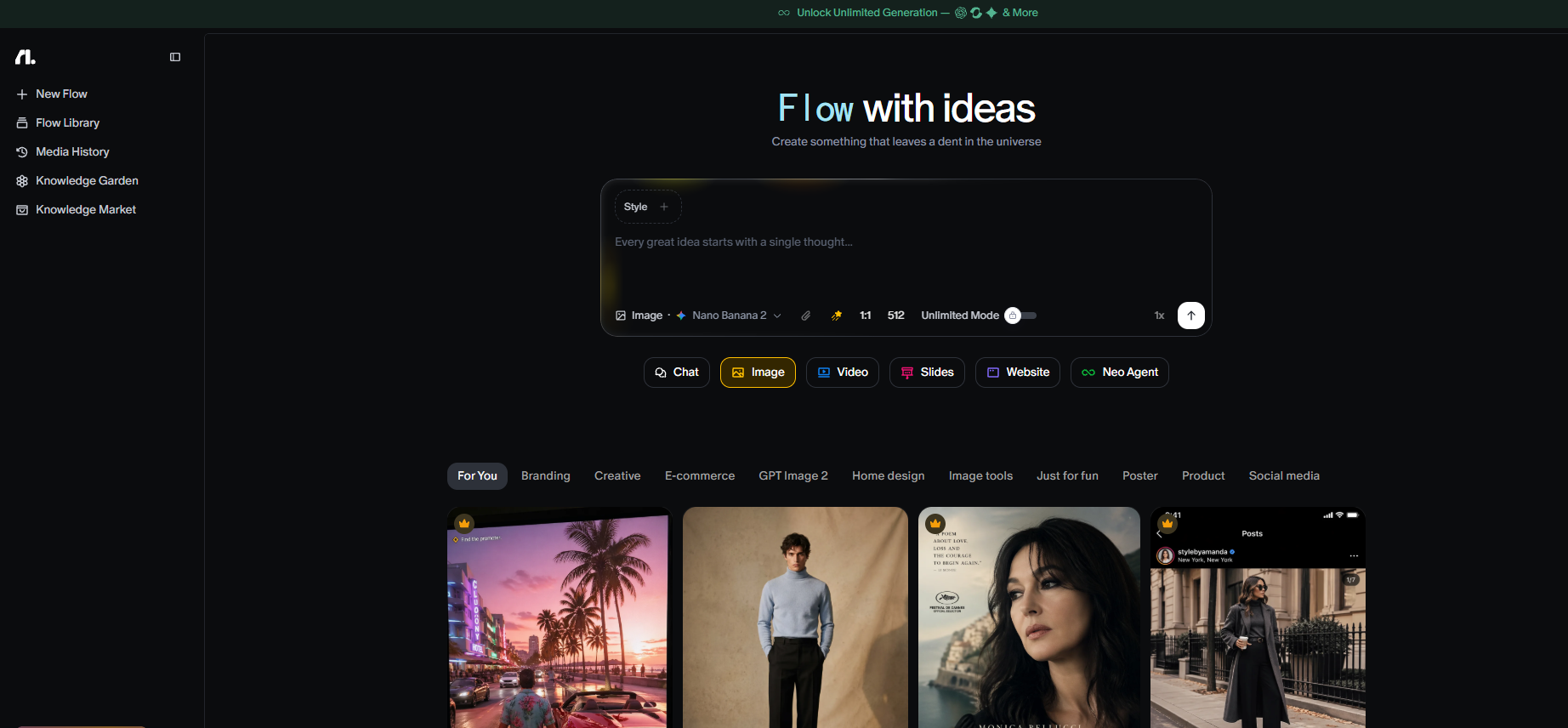
Flowith’s main functions
- Node-based interaction : Users can create multiple nodes on a canvas, each node representing an independent question or topic, and search and integrate information around the nodes to achieve multi-threaded processing.
- AI Model Selection : A variety of AI models are available, including OpenAI’s GPT-5, GPT-4.1, Grok 4, Claude 4.5, Google’s Gemini 2.5 Pro, etc. Users can choose the most suitable model according to their needs.
- File Upload and Analysis : Supports uploading and analyzing multiple file formats such as PDF, DOC, and EXCEL, and comes with OCR functionality for easy document uploading and processing.
- Multimodal content generation : Supports the generation of various content such as text, images, and videos to meet users’ diverse creative needs.
- Agent mode : Based on the agent “Neo”, it realizes automated task execution, supports multi-step task processing and can interact with users.
- Knowledge Garden : Users create and manage their own knowledge base, organizing their personal knowledge and materials into a repository for easy access and reference, enhancing the reusability and value of knowledge. During the creation process, users specify the use of their own knowledge base, ensuring that the generated content better matches their personal knowledge background and needs.
- Workflow visualization : The execution process of a task is presented in the form of a workflow, allowing users to clearly see each step and node of the task, making it easy to control the progress and execution status of the task.
- Project archiving and management : Supports users to create projects and archive related tasks and content into projects, making it easier to manage and classify different projects, and improving work efficiency and organization.
How to use Flowith
- Registration and Login : Visit the Flowith website https://flowith.io/ to register and log in.
- Using Agent mode : Click the Agent button on the right side of the dialog box or switch modes to enter Agent mode. Enter the task command, and the Agent will automatically break down the task and execute it step by step. The user can view the task progress through the workflow interface.
- Knowledge Management : Create and manage your personal knowledge base in the “Knowledge Garden,” and upload your own knowledge files or materials. When creating content, specify the knowledge base to use, making the generated content more tailored to your personal needs.
- Community Resources : Access the Knowledge Marketplace in “Discover More” to view and use knowledge bases shared by others. Learn about other users’ agent use cases and experiences in the “Agent Community”.
- Project Management : Create new projects in “Projects” and archive related tasks and content into projects for easy management and categorization.
Flowith product prices
Flowith offers different levels of model selection, including T-1 and T-2 dialogue models. T-1 models are more expensive and powerful, such as GPT-5, Claude 4.5, and Veo 3. T-2 models offer a more balanced cost-performance ratio, such as GPT-4.1, Kimi-K2, and Gemini 2.5 Flash. Specific pricing and benefits are as follows (for reference only, please refer to the latest information on the official website):
Flowith is suitable for:
- Researchers and scholars : Flowith can help them quickly integrate internet information and build knowledge systems to conduct in-depth academic research and data collection.
- Professionals such as lawyers, doctors, and financial analysts need to handle large amounts of professional documents and data; Flowith’s file upload and analysis capabilities can improve their work efficiency.
- Content creators , including writers, designers, marketers, and others, can use Flowith’s image generation and speech synthesis capabilities to enrich their content creation.
- Students : In the learning process, they need to understand and integrate complex concepts. Flowith’s node-based interaction and knowledge graph construction capabilities can help them better organize learning materials.
- For corporate employees , especially those who need to conduct market analysis, data processing, and report writing, Flowith can serve as a powerful information integration and productivity tool.
- Technology developers : Developers interested in AI technology and automated processes can automate specific workflows by creating AI agents.
相关导航



