




AI AgentAI AgentPlugins And Skills
Azure skills
What are Azure Skills?
Azure Skills is an official Microsoft Agent plugin that provides coding agents with professional skills and MCP Server configurations for Azure scenarios. The tool packages Azure expertise with over 200 structured tools, enabling compatible agents such as GitHub Copilot , Claude Code , Cursor , and Codex to perform real Azure resource management, deployment, monitoring, and optimization tasks.
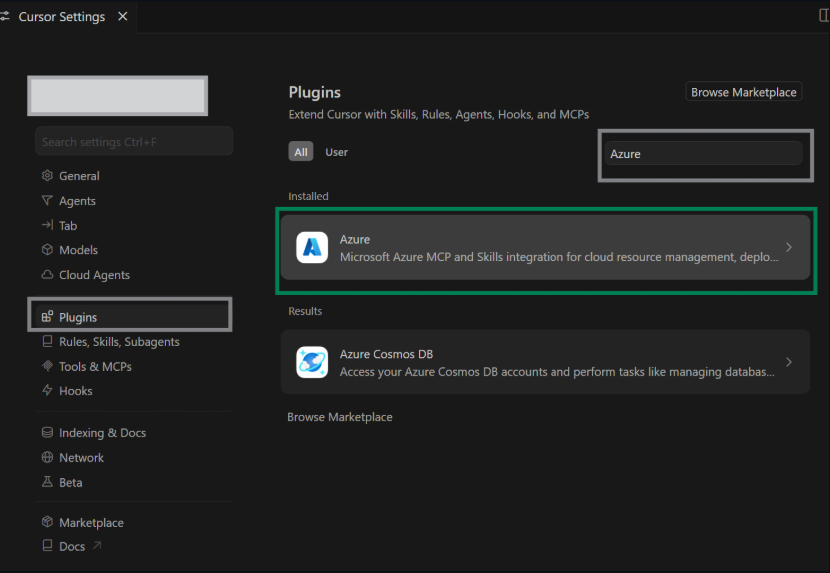
Main functions of Azure Skills
-
Build and deploy : Provides skills such as
azure-prepare[ list ofazure-validateskills ], covering the entire application lifecycle.azure-deployazure-upgrade -
Fault diagnosis and management : integrates
azure-diagnostics[ variousappinsights-instrumentationtechnologies]azure-compliance, supports production problem investigation and compliance auditing. -
Cost and Architecture Optimization : Achieve cost analysis and architecture visualization through
azure-cost[methodsazure-compute/ mechanisms].azure-resource-visualizer -
Cross-service integration : Supports 40+ Azure services, including
azure-ai, ,azure-storage,azure-kusto,azure-messaging, , , .azure-rbac -
Foundry Workflow : Built-in Foundry MCP supports model discovery, deployment, and agent workflow orchestration.
How to use Azure skills
-
Environment setup : Ensure you have an Azure subscription, Node.js 18+, Azure CLI (already
az login), and Azure Developer CLI (azd auth login). -
Choose the installation method : APM one-click installation (
apm install microsoft/azure-skills) or install by target platform (Copilot CLI, VS Code, Claude Code, Cursor, Codex, Gemini CLI, IntelliJ IDEA). -
VS Code users : Install the Azure MCP Extension from the Marketplace to automatically configure the MCP Server and Skills layer.
-
Claude Code users : Run
/plugin install azure@claude-plugins-officialor search for “azure” to install. -
Codex users : Run the application
codex plugin marketplace add microsoft/azure-skills, then/pluginsinstall via browserazure. -
Enable a skill : Run in Codex
/skillsto select to enable or disable a specific Azure skill. -
Verify installation : Enter the following in Copilot Chat
/skill:azureto view the list of available skills.
The core advantages of Azure Skills
-
True execution, not recommendation : Unlike the prompt pack, it provides actionable MCP tools to directly control Azure resources.
-
Three-layer alignment : The Skills guidance layer and the MCP execution layer are packaged in the same plugin to avoid gaps where you know what to do but can’t do it.
-
Multi-host coverage : One plugin supports mainstream coding environments such as Copilot, Claude Code, Cursor, Codex, Gemini, and IntelliJ.
-
200+ tools : covering 40+ Azure services, from VMs to AI services, from cost monitoring to compliance auditing.
-
Sovereign cloud support : Sovereign cloud environments such as Azure China Cloud and Azure US Government can be configured.
Azure Skills project address
- GitHub repository : https://github.com/microsoft/azure-skills
相关导航




ai-navhub:The official website of the AI Toolset includes hundreds of AI tools from both domestic and international sources, as well as commonly used websites, frameworks, and models for AI learning and development, helping you join the wave of artificial intelligence and complete tasks efficiently and automatically!