




AI AgentAI AgentPlugins And Skills
vue-skills
AI Agent skill library launched by the Vue core team
标签:AI Agent Plugins And SkillsPlugins and SkillsWhat is vue-skills?
vue-skills is an AI Agent skill library launched by the Vue core team. Based on the Agent Skills open standard, it encapsulates Vue 3 best practices, Pinia specifications, and Vue Router and VueUse guidelines into structured knowledge modules. After the tool is installed on tools such as Cursor and Claude Code via npx , the AI automatically follows official rules when generating Vue code, resolving issues where code runs but is incorrect, and outputting high-quality code that conforms to community standards.
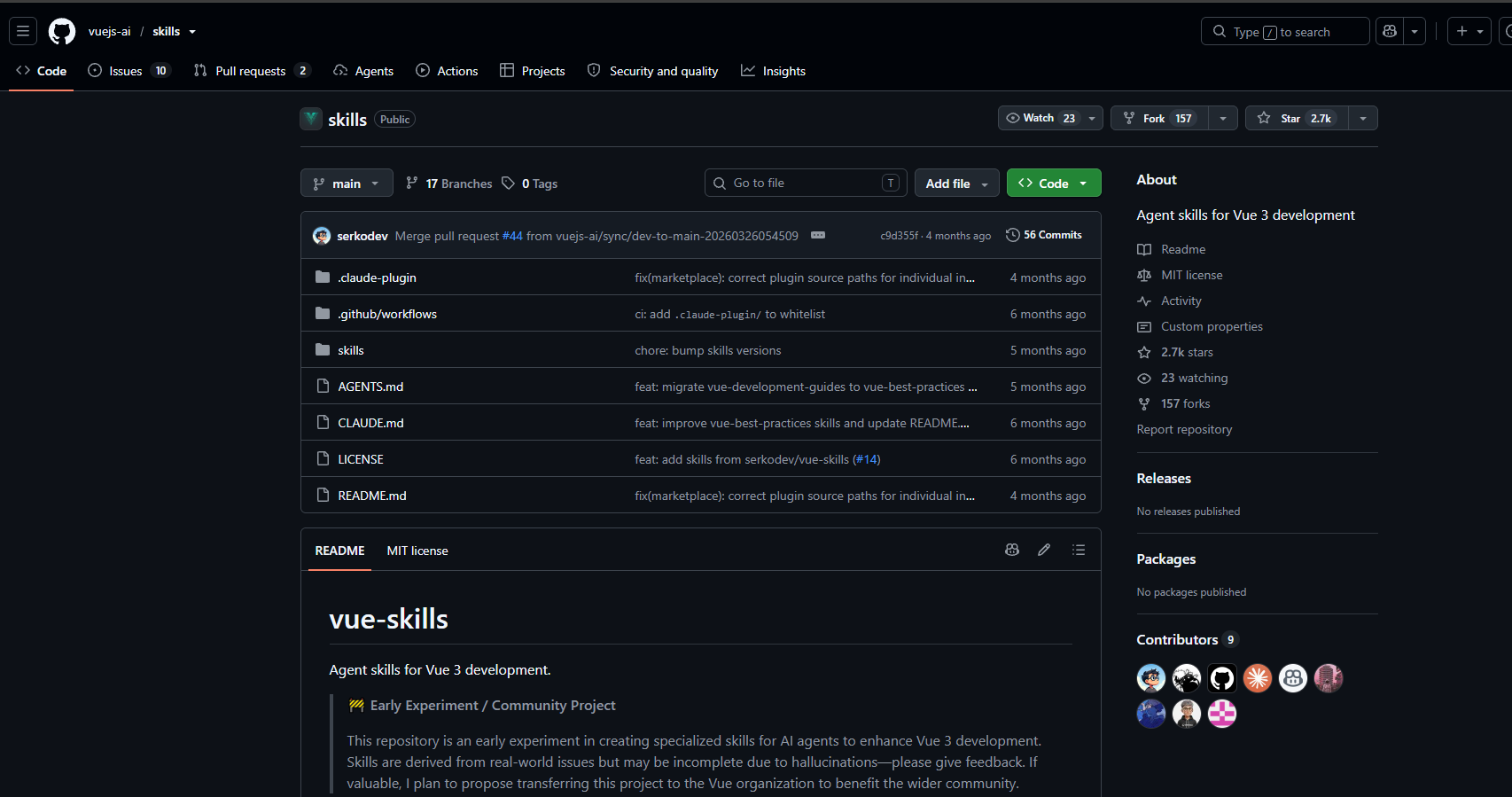
The main functions of vue-skills
- Vue 3 Best Practices : Covering correct usage of the Composition API, avoiding common pitfalls, SSR performance optimization, and project maintainability specifications.
- Options API specification : Provides
thiscontext management, lifecycle hooks, and TypeScript adaptation strategies. - Vue Router 4 Guide : Encapsulating navigation guard configuration, route parameter handling, and route component lifecycle specifications.
- Pinia State Management : Defining Store type design, TS derivation, modular organization, and reactive patterns.
- Testing specifications : Includes component unit testing and E2E testing specifications for Vistat, Vue Test Utils, and Playwright.
- Vue JSX Syntax : Explains the differences between Vue and React JSX in terms of scope and directives, avoiding errors in mixing them up.
- Debugging Manual : A guide to troubleshooting built-in runtime errors, asynchronous exception handling, and hydration issues.
- Composable encapsulation : Supports standardized, reusable logic encapsulation based on and
MaybeRef.MaybeRefOrGetter
How to use vue-skills
- Install the skill pack : Execute the command in the terminal
npx skills add vuejs-ai/skillsto add Vue Skills to your local environment. - Choose an AI tool : Follow the interactive prompts to select a supported AI tool, such as Cursor , Claude Code , or GitHub Copilot .
- Configure the installation scope : Select the global or project-level installation scope, and complete the configuration after confirming the security assessment.
- Explicitly trigger skills : Prefix prompts in AI dialogues
use vue skillto ensure that the AI invokes the corresponding rules. - Describe your development requirements : Directly describe your Vue development tasks, and AI will automatically generate code that conforms to official standards by referencing skill specifications.
The core advantages of vue-skills
- Authoritative source : Maintained by the Vue core team and VoidZero members, verified based on real issues and official documentation, not a second-hand compilation from the community.
- On-demand loading : Employs a progressive disclosure mechanism, dynamically loading complete instructions only when a task matches, avoiding long-term occupation of tokens and context windows.
- Cross-tool compatibility : Adheres to the Agent Skills open standard and supports more than 30 AI tools such as Cursor, Claude Code, GitHub Copilot, and Gemini CLI.
- Dynamic adaptation : Automatically identifies project characteristics through interactive configuration, such as Vue 2/3 version, composable/optional API, Pinia enabled status, etc.
- Automated validation : Each rule undergoes automated eval testing, retaining only valid rules that fail if no skills are available and pass if skills are required, ensuring controllable quality.
Comparison of vue-skills with similar products
| Dimension | vue-skills | nuxt-skills |
|---|---|---|
| position | Vue 3 General Development Standards and Pitfall Avoidance Guide | Nuxt Framework Dedicated Server/Full-Stack Development Guidelines |
| Maintenance party | Vue Core Member / VoidZero (Yunfei He) | Nuxt Community (onmax) |
| Coverage | Vue 3 Composition API, Options API, Vue Router, Pinia, VueUse, Testing, JSX | Nuxt 3 routing system, rendering modes (SSR/SSG/CSR), module development, server-side logic, API routing |
| Technical depth | Focusing on client-side component development, reactive principles, and state management | Focusing on server-side architecture, automatic import, plugin system, and Nitro engine. |
| Applicable projects | Pure Vue 3 single-page application or component library | Full-stack applications, content sites, and server-side rendering projects based on Nuxt |
| Installation method | npx skills add vuejs-ai/skills |
npx skills add onmax/nuxt-skills |
| Relationship with the frame | A standalone project in the official Vue ecosystem, which can be used independently of Nuxt. | Nuxt ecosystem-specific extension, dependent on the Nuxt framework context. |
Use cases of vue-skills
- AI-assisted Vue 3 development : Developers can use tools such as Cursor and Claude Code to invoke skills, allowing AI to generate component code that conforms to the Composition API specification and is type-safe, avoiding common anti-patterns.
- Consistent team coding standards : Install vue-skills in multi-person collaborative projects to ensure that all members’ AI-generated code follows the same set of official Vue best practices, reducing style disputes during code reviews.
- Migrating from Vue 2 to Vue 3 : Using the built-in Options API and Composition API comparison rules in the skills, AI is assisted in refactoring old project code into Vue 3 standard syntax, reducing migration costs.
- Debugging and troubleshooting : When encountering hydration errors, reactive exceptions, or TypeScript inference issues, trigger
vue-debug-guidesthe skill to let the AI locate the root cause according to the official troubleshooting manual.
相关导航




ai-navhub:The official website of the AI Toolset includes hundreds of AI tools from both domestic and international sources, as well as commonly used websites, frameworks, and models for AI learning and development, helping you join the wave of artificial intelligence and complete tasks efficiently and automatically!