




AI Design Tools
Vectorizer.AI
What is Vectorizer.AI?
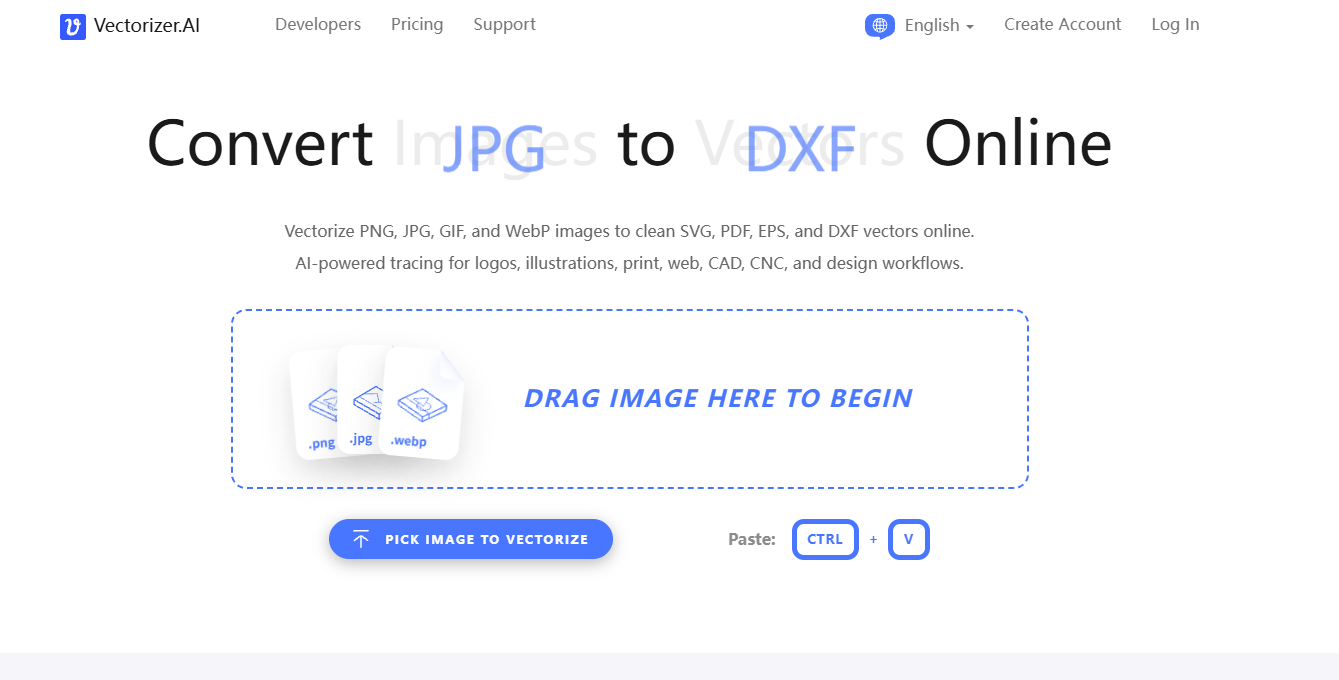
Vectorizer.AI is an online AI image vectorization tool that can quickly convert bitmap images such as PNG and JPG into vector formats such as SVG, PDF, and EPS. Based on deep learning technology, Vectorizer.AI can automatically identify shapes in images and convert them into geometric figures, supporting full-color and transparency processing. Vectorizer.AI allows users to upload images to obtain high-quality vector files, and is widely used in design, printing, laser engraving, and other fields.
The main functions of Vectorizer.AI
- Deep Vector Engine : Based on deep learning networks, classic algorithms, and proprietary datasets, this engine trains an AI network from scratch to support the service.
-
Geometry optimization : Supports fitting of complex geometries (such as circles, ellipses, stars, etc.) to ensure the accuracy and consistency of vector images.
-
Curve support : Supports various curve types (such as Bézier curves, arcs, etc.) to optimize image details.
-
High resolution support : Supports image input up to 3 megapixels, ensuring high-quality output.
-
Transparency support : Supports 32-bit ARGB input, including fully transparent and semi-transparent areas.
-
Pre-cropping function : Allows users to crop images before vectorization, improving processing efficiency.
-
Multilingual support : Offers multiple language interfaces for convenient use by users worldwide.
How to use Vectorizer.AI
- Visit the website : Visit the Vectorizer.AI official website https://ja.vectorizer.ai/.
- Select Language : Choose the language you want to use from the drop-down menu (such as English, Chinese, Japanese, etc.).
- Upload Image : Drag and drop the image (PNG, JPG, GIF, etc.) to the designated area on the page, or click the “PICK IMAGE TO VECTORIZE” button to select the file.
- Preview results : After processing, the page displays a full-color interactive preview of the vector graphics, allowing users to view the conversion effect.
- Adjust settings (optional) : If needed, adjust parameters such as the number of colors and curve smoothness.
- Download results : Click the “Download” button, select the output format such as SVG, PDF, EPS, DXF or PNG, and save the vector file.
Application scenarios of Vectorizer.AI
- Graphic Design and Brand Building : Convert bitmap logos to vector format for easy and clear use on websites, business cards, billboards, and other applications at different sizes and resolutions.
- Printing and Production : Converting design elements into vector graphics for use in processes such as laser cutting, screen printing, and laser engraving to ensure high-quality output.
- Web Design : Convert images into vector graphics for responsive web design, ensuring clarity across different screen resolutions while supporting SVG animations.
- Arts and Crafts : Converting hand-drawn sketches or paintings into vector graphics for further editing or use in CNC cutting, engraving, and other handicraft production.
- Advertising and Marketing : Convert images in advertising materials to vector format to ensure high quality across different media and enhance brand image.
相关导航




ai-navhub:The official website of the AI Toolset includes hundreds of AI tools from both domestic and international sources, as well as commonly used websites, frameworks, and models for AI learning and development, helping you join the wave of artificial intelligence and complete tasks efficiently and automatically!