






AnythingLLM
an open-source, full-stack AI client that supports local deployment and API integration.
标签:AI Training ModelAI training modelWhat is AnythingLLM?
AnythingLLM is a free, open-source, full-stack AI client that supports multimodal interaction. AnythingLLM supports multiple input methods, including text, images, and audio, transforming any document or content into context for use by various Language Models (LLMs) in conversations. AnythingLLM supports local operation and remote deployment, providing multi-user management, workspace isolation, rich document format support, and powerful API integration. All data is stored locally by default, ensuring privacy and security. AnythingLLM supports various popular LLM and vector databases, making it suitable for individual users, developers, and enterprises.
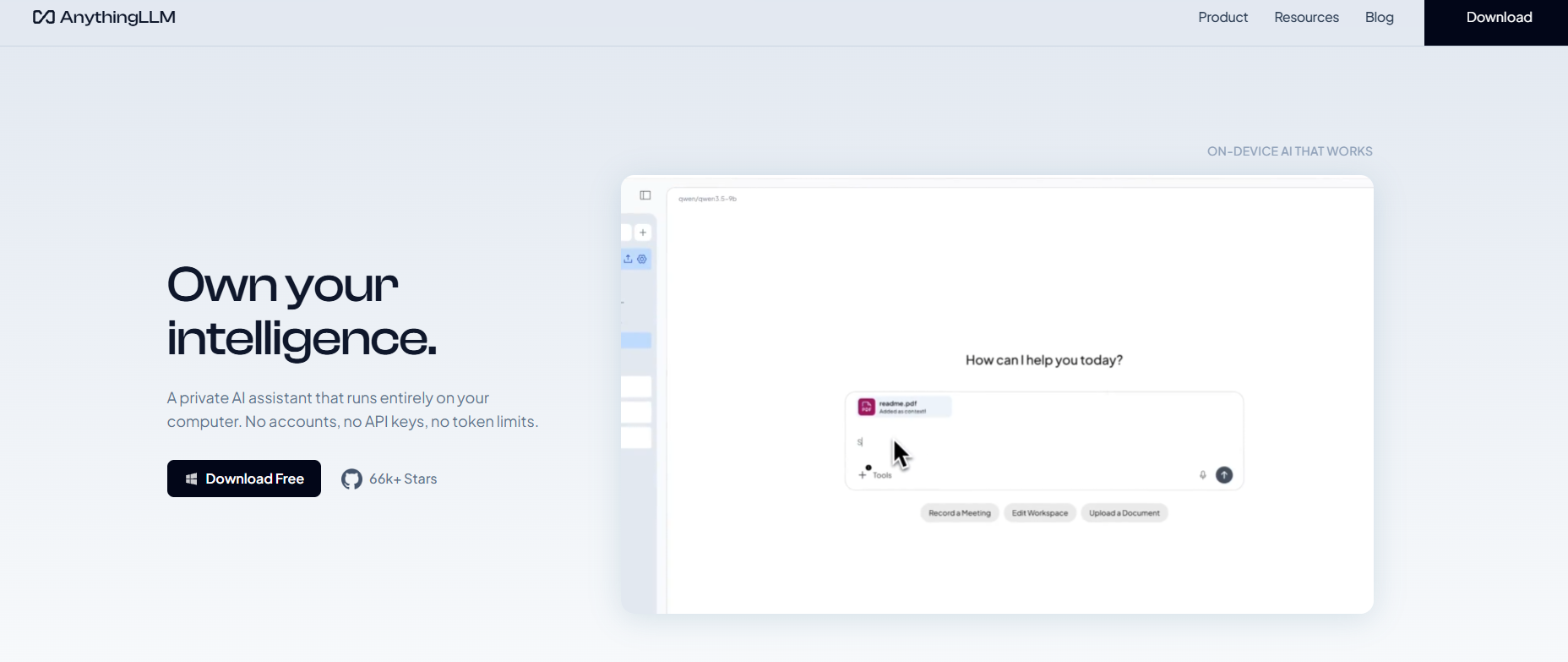
Main functions of AnythingLLM
- Multimodal interaction : Supports multiple input methods such as text, images, and audio, providing a richer interactive experience.
- Document processing and context management : Divide documents into independent “workspaces”, support multiple formats (such as PDF, TXT, DOCX, etc.), maintain context isolation, and ensure the clarity of the conversation.
- Multi-user support and permission management : The Docker version supports multi-user instances, and administrators can control user permissions, making it suitable for team collaboration.
- AI Agent and Tool Integration : Supports running AI agents within the workspace to perform tasks such as web browsing and code execution, extending the application’s functionality.
- Local Deployment and Privacy Protection : By default, all data (including models, documents, and chat logs) is stored locally, ensuring privacy and data security.
- Robust API support : Provides a complete developer API, facilitating user customization and integration.
- Cloud deployment ready : Supports multiple cloud platforms (such as AWS, GCP, etc.), making it convenient for users to deploy remotely according to their needs.
AnythingLLM’s project address
- Project website : https://anythingllm.com/
- GitHub repository : https://github.com/Mintplex-Labs/anything-llm
To get the AnythingLLM installation package , scan the QR code, follow us, and reply: AnythingLLM
The technical principles of AnythingLLM
- Frontend : Built with ViteJS and React, providing a clean and easy-to-use user interface, and supporting features such as drag-and-drop document upload.
- Backend : Based on NodeJS and Express, responsible for handling user interaction, document parsing, vector database management, and communication with LLM.
- Document processing : Based on the NodeJS server, the uploaded documents are parsed and processed, converted into vector embeddings, and stored in a vector database.
- Vector databases : Using vector databases such as LanceDB, document content is converted into vector embeddings, making it easier to quickly retrieve relevant context in a conversation.
- LLM Integration : Supports various open-source and commercial LLMs (such as OpenAI, Hugging Face, etc.), allowing users to choose the appropriate model according to their needs.
- AI Agent : Run an AI agent within the workspace. The agent can perform various tasks (such as web browsing, code execution, etc.) to extend the functionality of the application.
AnythingLLM supports the following models and databases.
- Large Language Models (LLMs) : Supports a variety of open-source and closed-source models, such as OpenAI, Google Gemini Pro, Hugging Face, etc.
- Embedded Models : Supports AnythingLLM native embedders, OpenAI, etc.
- Speech-to-text and text-to-speech : Supports multiple speech models, including OpenAI and ElevenLabs.
- Vector databases : Supports LanceDB, Pinecone, Chroma, etc.
AnythingLLM usage and deployment
- Desktop version :
- System requirements :
- Operating systems : Supports Windows, macOS, and Linux.
- Hardware requirements : At least 8GB of RAM is recommended, 16GB or more is preferred.
- Download and Installation : Visit the AnythingLLM official website . Select the appropriate installation package based on your operating system.
- Installation program :
- Windows : Double-click the installer and follow the prompts to complete the installation.
- MacOS : Double-click the DMG file and drag the application into the “Applications” folder.
- Linux : Install DEB or RPM files using a package manager.
- Launch the application : After installation, open the AnythingLLM application.
- Initialization settings :
- Select Model : On the first startup, select a language model (LLM).
- Configure the vector database : Select the default vector database (such as LanceDB) or configure other supported databases.
- Create a workspace : Click “New Workspace” to create a separate workspace for your project or document. Upload your document (such as PDF, TXT, DOCX, etc.), and the application will automatically parse it and generate vector embeddings, which will be stored in the vector database.
- Start the conversation :
- Enter questions or commands in the workspace, and the application will generate intelligent answers based on the uploaded document content.
- It supports multimodal interaction, allowing users to upload images or audio files, which the application then processes accordingly.
- System requirements :
- Docker version :
- System requirements:
- Operating systems : Supports Linux, Windows (WSL2), and MacOS.
- Hardware requirements : At least 8GB of RAM is recommended, 16GB or more is preferred.
- Docker environment : Docker and Docker Compose need to be installed.
- Deployment steps :
- Access the GitHub repository : Go to the AnythingLLM GitHub repository .
- System requirements:
Application scenarios of AnythingLLM
- Enterprise internal knowledge management and Q&A : Enterprises upload internal documents (such as knowledge bases, manuals, project documents, etc.) to AnythingLLM’s workspace, and employees can quickly query and obtain relevant information through dialogue, improving work efficiency.
- Academic research and literature organization : Researchers upload a large number of academic documents and papers to the workspace to quickly extract key information and summarize viewpoints to assist in research work.
- Personal learning and data organization : Students or individual learners can import learning materials (such as e-books, notes, etc.) and review and consolidate knowledge in a dialog-like format to improve learning efficiency.
- Content creation : Content creators gain creative inspiration, polish text, or generate outlines to assist in the creation process.
- Multilingual document translation and understanding : Users upload multilingual documents and quickly obtain translated versions of the document content or key information, breaking down language barriers.
相关导航


