






AI Prompts
PromptFolder
What is PromptFolder?
PromptFolder is a tool designed specifically for managing AI-powered prompts, compatible with AI applications such as ChatGPT and Midjourney . PromptFolder helps users efficiently organize, edit, and store prompts, supports folder creation for categorization, and provides an advanced editor for optimizing expression. PromptFolder offers practical features such as SEO title generation, easy keyword search, and blog creative generation. The tool has a clean and intuitive interface, supports browser extensions, and allows users to quickly access prompts when using AI tools, improving work efficiency and creative inspiration.
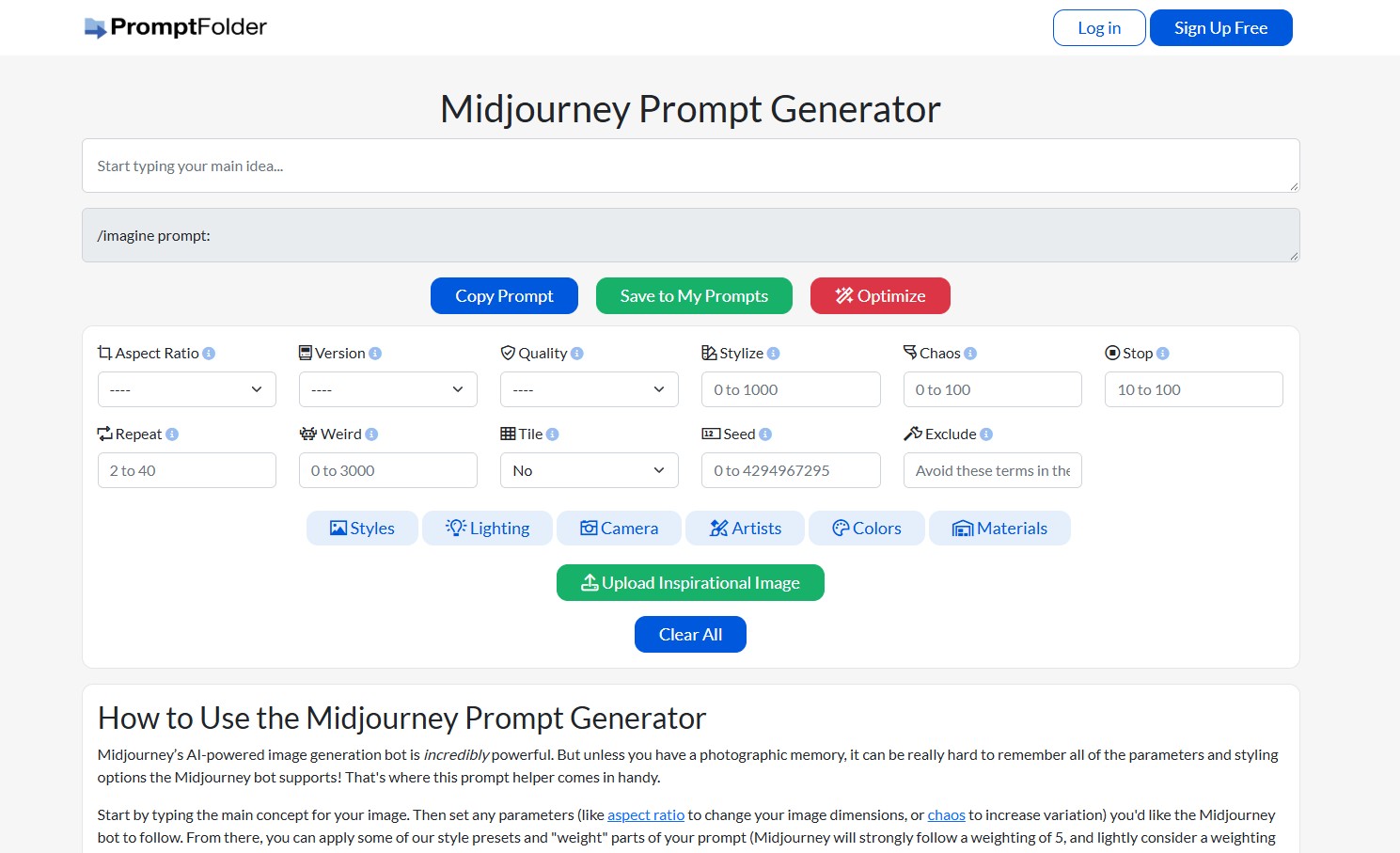
Main functions of PromptFolder
- Prompt management : Users can create, edit, delete, and organize prompts, and it supports categorized management based on folders.
- Advanced Editor : Provides more powerful editing features to help optimize the expression and structure of prompt words.
- Browse trending keywords : Displays trending keywords shared by other users to help users get inspiration.
- Specific tool integration : Provides practical tools such as SEO title generator, low-difficulty keyword finder, and blog creative generator.
- Integration with AI tools : Supports seamless integration with AI tools such as ChatGPT and Midjourney, allowing users to directly use managed prompts.
- Batch operations : Supports batch moving or deleting prompts, improving management efficiency.
How to use PromptFolder
- Registration and Login : Visit the PromptFolder website: https://promptfolder.com/. Follow the prompts to complete registration and login.
- Create a prompt : After logging in, go to the main interface and click the “New Prompt” button to create a new prompt. Enter the prompt content in the edit box and refine its expression using the advanced editor.
- Organize your tooltips : Click “New Folder” to create folders and categorize your tooltips. Drag and drop tooltips into the appropriate folders, or move them using the right-click menu.
- Use a specific tool : Click on the tool’s name in the top menu (such as “SEO Meta Title Writer” or “Blog Post Idea Generator”). Follow the tool’s prompts to enter the relevant information and generate the desired content.
- Integration with AI tools : The prompts edited in PromptFolder can be directly copied and pasted into AI tools such as ChatGPT or Midjourney for use.
- Browse trending prompts : Click “Browse Trending Prompts” to see trending prompts shared by other users and get inspiration from them.
Application scenarios of PromptFolder
- Content creation assistance : PromptFolder helps creators quickly generate creative ideas, using optimized prompts to produce high-quality copy, headlines, or story outlines, improving writing efficiency.
- SEO optimization and keyword research : Users can quickly find low-competition keywords, optimize content search engine rankings, and increase website traffic.
- AI Prompt Management and Reuse : Users can create and manage their own prompt folders, making it easy to categorize, edit, and reuse frequently used prompts, thus improving the efficiency of using AI tools.
- Team collaboration and resource sharing : Supports multi-person collaboration, allowing team members to share and edit prompt word folders, promoting knowledge sharing and collaboration efficiency within the team.
- Learning and community interaction : Users can browse popular suggestion words on the platform, learn from other users’ best practices, and improve their ability to write efficient AI suggestion words.
相关导航


ai-navhub:The official website of the AI Toolset includes hundreds of AI tools from both domestic and international sources, as well as commonly used websites, frameworks, and models for AI learning and development, helping you join the wave of artificial intelligence and complete tasks efficiently and automatically!