




Seede AI
What is Seede AI?
Seede AI is a native AI design tool for ordinary users . Simply provide text content; no prompts or design expertise are required. The AI automatically generates professionally formatted design drafts, outputting editable source files—each line of text and each image is an independent layer, allowing direct text editing, style adjustments, and material replacement. It can be exported in PSD, PPT, and PDF formats. Seede AI addresses the pain point of traditional AI-generated images being uneditable, enabling ordinary users to quickly produce deliverable professional designs, covering posters , long images, PPTs , roll-up banners, and other scenarios.
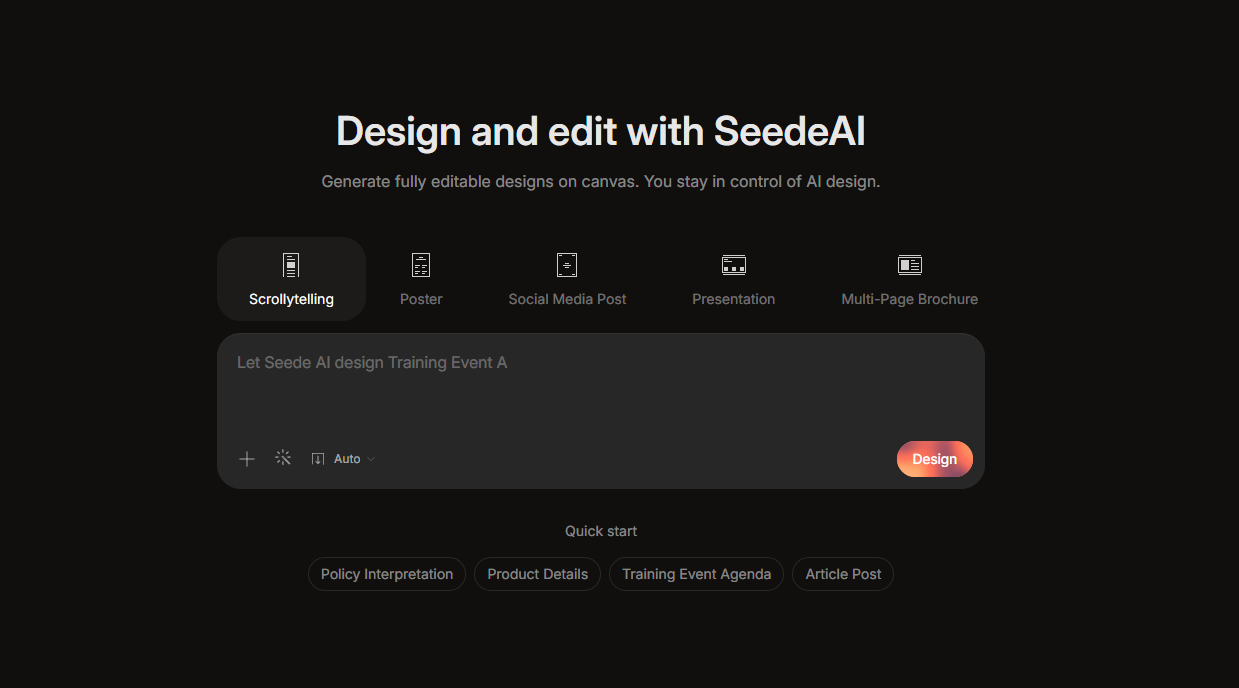
Seede AI’s main functions
- Core design generation : Covers more than 15 common design scenarios such as long images, posters, PPTs, roll-up banners, flyers, menus, and invitations, meeting diverse creative needs.
- Content creation first : Users only need to paste the text and upload materials. No need to write a prompt or have design skills. AI can automatically complete professional layout and visual design.
- Source file-level editing : The generated design draft adopts a layered structure, and text, images, and elements can be selected and modified independently, completely eliminating the limitation of traditional AI raw images that cannot be edited a second time.
- Multi-format export : Supports exporting to mainstream formats such as PNG, PDF, PPT, and PSD, making it easy to integrate with professional design workflows.
- Reference Image Replication : Upload your favorite design reference image, and AI will automatically extract the layout style, text-image ratio, and color scheme to quickly generate an editable template of the same style.
- Link to Article : Enter an article link, and AI will automatically parse the long text content and intelligently paginate it to generate a series of articles in the Xiaohongshu style that is adapted for mobile devices.
- Batch generation solution : Supports generating up to 9 different versions of design drafts at a time, making it convenient for users to compare and select the best solution, greatly improving creation efficiency.
How to use Seede AI
- Register on the official website : Visit the Seede AI official website https://seede.ai/ and complete account registration and login.
- Select a design scenario : Choose the desired design type from the homepage, including 15 scenarios such as long image, poster, PPT, roll-up banner, flyer, menu, and invitation.
- Enter content information : Paste the text content into the input box. You only need to provide the text information that needs to be presented.
- Upload image materials : Drag and drop to upload the required images, click on the image to set its purpose, such as product image, portrait, background image, etc. AI will automatically handle the correspondence between the image and text.
- Choose a visual style : Select a theme color scheme. You can use the preset classic color scheme or choose smart adaptation to let AI play freely according to the content.
- Generate Design Draft : Click Generate, and AI will automatically complete the layout design. Up to 9 versions can be generated at once for selection.
- Secondary editing and adjustments : Select text or images directly in the canvas for modification, including changing the text, adjusting the font size, changing the image, adjusting the transparency, adding rounded corners and shadows, etc. All elements are editable in layers.
- Export and delivery : After confirming that everything is correct, export to the required format, supporting PNG, JPG, PDF, PPT, PSD, etc., for direct use in publishing, distribution, or printing.
Examples of Seede AI usage
Long image
Please draw a research framework diagram for “An Empirical Study of the Ethical Risks of Generative Artificial Intelligence in Adolescents and the Construction of a Three-Dimensional Avoidance Path Based on Cognition, Ability, and Ethics”.
Event Poster
Create an elegant art exhibition poster. The exhibition title is ‘Contemporary Art Exhibition’, and the exhibition period is one month.
Seede AI’s product pricing
- Free trial: New users get 15 Water Drops upon registration (10 for new users + 5 for logins), including a full-featured editor, community templates, 500-word text processing, 3 image uploads, 5MB document import, and 5-page single-output generation. Export PNG/JPG/WebP with watermark. Earn extra points by inviting friends.
- 50 Water Drops : ¥21 , includes all new user benefits, plus unlocks of private generation, commercial authorization, 3000-word text processing, 20 image uploads, 15MB document import, 10-page single generation, high-definition watermark-free export in PDF/PPT/HTML formats, valid for 12 months.
- 300 Water Drops : ¥99, includes all benefits for design enthusiasts, upgrades to 5000-word text processing, 20-page single-generation, priority access to new feature beta testing and early access to advanced AI models, valid for 12 months.
Application Scenarios of Seede AI
- Content Marketing : Self-media bloggers can quickly create long images for WeChat official accounts, articles and images for Xiaohongshu, and knowledge cards, automatically converting long articles into a series of visual images.
- E-commerce operations : Merchants can generate product detail pages, main image posters, and promotional banners, supporting multilingual versions and adapting to e-commerce platforms in different countries.
- Event Promotion : Seede AI supports the creation of offline materials such as roll-up banners, flyers, invitations, and event posters, as well as social media placement materials, maintaining a consistent brand style.
- Enterprise Office : Generate PPT presentations, training manuals, flowcharts, and meeting nameplates with one click, significantly reducing internal design waiting time.
- Food and beverage retail : Seede AI can design electronic menus, new product posters, and membership recruitment campaign images, allowing stores to update promotional materials without the need for professional designers.
相关导航



